{
"schema_version": 1,
"id": "operate/iris/agent-memory/view-service",
"title": "View and manage Agent Memory service",
"url": "https://redis.io/docs/latest/operate/iris/agent-memory/view-service/",
"summary": "View and manage your Agent Memory service in Redis Cloud.",
"tags": [
"docs",
"operate",
"iris"
],
"last_updated": "2026-08-07T08:57:54-07:00",
"page_type": "content",
"content_hash": "67c4090461b95ae4a6e5d5bd11e38c29da765ad0fc0b387797d0f3a6c7610865",
"sections": [
{
"id": "overview",
"title": "Overview",
"role": "overview",
"text": "After you have [created your first Agent Memory service](https://redis.io/docs/latest/operate/iris/agent-memory/create-service), selecting **Agent Memory** from the Redis Cloud Console menu will take you to the **Agent Memory Services** page.\n\nThis page displays a list of all Agent Memory services associated with your account.\n\n\n\nSelect your Agent Memory service from the list to view the service's details."
},
{
"id": "configuration-tab",
"title": "Configuration tab",
"role": "configuration",
"text": "The **Configuration** tab lets you view the details of your Agent Memory service. It contains the following sections:\n\n- The **General settings** section provides the connection details and general settings for your Agent Memory service.\n- The **Memory configuration** section provides the service settings for your Redis Agent Memory service.\n- The **Memory types & extraction** section shows any custom memory types defined for your service.\n- The **Actions** section lets you flush or delete your Redis Agent Memory service.\n\nSome of these settings can be changed after service creation. To do so, select the **Edit** button."
},
{
"id": "general-settings",
"title": "General settings",
"role": "content",
"text": "The **General settings** section provides the connection details and general settings for your Agent Memory service.\n\n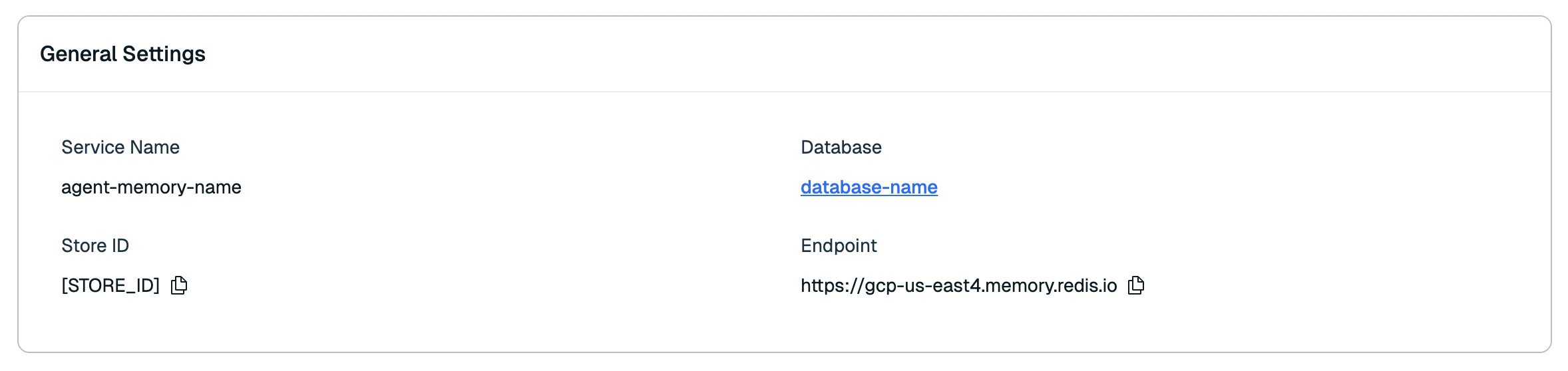\n\n| Setting name |Description|\n|:----------------------|:----------|\n| **Service name** | The name of your agent memory service. _(Editable)_ |\n| **Database** | The name of the database your service uses. |\n| **Store ID** | The unique ID of your Agent Memory store. |\n| **Endpoint** | The base URL for any Agent Memory requests. |\n\nSelect the **Copy** button next to the Store ID and API Base URL to copy them to the clipboard.\n\nFollow the [Redis Agent Memory REST API quickstart](https://redis.io/docs/latest/develop/ai/context-engine/agent-memory/rest-api-quickstart) to use the connection information and API key."
},
{
"id": "memory-configuration",
"title": "Memory configuration",
"role": "content",
"text": "The **Memory configuration** section shows the time-to-live (TTL) for memory storage, the extraction cadence, and the automatic summarization settings for session memory.\n\n\n\n| Setting name |Description|\n|:----------------------|:----------|\n| **Short-term TTL** | The time-to-live (TTL) of your agent's **short-term memory** (also known as **session memory**). _(Editable)_ |\n| **Long-term TTL** | The time-to-live (TTL) of your agent's **long-term memory**. _(Editable)_ |\n| **Extraction cadence** | How often the extraction pipeline runs while a session is active. Defaults to 5 minutes; can be set to a value between 60 and 600 seconds. _(Editable)_ |\n| **Automatic summarization** | Whether older messages in a session are automatically compressed into a summary to keep session memory concise during long conversations. _(Editable)_ |\n| **Summarize after (messages)** | The number of messages a session can hold before older messages are summarized. Shown only when automatic summarization is enabled. _(Editable)_ |\n| **Keep most recent (messages)** | The number of most recent messages that are always kept in full and never summarized. Shown only when automatic summarization is enabled. _(Editable)_ |"
},
{
"id": "memory-types-and-extraction",
"title": "Memory types & extraction",
"role": "content",
"text": "The **Memory types & extraction** section shows any [custom memory types](https://redis.io/docs/latest/operate/iris/agent-memory/create-service#custom-memory-types) defined for the service, each listed with its name, fields, and extraction strategy.\n\n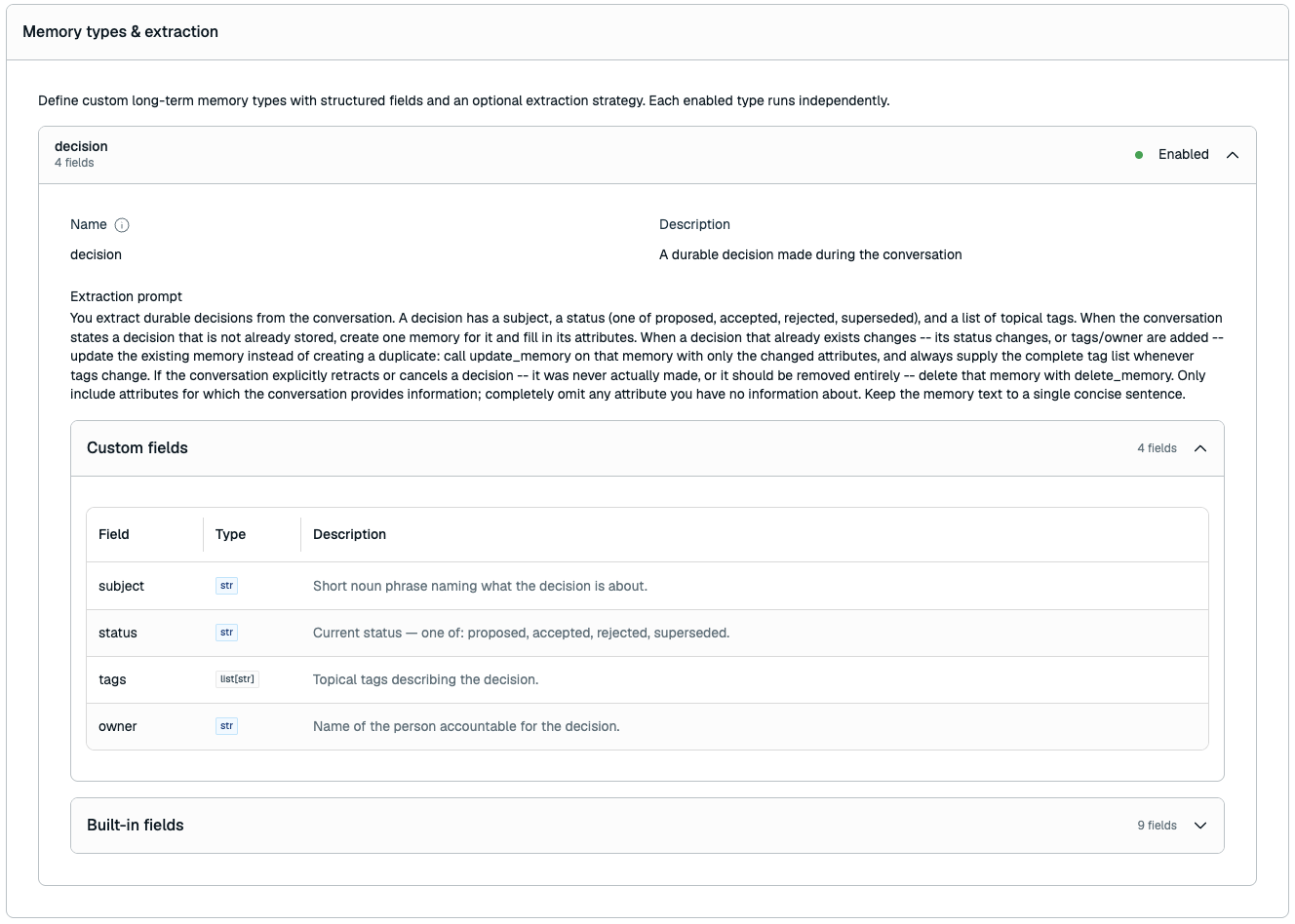\n\n#### Custom memory types\n\nBecause a custom memory type's structure is fixed after creation, only some settings can be changed when you edit the service:\n\n| Setting name |Description|\n|:----------------------|:----------|\n| **Name** | The name of the custom memory type. _(Read-only)_ |\n| **Fields** | The fields that make up the custom memory type, with their names, types, and descriptions. _(Read-only)_ |\n| **Extraction prompt** | The extraction strategy prompt for the custom memory type. _(Editable)_ |\n| **Enabled** | Whether the extraction strategy is active. _(Editable)_ |\n\nTo change a custom memory type's name or fields, you must create a new service. You can, however, add a new custom memory type when editing the service, up to the limit of 3 custom memory types."
},
{
"id": "sensitive-data-exclusions",
"title": "Sensitive-data exclusions",
"role": "content",
"text": "The **Sensitive-data exclusions** section shows whether semantic exclusions are enabled and the prompt used to guide automatic extraction away from sensitive information.\n\n| Setting name | Description |\n|:-------------|:------------|\n| **Semantic exclusions** | Whether the exclusion prompt is applied during automatic extraction. _(Editable)_ |\n| **Exclusion prompt** | Plain-language instructions describing information that should not be kept in long-term memory. _(Editable)_ |\n\nSensitive-data exclusions are advisory. They do not guarantee exclusion, sensitive session content still reaches the extraction model provider, and the prompt does not apply to directly created long-term memories."
},
{
"id": "actions",
"title": "Actions",
"role": "content",
"text": "The **Actions** section lets you flush or delete your Agent Memory service.\n\n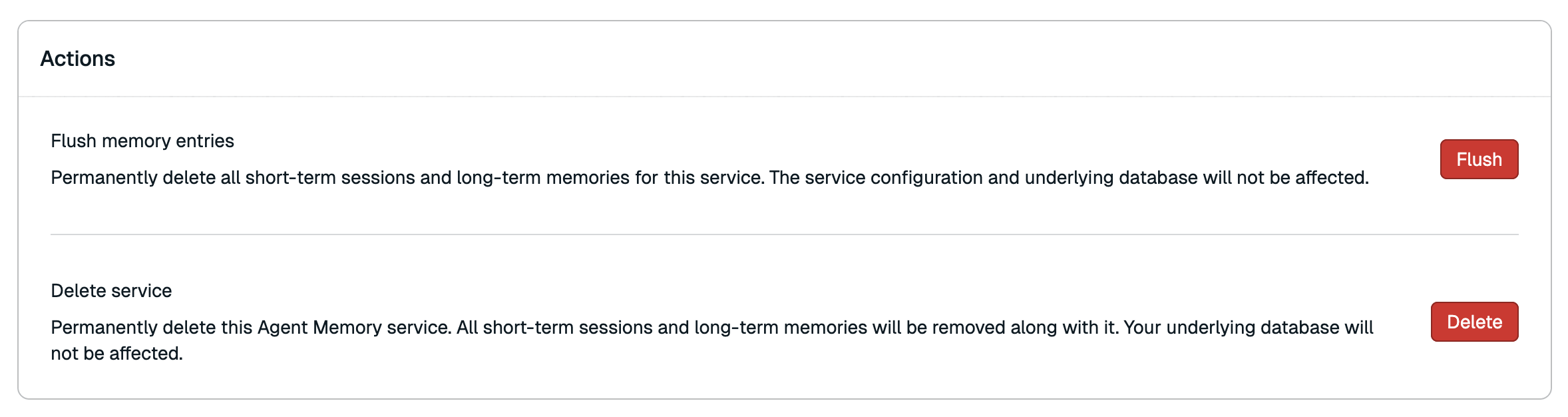\n\n#### Flush memory entries\n\nFlushing the service completely erases all stored memory data while preserving the service configuration and the search index used by the service.\n\nTo flush the service:\n\n1. Select **Flush**.\n\n1. A confirmation dialog will appear. Select **Flush** again to confirm.\n\nFlushing the service is permanent and cannot be undone, and will result in empty memory retrieval results until new memory is stored.\n\n#### Delete service\n\nDeleting your Agent Memory service permanently deletes all associated memory data, the service configuration, and the Agent Memory search index. It also immediately terminates all API keys associated with the service. Data stored in other indexes within the same database will remain unaffected.\n\nTo delete your Agent Memory service:\n\n1. Select **Delete**.\n\n1. A confirmation dialog will appear. Select the checkbox to confirm that you want to delete the service.\n\n1. Select **Delete** again to confirm.\n\nDeleting the Agent Memory service is permanent and cannot be undone."
},
{
"id": "metrics-tab",
"title": "Metrics tab",
"role": "content",
"text": "The **Metrics** tab provides a series of graphs showing performance data for your Agent Memory service.\n\n| Metric | Description |\n|--------|-------------|\n| Short-term Memory Latency | The average time to process a Short-term memory (or Session memory) lookup request. |\n| Long-term Memory Latency | The average time to process a Long-term memory lookup request. |"
},
{
"id": "api-keys-tab",
"title": "API keys tab",
"role": "content",
"text": "The **API keys** tab shows a list of all API keys for your service.\n\n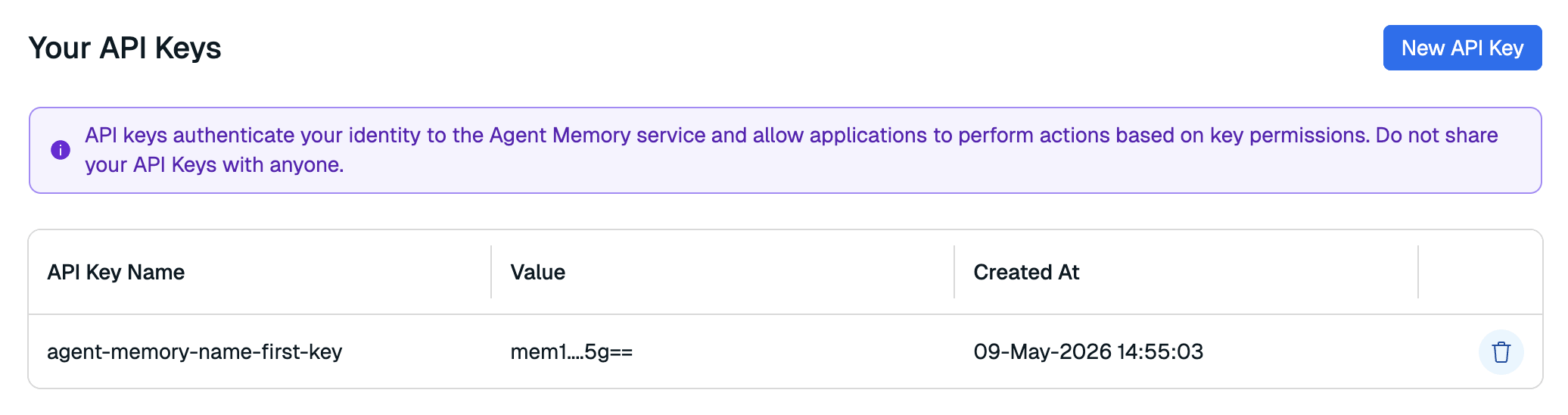\n\nHere, you can generate a new API key or remove any keys that are no longer in use. You can generate or remove service API keys at any time."
},
{
"id": "replace-service-api-key",
"title": "Generate a new service API key",
"role": "content",
"text": "To generate a new service key:\n\n1. Select **New API key**.\n\n \n\n1. Enter a new name for your API key.\n\n 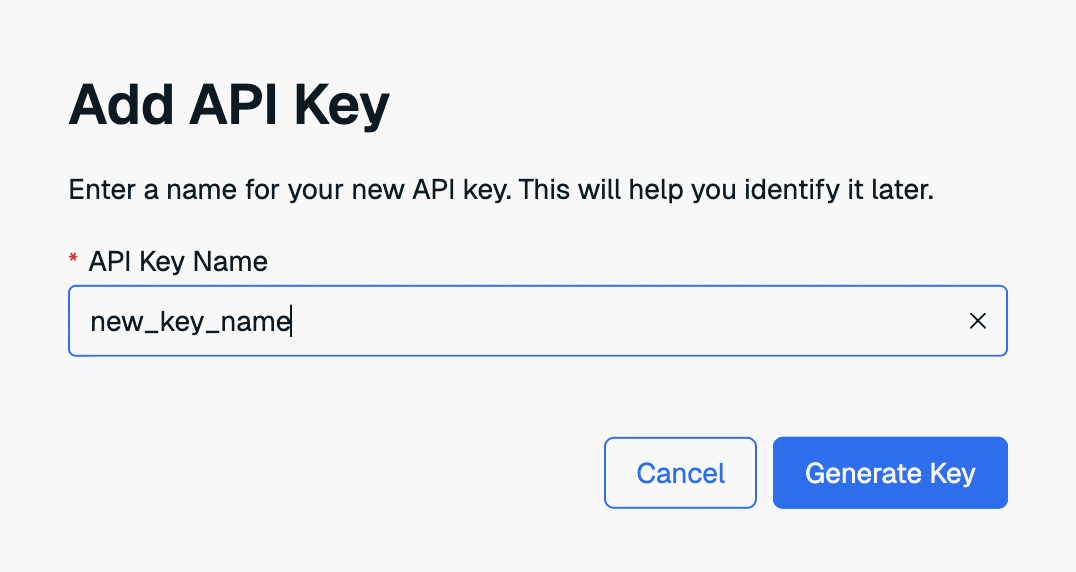\n\n1. Select **Generate key** to generate your new API key.\n\n1. The new key will appear in a dialog box. Select **Copy** to copy the key to the clipboard.\n\n 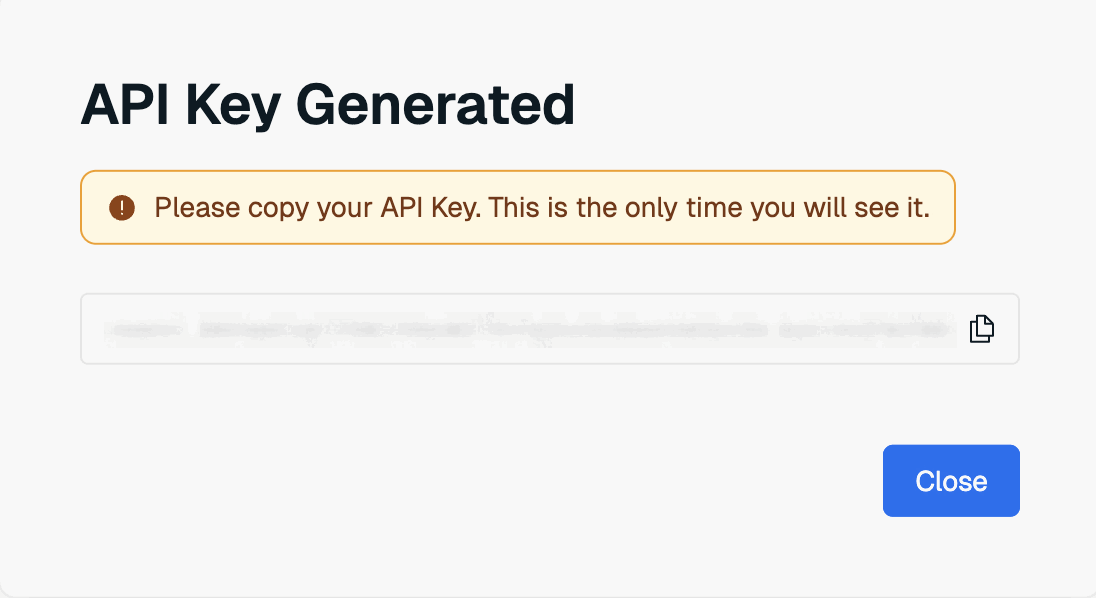\n\n \nThis is the only time the value of the user key is available. Save it to a secure location before closing the dialog box.
\n\nIf you lose the service key value, you will need to generate a new key again."
},
{
"id": "delete-api-key",
"title": "Delete API key",
"role": "content",
"text": "To delete an API key, select the **Delete API key** button next to the old key.\n\n"
}
],
"examples": []
}