# Create an Agent Memory service
```json metadata
{
"title": "Create an Agent Memory service",
"description": "Create an Agent Memory service in Redis Cloud to store working and long-term memory for AI agents.",
"categories": ["docs","operate","rc"],
"tableOfContents": {"sections":[{"id":"prerequisites-and-limitations","title":"Prerequisites and limitations"},{"children":[{"id":"general-settings","title":"General settings"},{"id":"memory-configuration","title":"Memory configuration"},{"id":"create-service","title":"Create service"}],"id":"create-an-agent-memory-service","title":"Create an Agent Memory service"},{"id":"next-steps","title":"Next steps"}]}
,
"codeExamples": []
}
```
Redis Agent Memory provides a persistent, structured memory layer that AI agents can use to store, retrieve, and manage contextual data across interactions. This guide walks you through creating and configuring an Agent Memory service in Redis Cloud.
## Prerequisites and limitations
To create a Redis Agent Memory service, you will need a Redis Cloud database. If you don't have one, see [Create a database](https://redis.io/docs/latest/operate/rc/databases/create-database).
Agent Memory does not support the following databases during public preview:
- [Redis Flex](https://redis.io/docs/latest/operate/rc/databases/create-database/create-flex-database) databases
- Databases using [AWS PrivateLink](https://redis.io/docs/latest/operate/rc/security/aws-privatelink) connectivity
- [Active-Active](https://redis.io/docs/latest/operate/rc/databases/active-active) databases
- Databases with the [default user](https://redis.io/docs/latest/operate/rc/security/access-control/data-access-control/default-user) turned off
## Create an Agent Memory service
From the [Redis Cloud console](https://cloud.redis.io/), select **Agent Memory** from the left-hand menu.
If you have not already created an Agent Memory service, you'll see a page with an introduction to Agent Memory. Otherwise, select **New service** to go to the Agent Memory introduction page.

From here:
- Select **Quick create** to create an Agent Memory service with default settings using your Free 30MB database. If you haven't created a Free database yet, Redis Cloud will create one and set up the Agent Memory service for you.

After Redis Cloud creates your Agent Memory service, a window containing your Agent Memory service key will appear. Select **Copy** to copy the key to your clipboard.
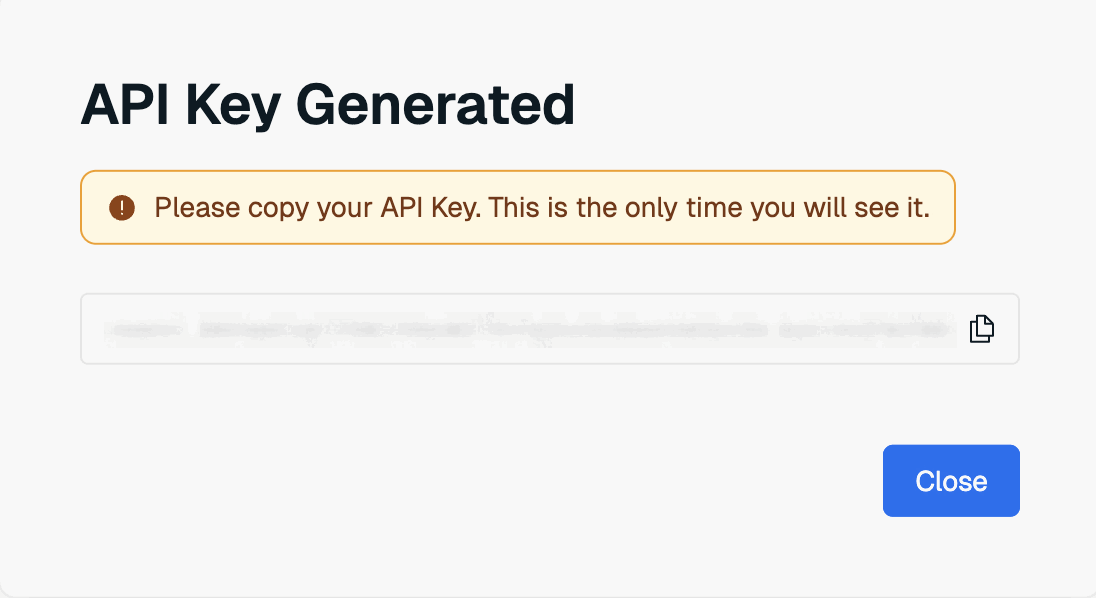
This is the only time the value of the user key is available. Save it to a secure location before closing the dialog box.
If you lose the service key value, you will need to [generate a new service key](https://redis.io/docs/latest/operate/rc/context-engine/agent-memory/view-service#replace-service-api-key) to be able to use the Agent Memory API.
After your service is created, you can [use the Agent Memory API](https://redis.io/docs/latest/operate/rc/context-engine/agent-memory/use-agent-memory) from your client app.
- If you want to customize your Agent Memory service, select **Create custom**.

This takes you to the **Create Agent Memory Service** page. This page is divided into the following sections:
1. The [General settings](#general-settings) section defines basic properties of your service.
1. The [Memory configuration](#memory-configuration) section allows you to define the time-to-live (TTL) of your agent's memories.
### General settings
The **General settings** section defines basic properties of your service.
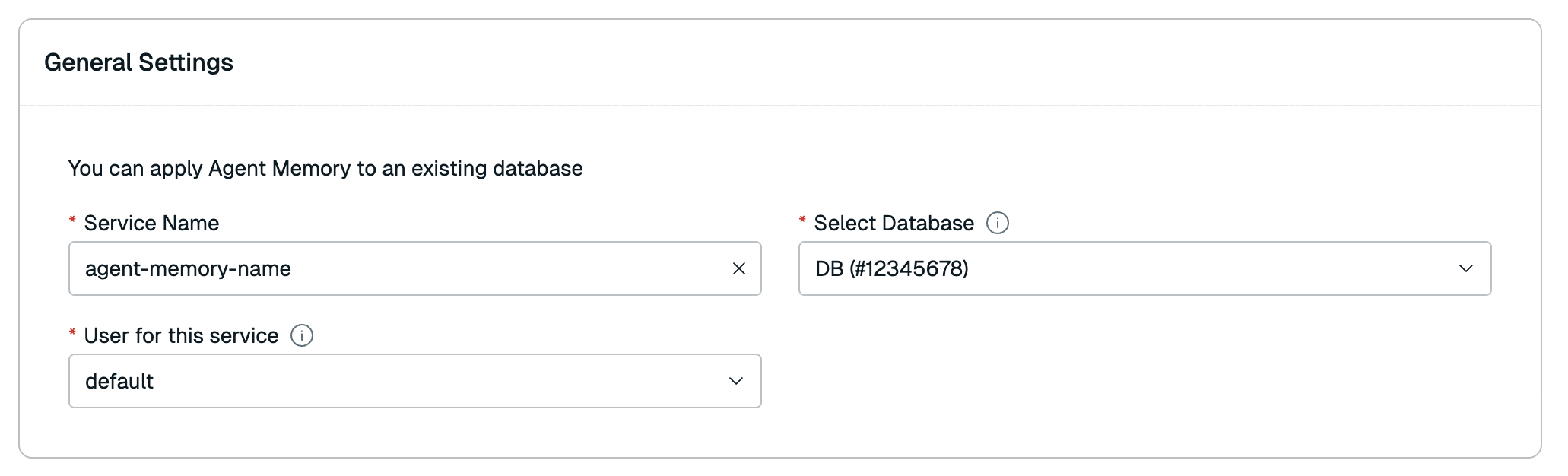
| Setting name |Description|
|:----------------------|:----------|
| **Service name** | Enter a name for your Agent Memory service. We recommend you use a name that describes your service's purpose. |
| **Select database** | Select the Redis Cloud database to use for this service from the list. |
| **User for this service** | The [database access user](https://redis.io/docs/latest/operate/rc/security/access-control/data-access-control/role-based-access-control) to use for this service. Agent Memory only supports the [`default` user](https://redis.io/docs/latest/operate/rc/security/access-control/data-access-control/default-user) during public preview. |
### Memory configuration
The **Memory configuration** section allows you to define the time-to-live (TTL) of your agent's memories.

| Setting name |Description|
|:----------------------|:----------|
| **Short-term TTL** | Defines the time-to-live (TTL) of your agent's **short-term memory** (also known as **session memory**). You can define this TTL in seconds, minutes, hours, or days. Default: 1 hour |
| **Long-term TTL** | Defines the time-to-live (TTL) of your agent's **long-term memory**. You can define this TTL in seconds, minutes, hours, or days. Default: 365 days |
### Create service
When you are done setting the details of your Agent Memory service, select **Create** to create it.

A window containing your Agent Memory service key will appear. Select **Copy** to copy the key to your clipboard.

This is the only time the value of the user key is available. Save it to a secure location before closing the dialog box.
If you lose the service key value, you will need to [generate a new service key](https://redis.io/docs/latest/operate/rc/context-engine/agent-memory/view-service#replace-service-api-key) to be able to use the Agent Memory API.
If an error occurs, verify that your database is active. For help, [contact support](https://redis.io/support/).
## Next steps
After your service is created, you can [use the Agent Memory API](https://redis.io/docs/latest/operate/rc/context-engine/agent-memory/use-agent-memory) from your client app.
You can also [view and edit the service](https://redis.io/docs/latest/operate/rc/context-engine/agent-memory/view-service).