# Create a LangCache service
```json metadata
{
"title": "Create a LangCache service",
"description": "",
"categories": ["docs","operate","rc"],
"tableOfContents": {"sections":[{"id":"prerequisites","title":"Prerequisites"},{"children":[{"id":"general-settings","title":"General settings"},{"id":"embedding-settings","title":"Embedding settings"},{"id":"attributes-settings","title":"Attributes settings"},{"id":"create-service","title":"Create service"}],"id":"create-a-langcache-service","title":"Create a LangCache service"},{"id":"next-steps","title":"Next steps"}]}
,
"codeExamples": []
}
```
Redis LangCache provides vector search capabilities and efficient caching for AI-powered applications. This guide walks you through creating and configuring a LangCache service in Redis Cloud.
## Prerequisites
To create a LangCache service, you will need:
- A Redis Cloud database. If you don't have one, see [Create a database](https://redis.io/docs/latest/operate/rc/databases/create-database).
LangCache does not support the following databases during public preview:
- Databases with a [CIDR allow list](https://redis.io/docs/latest/operate/rc/security/cidr-whitelist)
- [Active-Active](https://redis.io/docs/latest/operate/rc/databases/active-active) databases
- Databases with the [default user](https://redis.io/docs/latest/operate/rc/security/access-control/data-access-control/default-user) turned off
- An API key for your embedding provider, if not using the default Redis embedding provider. LangCache supports [OpenAI](https://platform.openai.com/api-keys) and the Redis embedding provider during public preview.
## Create a LangCache service
From the [Redis Cloud console](https://cloud.redis.io/), select **LangCache** from the left-hand menu.
If you have not already created a LangCache service, you'll see a page with an introduction to LangCache. Otherwise, select **New service** to go to the LangCache introduction page.

From here:
- Select **Quick create** to create a LangCache service with default settings using your Free 30MB database. If you haven't created a Free database yet, Redis Cloud will create one and set up the LangCache service for you.

After Redis Cloud creates your LangCache service, a window containing your LangCache service key will appear. Select **Copy** to copy the key to your clipboard.
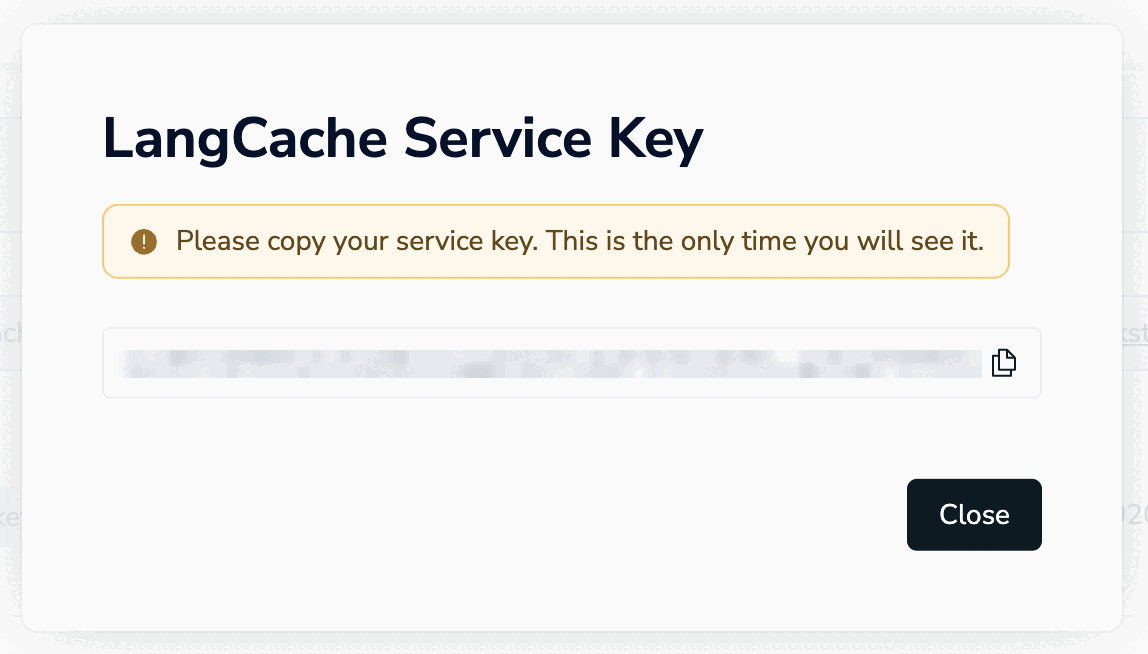
This is the only time the value of the user key is available. Save it to a secure location before closing the dialog box.
If you lose the service key value, you will need to [generate a new service key](https://redis.io/docs/latest/operate/rc/context-engine/langcache/view-edit-cache#replace-service-api-key) to be able to use the LangCache API.
After your cache is created, you can [use the LangCache API](https://redis.io/docs/latest/operate/rc/context-engine/langcache/use-langcache) from your client app.
You can also [view and edit the cache](https://redis.io/docs/latest/operate/rc/context-engine/langcache/view-edit-cache) and [monitor the cache's performance](https://redis.io/docs/latest/operate/rc/context-engine/langcache/monitor-cache).
- If you want to customize your LangCache service, select **Create custom service**.

This takes you to the **Create LangCache service** page. The page is divided into the following sections:
1. The [General settings](#general-settings) section defines basic properties of your service.
1. The [Embedding settings](#embedding-settings) section defines the embedding model used by your service.
1. The [Attributes settings](#attributes-settings) section allows you to define attributes for your service.
### General settings
The **General settings** section defines basic properties of your service.
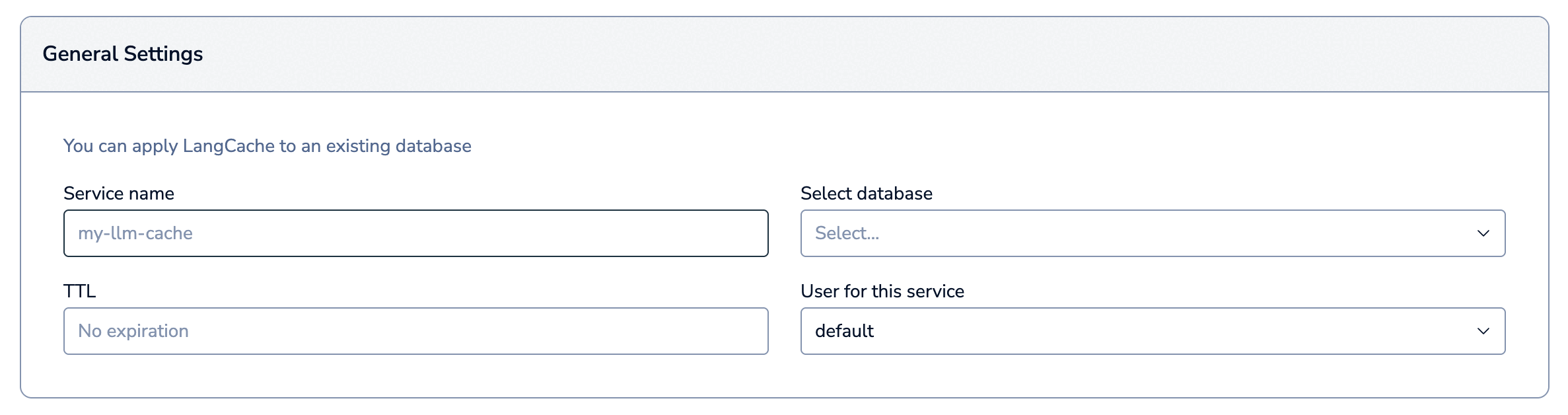
| Setting name |Description|
|:----------------------|:----------|
| **Service name** | Enter a name for your LangCache service. We recommend you use a name that describes your service's purpose. |
| **Select database** | Select the Redis Cloud database to use for this service from the list. |
| **TTL** | The time to live (TTL) for cache entries, in milliseconds. Default: `No expiration` - items in the cache will remain until manually removed. |
| **User for this service** | The [database access user](https://redis.io/docs/latest/operate/rc/security/access-control/data-access-control/role-based-access-control) to use for this service. LangCache only supports the [`default` user](https://redis.io/docs/latest/operate/rc/security/access-control/data-access-control/default-user) during public preview. |
### Embedding settings
The **Embedding settings** section defines the embedding model used by your service.
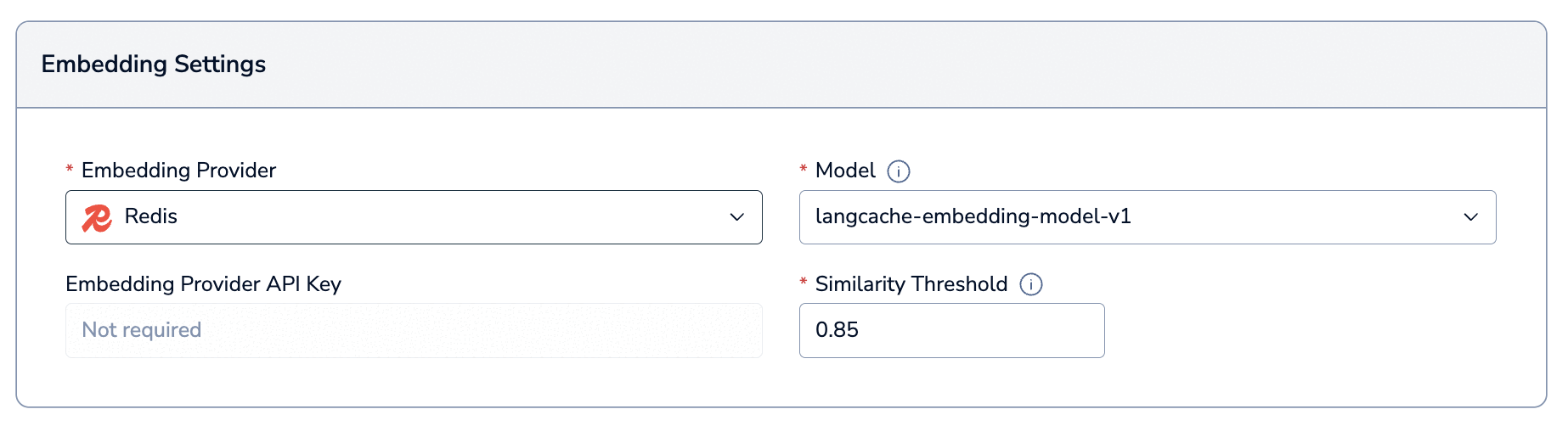
Required settings depend on the embedding provider you select.
| Setting name |Description|
|:----------------------|:----------|
| **Embedding Provider** | The embedding provider to use for your service. Select between `Redis`, `OpenAI`, and `Bring your own`.
Any embedding provider you use must support the [OpenAI embeddings API](https://platform.openai.com/docs/api-reference/embeddings). |
| **Embedding provider API key** | Enter your embedding provider's API key *(`OpenAI` and `Bring your own` embedding providers only)* |
| **Embedding provider URL** | Enter your embedding provider's API URL *(`Bring your own` embedding provider only)* |
| **Model** | Select or enter the embedding model to use for your service. |
| **Similarity threshold** | Set the minimum similarity score required to consider a cached response a match. Range: `0.5` to `1.0`. Default: `0.85`
A higher value means more precise matches, but if it's too high, you will compromise on the number of matches and may lose relevant matches. A lower value means more matches, but may include less relevant matches. We recommend starting between `0.8` and `0.9` and then fine-tuning based on your results. |
### Attributes settings
Attributes provide powerful scoping capabilities for your LangCache operations. Think of them as tags or labels that help you organize and manage your cached data with precision.
The **Attributes settings** section allows you to define attributes for your service. It is collapsed by default.

LangCache allows you to define up to 5 custom attributes that align with your specific use case. To add a new attribute:
1. Select **Add attribute**.

1. Give your custom attribute a descriptive name and select the check mark button to save it.

After you save your custom attribute, it will appear in the list of custom attributes. Use the **Delete** button to remove it.

You can also select **Add attribute** again to add an additional attribute.

### Create service
When you are done setting the details of your LangCache service, select **Create** to create it.

A window containing your LangCache service key will appear. Select **Copy** to copy the key to your clipboard.

This is the only time the value of the user key is available. Save it to a secure location before closing the dialog box.
If you lose the service key value, you will need to [generate a new service key](https://redis.io/docs/latest/operate/rc/context-engine/langcache/view-edit-cache#replace-service-api-key) to be able to use the LangCache API.
You'll be taken to your LangCache service's **Configuration** page. You'll also be able to see your LangCache service in the LangCache service list.

If an error occurs, verify that:
- Your database is active.
- You have provided a valid OpenAI API key.
- You have provided valid values for all the required fields.
For help, [contact support](https://redis.io/support/).
## Next steps
After your cache is created, you can [use the LangCache API](https://redis.io/docs/latest/operate/rc/context-engine/langcache/use-langcache) from your client app.
You can also [view and edit the cache](https://redis.io/docs/latest/operate/rc/context-engine/langcache/view-edit-cache) and [monitor the cache's performance](https://redis.io/docs/latest/operate/rc/context-engine/langcache/monitor-cache).