Redis Radar
Monitor the status of every Redis cluster you run from one place.
| Redis Radar |
|---|
Redis Radar give you one place to view the status of every Redis cluster in your fleet. Instead of checking the status of your clusters individually, get a complete view of them all with Redis Radar.
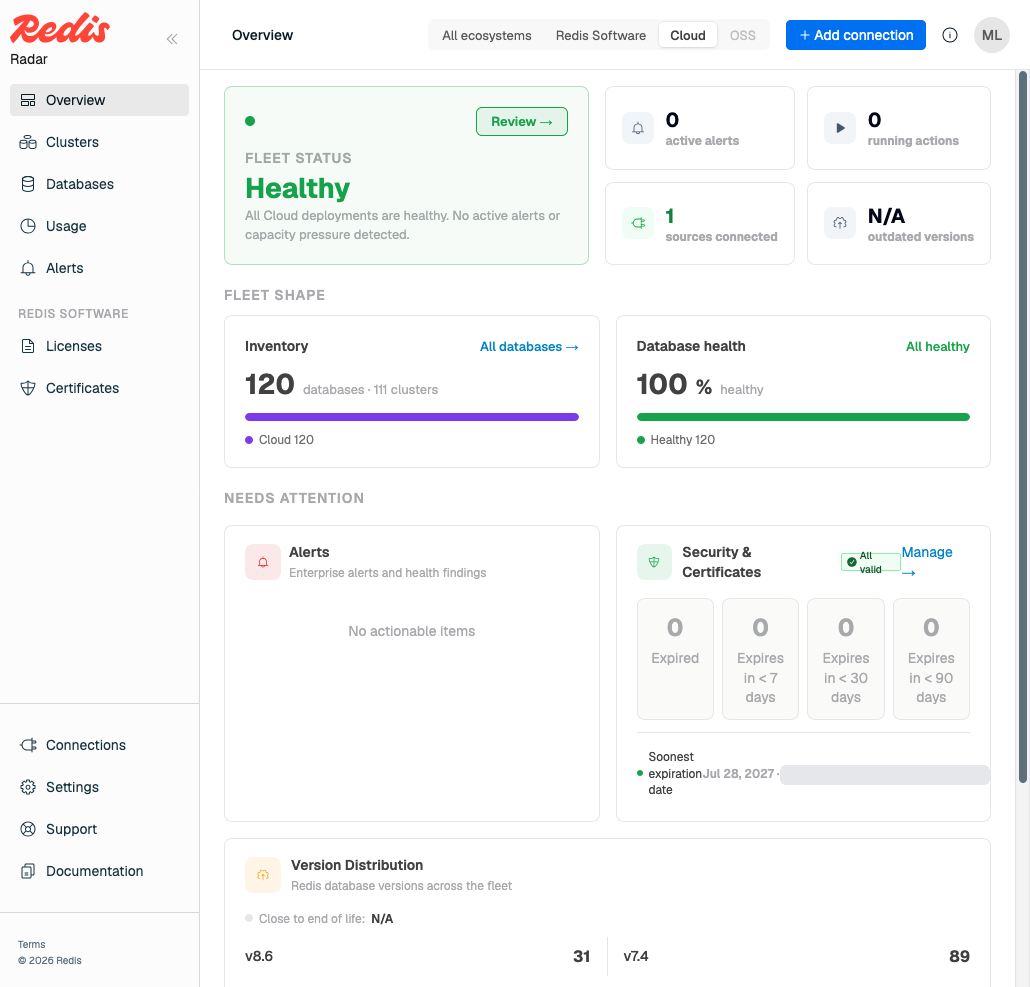
Radar connects to each cluster, collects its state, and presents one fleet-wide view across Redis Software, Redis Cloud, Redis Open Source, Amazon ElastiCache, and Google Memorystore. Radar is primarily a visibility tool. Connecting a cluster to Radar does not change how that cluster runs on its own.
How you run Radar
Radar runs two ways:
- Redis Cloud. Sign in with your existing Redis Cloud credentials. Redis Cloud hosts and manages the Radar deployment for you.
- Self-managed. Install Radar on your own infrastructure with a Helm chart or an RPM.
What Radar shows you
- Overview. Fleet-wide health, version distribution, host inventory, and licenses and certificates nearing expiry — one screen for "is anything wrong anywhere."
- Clusters and databases. Every cluster and database Radar knows about, with deployment type, version, status, and when Radar last reached it. Drill into one for detail.
- Usage. Memory, ops/sec, and shard consumption for Redis Software clusters, against your licensed limits.
- Alerts. The alerts your clusters are already raising, aggregated fleet-wide by severity.
How Radar collects data
Radar reads each cluster's management interface using credentials you supply, then normalizes and stores it. A connector handles each source type, which is how one fleet view spans products with very different APIs.
This approach has two significant consequences:
- Radar needs credentials for every cluster you want to see. Getting that access in place is most of the setup work. See Connect clusters.
- Radar must be able to reach each cluster. Where it can't, such as a cluster behind a firewall or on an isolated network, an agent you install inside that network collects and submits on Radar's behalf. See Connect clusters with an agent.
- Radar shows the last successful state collection rather than live state. Radar collects the state of every connected cluster — Redis Software, Redis Open Source, Redis Cloud, Amazon ElastiCache, and Google Memorystore — on a fixed interval, so a value is only as fresh as the last time Radar reached that cluster. Radar shows that age alongside the data.
Next steps
Sign in on Redis Cloud, or install self-managed Radar yourself.