View and manage Context Retriever service
View and manage your Context Retriever service in Redis Cloud.
| Redis Cloud |
|---|
After you have created your first Context Retriever service, selecting Context Retriever from the Redis Cloud Console menu will take you to the Context Retriever Services page.
This page displays a list of all Context Retriever services associated with your account.
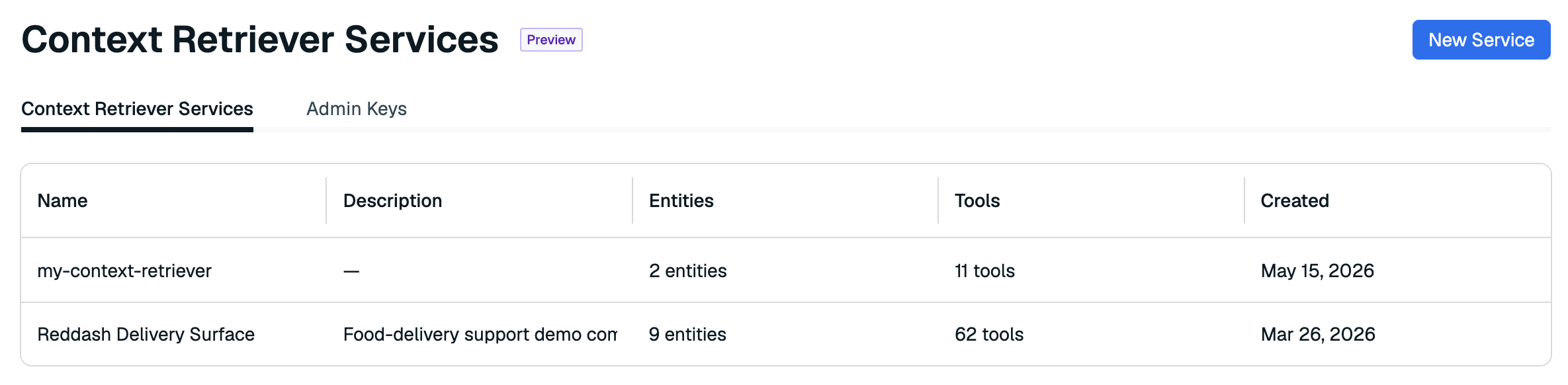
Select your Context Retriever service from the list to view the service's details.
Overview tab
The Overview tab lets you view the details of your Context Retriever service. It contains the following sections:
- The Details section provides the connection details and general settings for your Context Retriever service.
- The Entities section shows the entities, fields, and relationships that Context Retriever exposes as tools.
- The Tools section shows which tools are available to Agents.
- The Actions section lets you delete your Context Retriever service.
Details
The Details section provides general settings for your Context Retriever service.

| Setting name | Description |
|---|---|
| Description | The description of your Context Retriever service. |
| Created | The creation date for your service. |
| Updated | The date your service was last updated. |
Entities
The Entities section shows the entities, fields, and relationships that Context Retriever uses to generate retrieval tools.
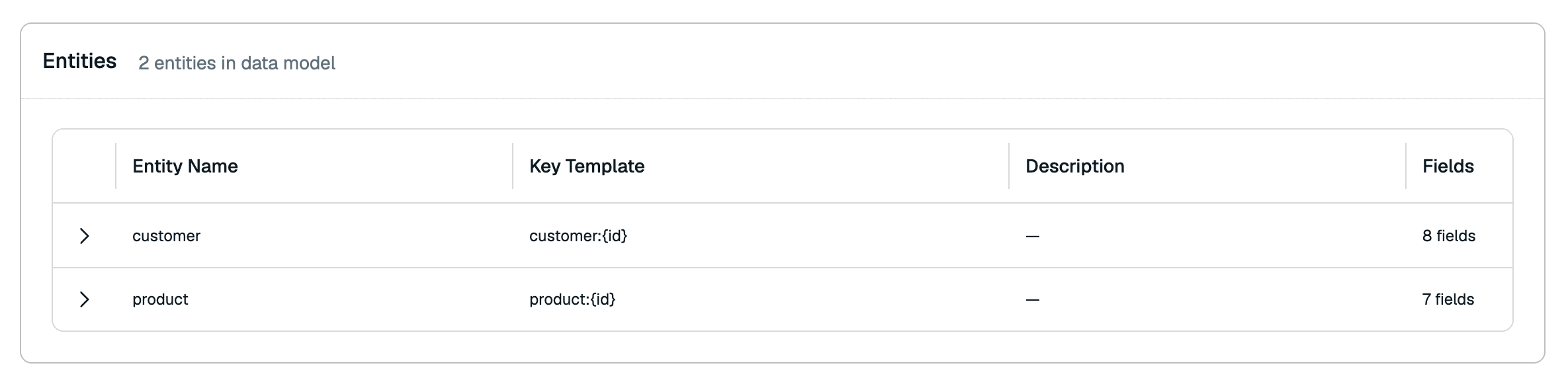
Expand each entity to view its fields, primary keys, related entities, types, and indexes.
Tools
The Tools section shows the tools that are available to your Agents.
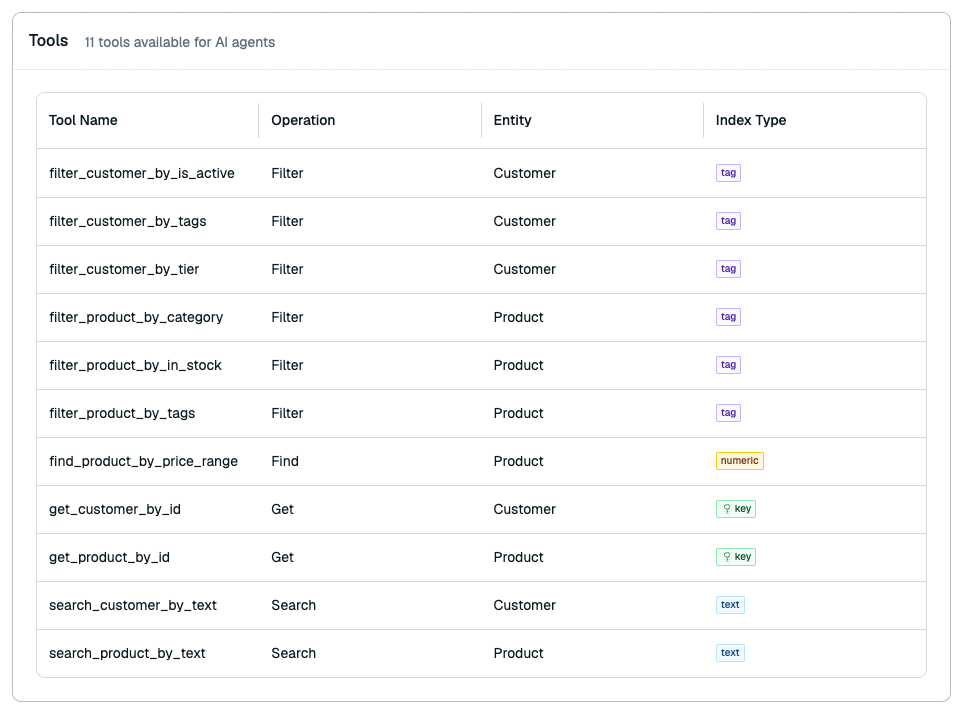
You can use your Agents to call your tools. For more information, see the Context Surfaces Python Client
Actions
The Actions section lets you delete your Context Retriever service.

Delete service
Deleting your Context Retriever service permanently removes the service configuration, its entity model, and the generated tools. It also immediately terminates all API keys associated with the service. Data stored in the underlying Redis Cloud database remains unaffected.
To delete your Context Retriever service:
-
Select Delete.
-
A confirmation dialog will appear. Select the checkbox to confirm that you want to delete the service.
-
Select Delete again to confirm.
Deleting the Context Retriever service is permanent and cannot be undone.