
Tutorial
How to Build a RAG GenAI Chatbot Using Vector Search with LangChain and Redis
February 24, 202619 minute read


Retrieval-augmented generation (RAG) combines a large language model with an external knowledge base so the chatbot answers questions using your own data instead of relying solely on its training set. In this tutorial you build a RAG chatbot that embeds e-commerce product data into Redis as vectors, retrieves the most relevant products at query time, and passes them to OpenAI to generate accurate, context-aware answers.
#What you'll learn
- How to build a RAG pipeline that connects LangChain, OpenAI, and Redis
- How to create OpenAI embeddings for product data and store them in a Redis vector store
- How to perform vector similarity search to retrieve relevant documents
- How to maintain conversation history in Redis for multi-turn chat
- How to wire everything into a chatbot API endpoint
#What is retrieval-augmented generation (RAG)?
RAG is an AI pattern that improves the accuracy of a large language model (LLM) by grounding its responses in real data. Instead of answering from memory alone, a RAG system:
- Embeds your documents (products, FAQs, policies, etc.) as vectors in a vector database such as Redis.
- Retrieves the most semantically similar documents for a given user question using vector similarity search.
- Generates an answer by sending the retrieved context along with the question to an LLM like OpenAI's GPT.
This approach reduces hallucinations and keeps answers up to date because the model always references your latest data. Redis is a strong choice for RAG because it serves as both the vector store and the conversation memory backend, minimizing infrastructure complexity.
#Key terms
GenAI is a category of artificial intelligence that creates new content based on pre-existing data, including text, images, code, and more.
LangChain is a framework for building language-model applications. It provides modular components for prompt templates, vector stores, memory, and output parsing that you can chain together into a pipeline.
OpenAI provides large language models such as GPT-4 that can understand and generate human-like text. In this tutorial, OpenAI handles both the embedding step and the answer-generation step.
#What does the e-commerce application look like?
GITHUB CODEBelow is a command to the clone the source code for the application used in this tutorialgit clone --branch v9.2.0 https://github.com/redis-developer/redis-microservices-ecommerce-solutions
The demo is a microservices-based e-commerce app with the following services:
products service: handles querying products from the database and returning them to the frontendorders service: handles validating and creating ordersorder history service: handles querying a customer's order historypayments service: handles processing orders for paymentapi gateway: unifies the services under a single endpointmongodb/ postgresql: serves as the write-optimized database for storing orders, order history, products, etc.
INFOYou don't need to use MongoDB/ Postgresql as your write-optimized database in the demo application; you can use other prisma supported databases as well. This is just an example.
#How is the frontend built?
The e-commerce microservices application consists of a frontend, built using Next.js with TailwindCSS. The application backend uses Node.js. The data is stored in Redis and either MongoDB or PostgreSQL, using Prisma. Below are screenshots showcasing the frontend of the e-commerce app.
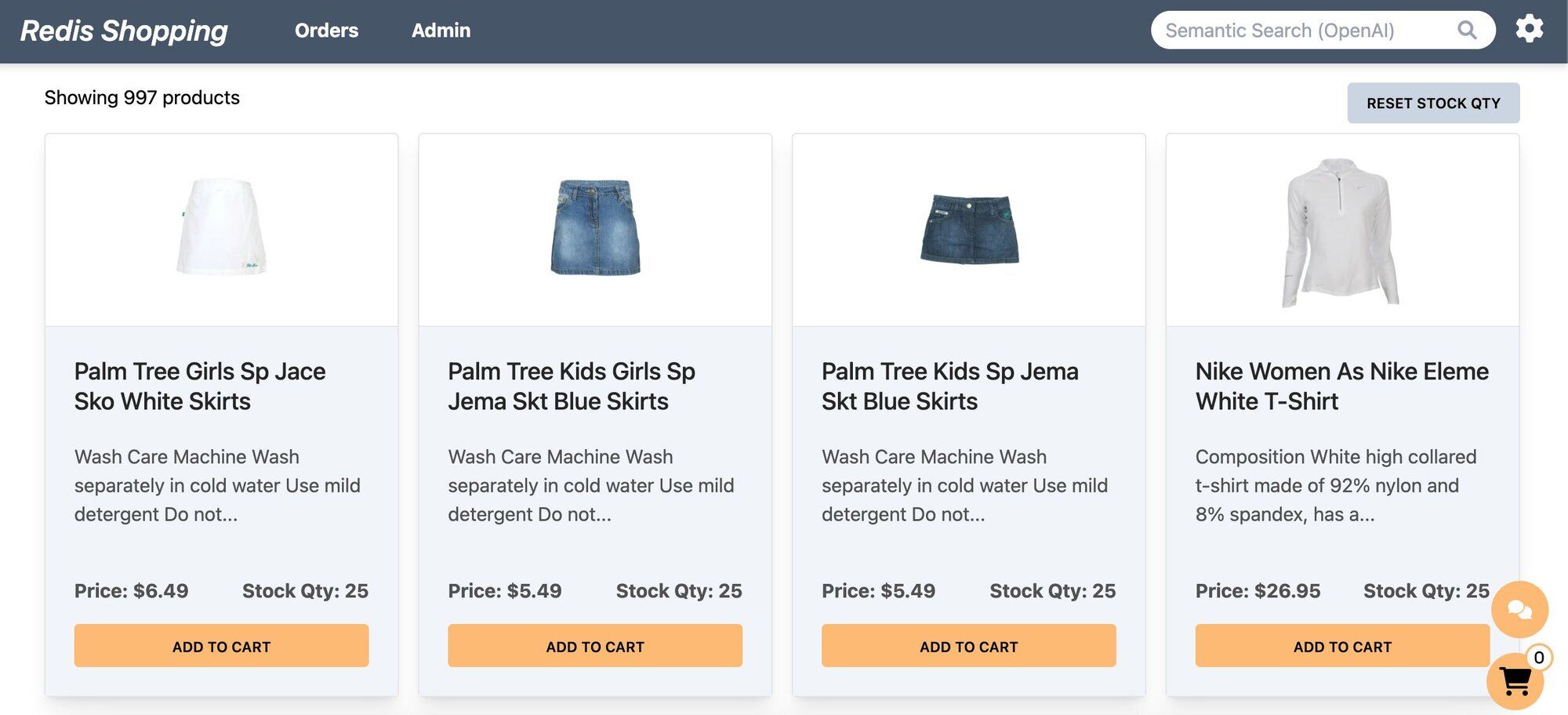
- Dashboard: Displays a list of products with different search functionalities, configurable in the settings page.
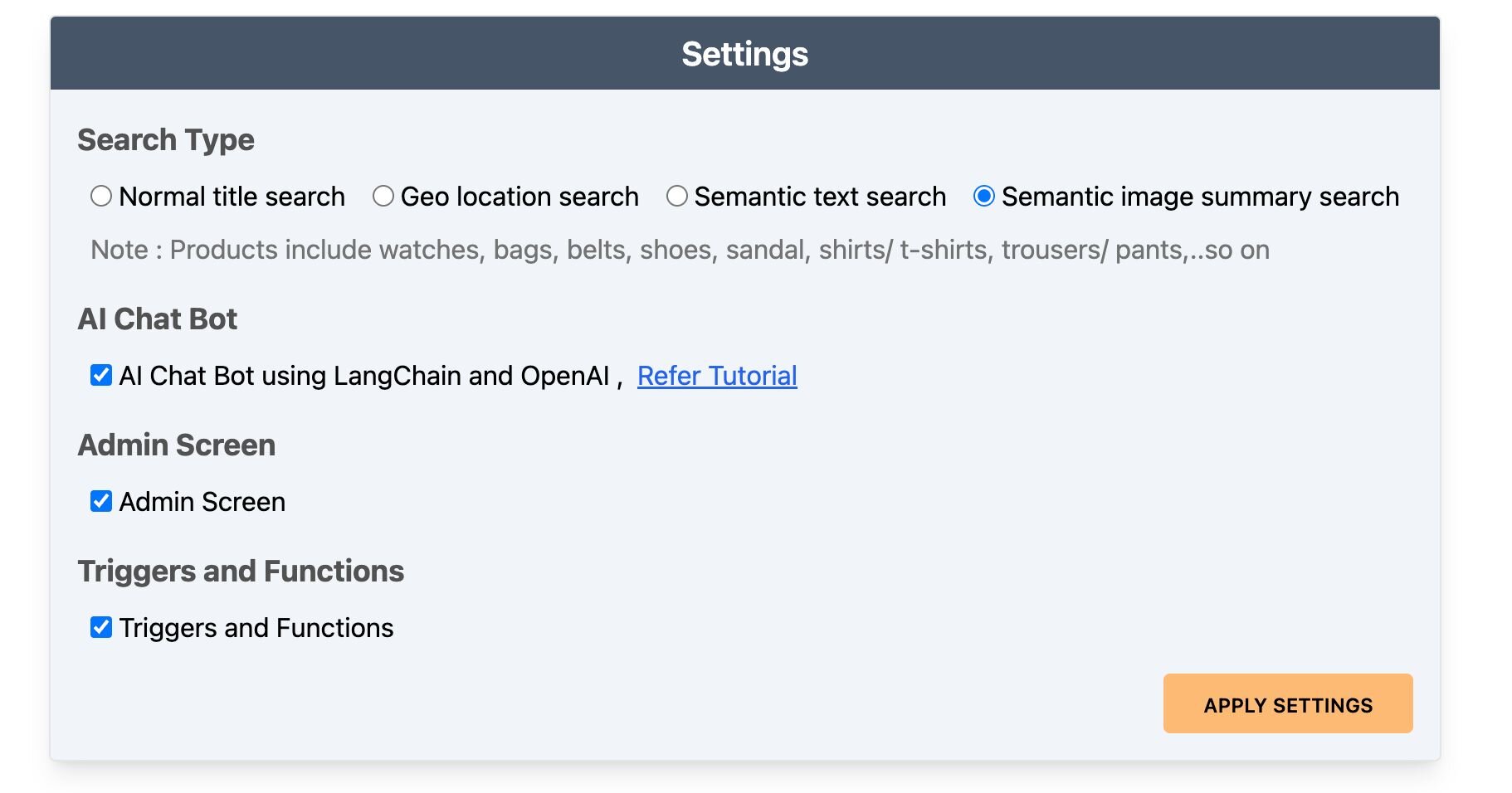
- Settings: Accessible by clicking the gear icon at the top right of the dashboard. Control the search bar, chatbot visibility, and other features here.
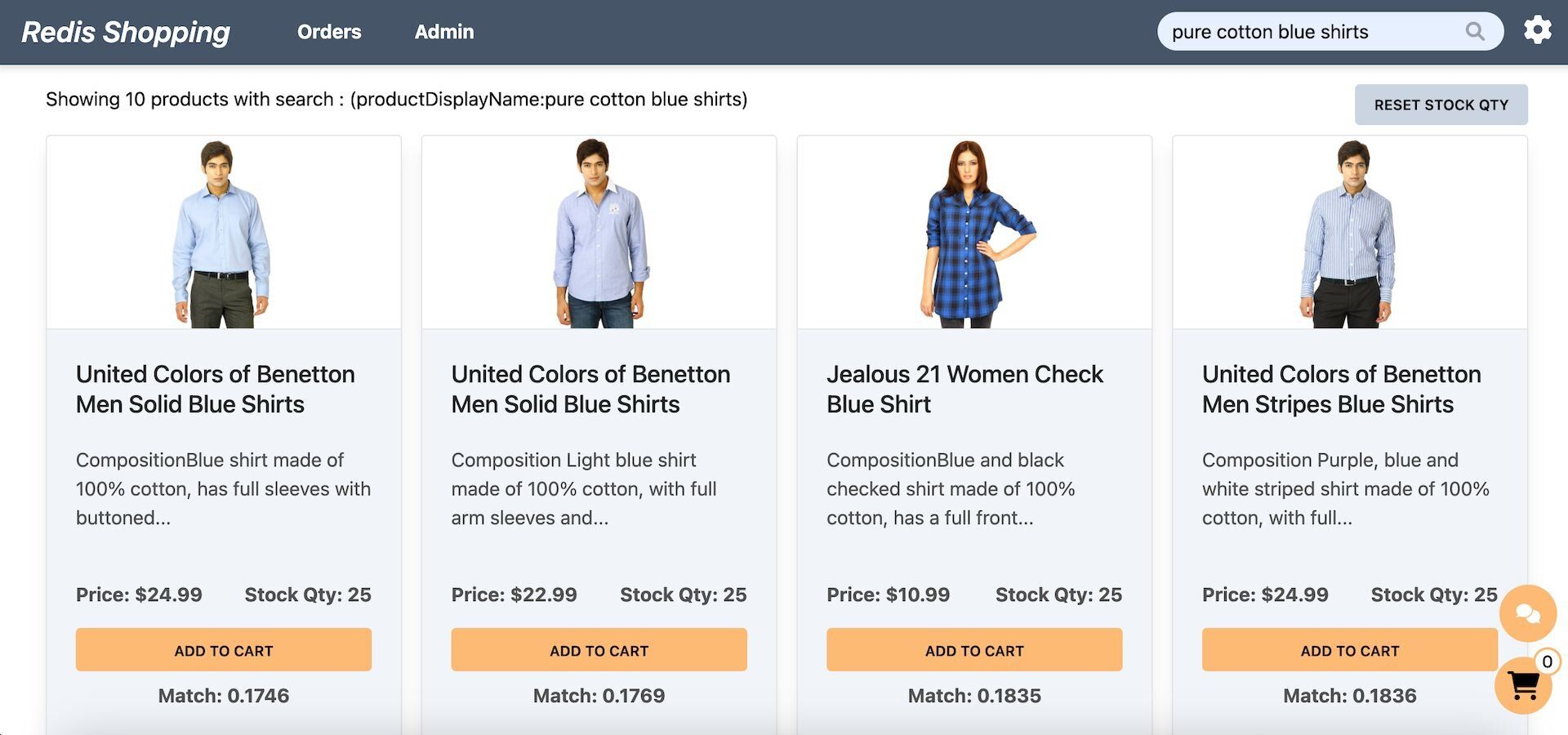
- Dashboard (Semantic Text Search): Configured for semantic text search, the search bar enables natural language queries. Example: "pure cotton blue shirts."
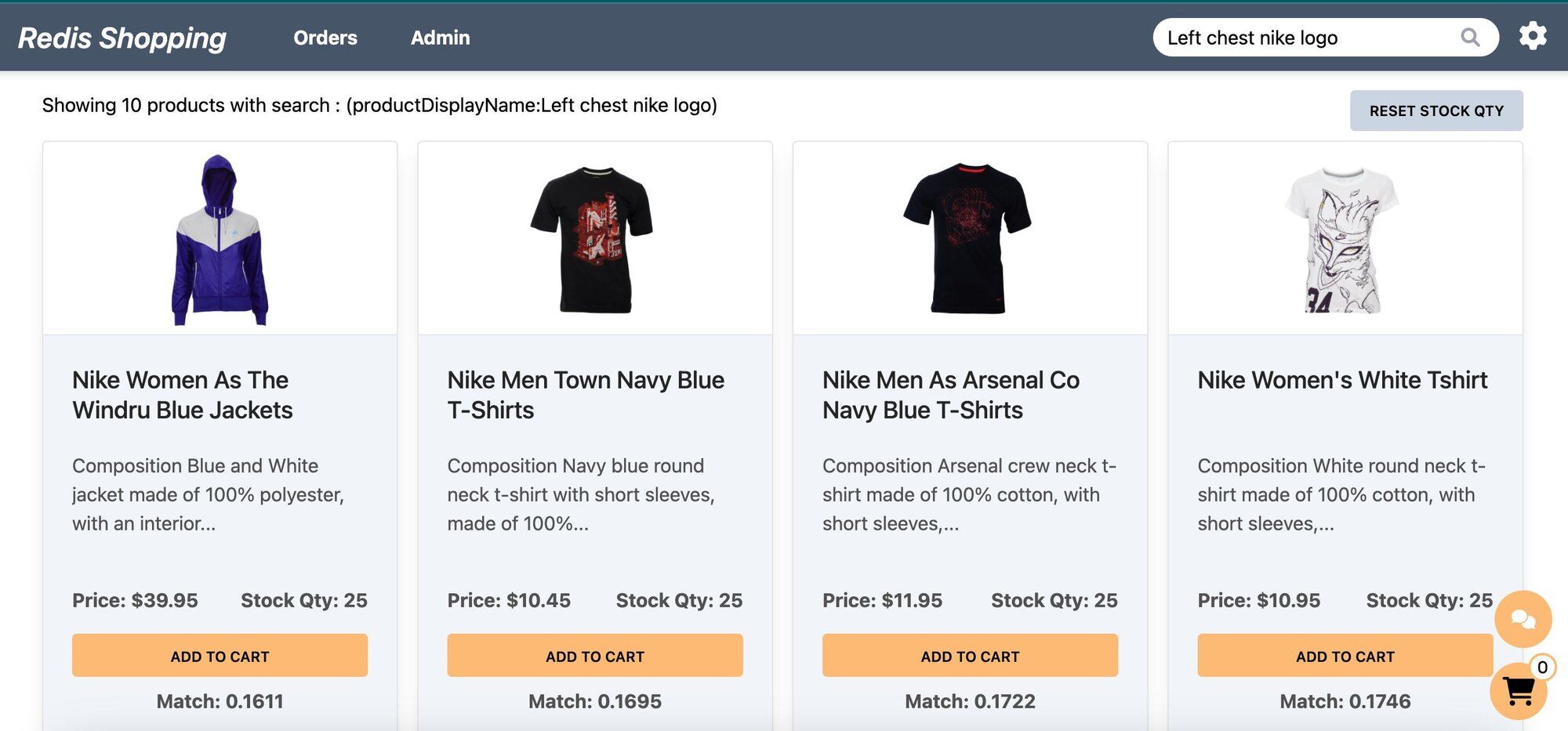
- Dashboard (Semantic Image-Based Queries): Configured for semantic image summary search, the search bar allows for image-based queries. Example: "Left chest nike logo."
- Chat Bot: Located at the bottom right corner of the page, assisting in product searches and detailed views.
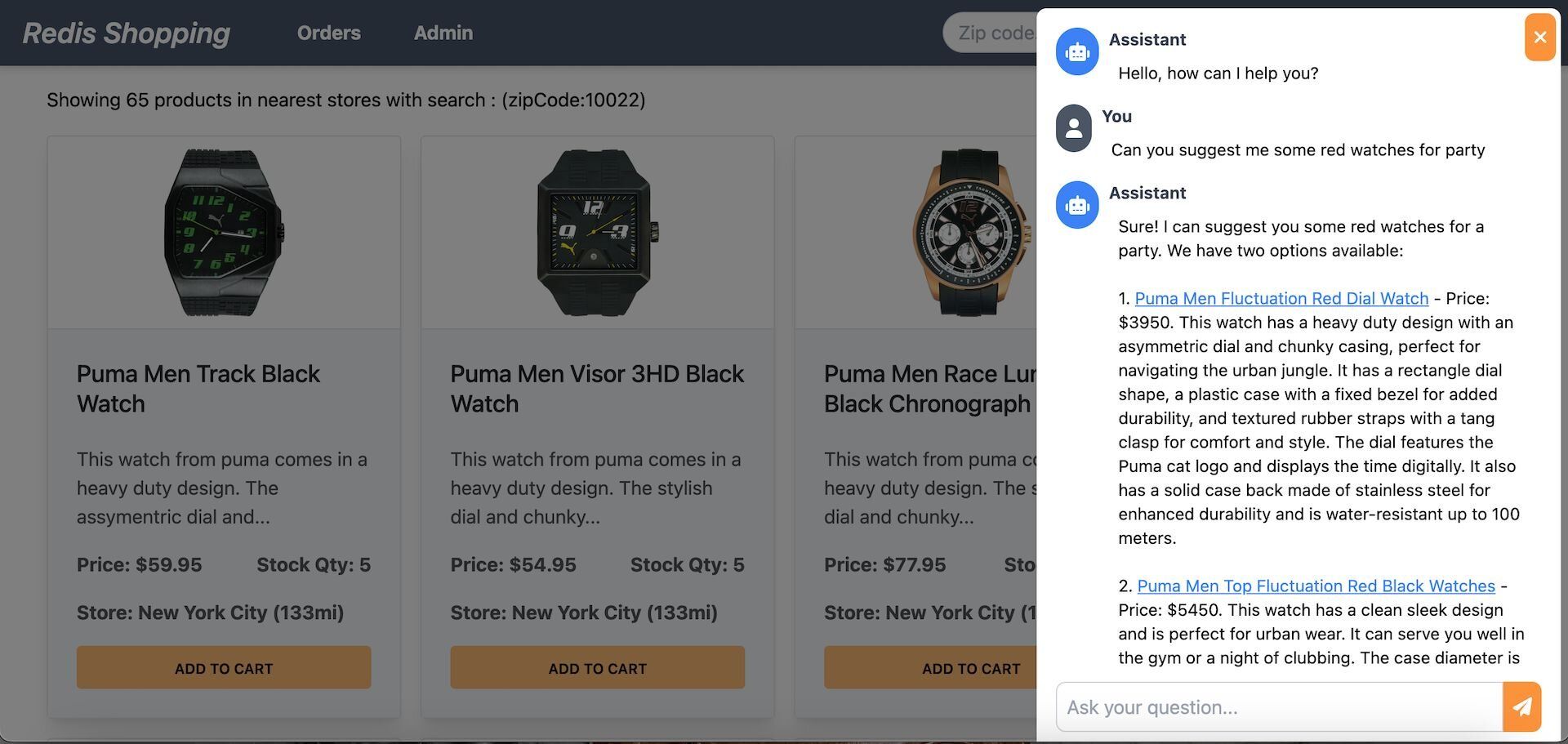
Selecting a product in the chat displays its details on the dashboard.
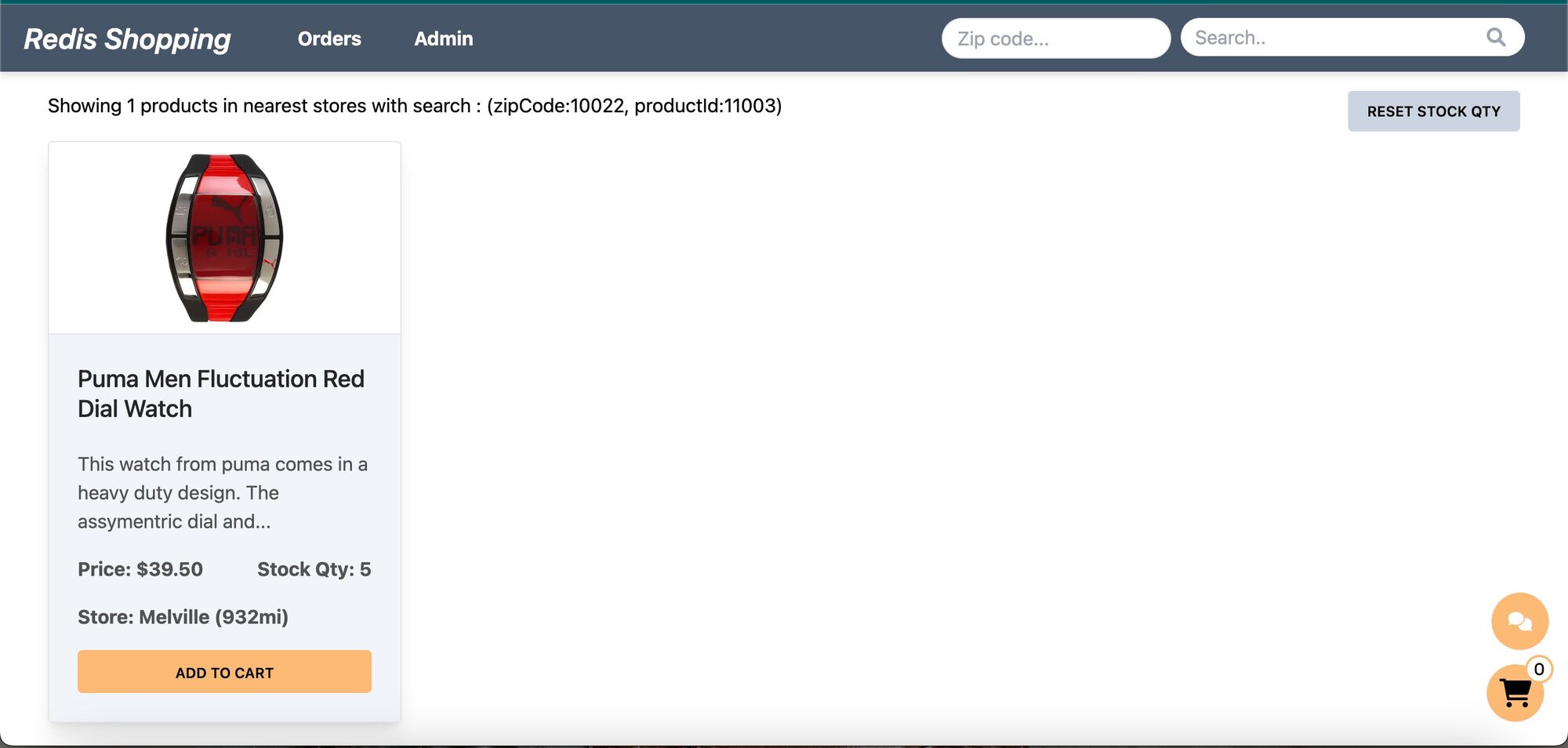
- Shopping Cart: Add products to the cart and check out using the "Buy Now" button.
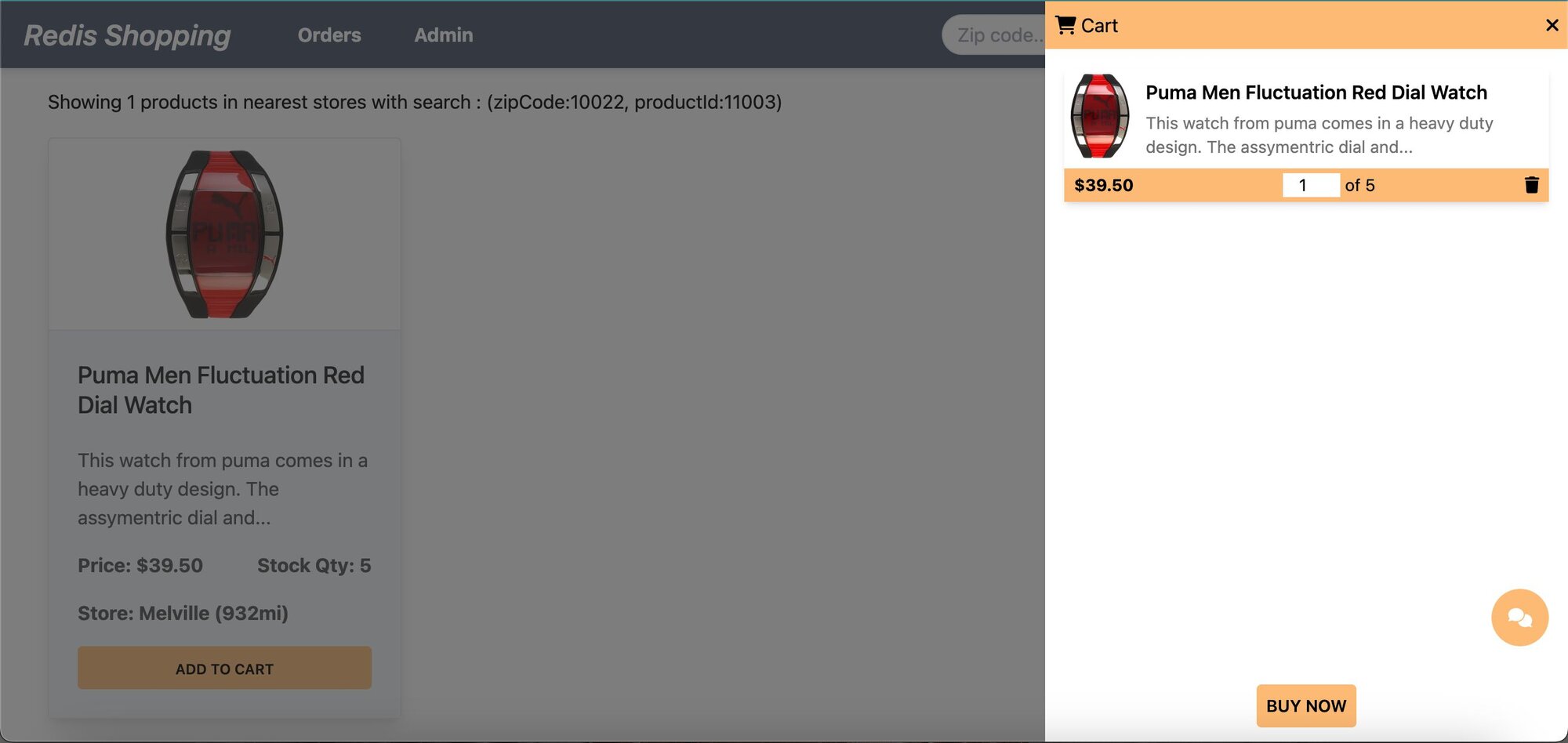
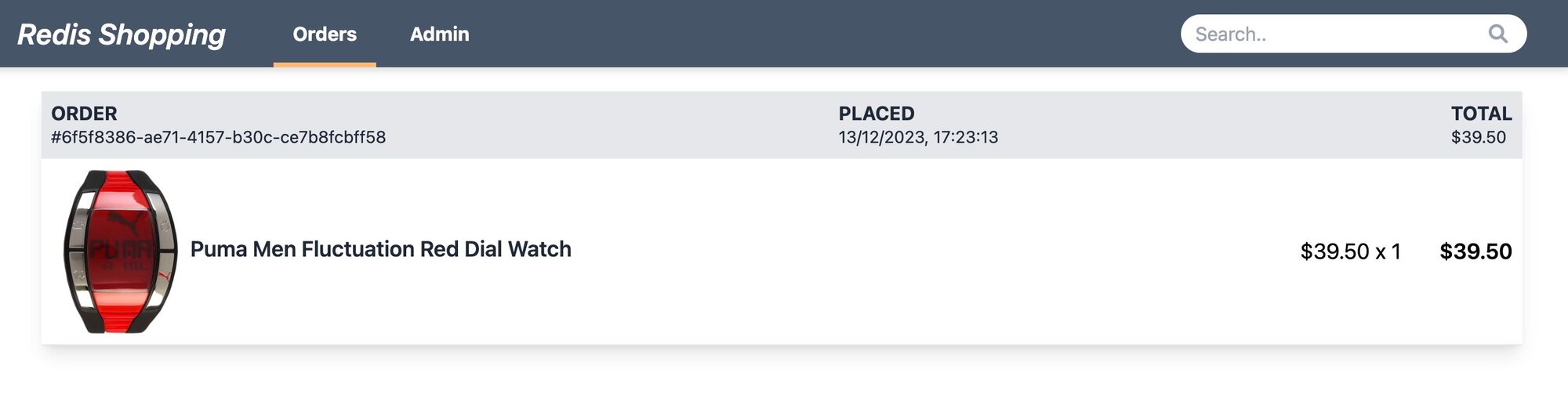
- Order History: Post-purchase, the 'Orders' link in the top navigation bar shows the order status and history.
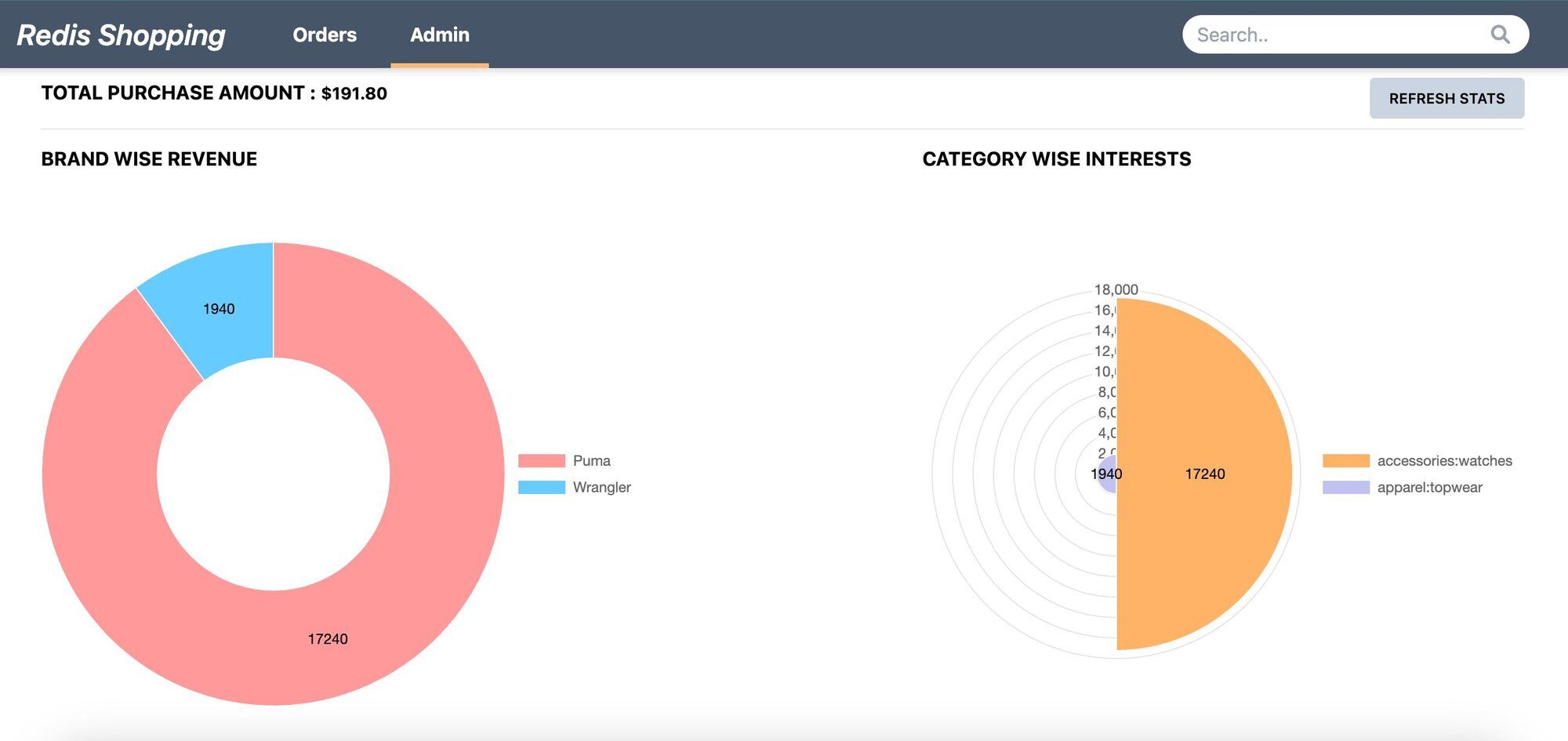
- Admin Panel: Accessible via the 'admin' link in the top navigation. Displays purchase statistics and trending products.
#How does the chatbot architecture work?
#What is the RAG chatbot flow?
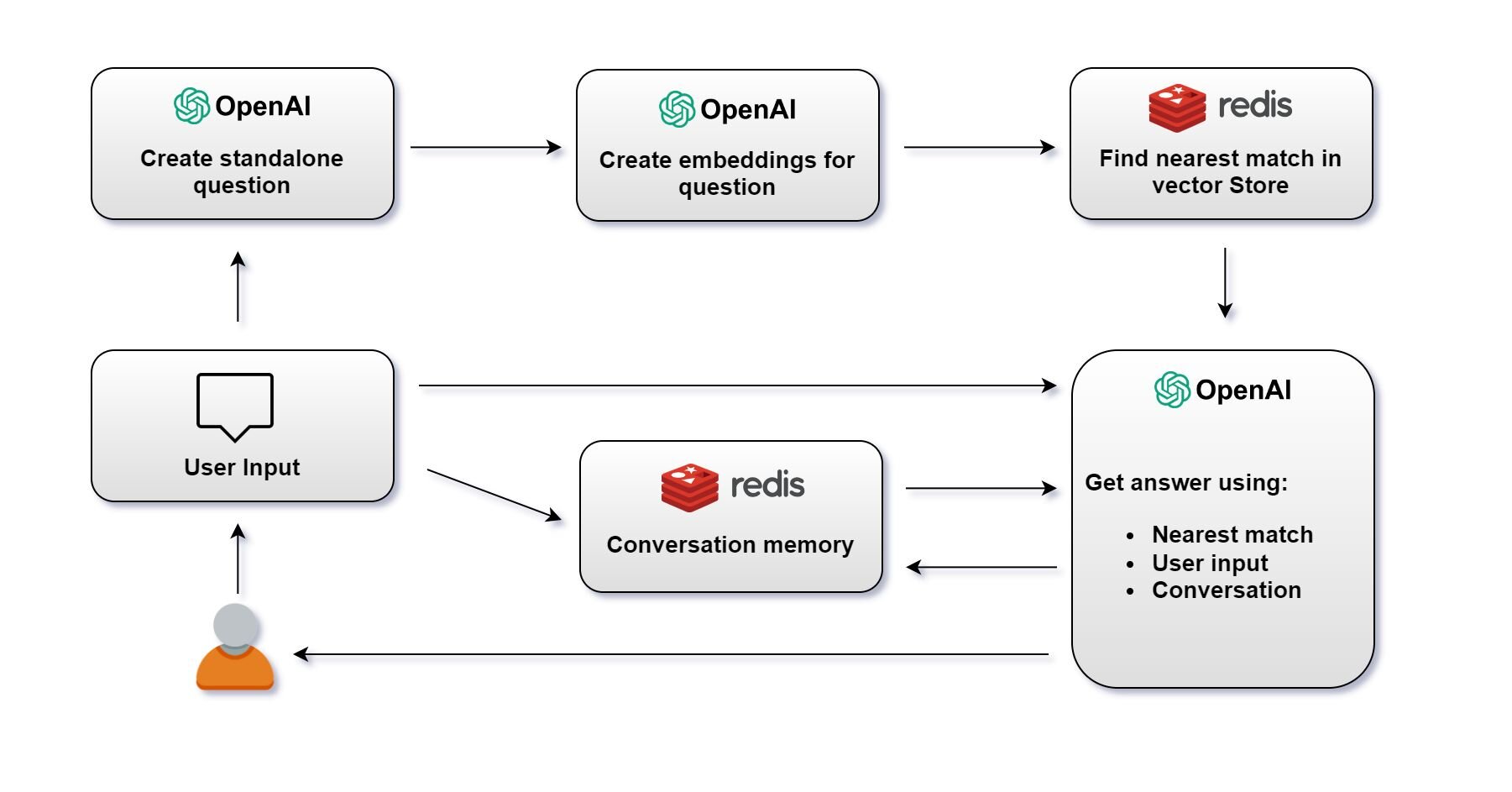
1> Create Standalone Question: Create a standalone question using OpenAI's language model.
A standalone question is just a question reduced to the minimum number of words needed to express the request for information.
2> Create Embeddings for Question: Once the question is created, OpenAI's language model generates an embedding for the question.
3> Find Nearest Match in Redis Vector Store: The embedding is then used to query the Redis vector store. The system searches for the nearest match to the question embedding among stored vectors.
4> Get Answer: With the user's initial question, the nearest match from the vector store, and the conversation memory, OpenAI's language model generates an answer. This answer is then provided to the user.
Note: The system maintains a conversation memory, which tracks the ongoing conversation's context. This memory is crucial for ensuring the continuity and relevance of the conversation.
5> User Receives Answer: The answer is sent back to the user, completing the interaction cycle. The conversation memory is updated with this latest exchange to inform future responses.
#What does a sample prompt and response look like?
Say, OriginalQuestion of user is as follows:
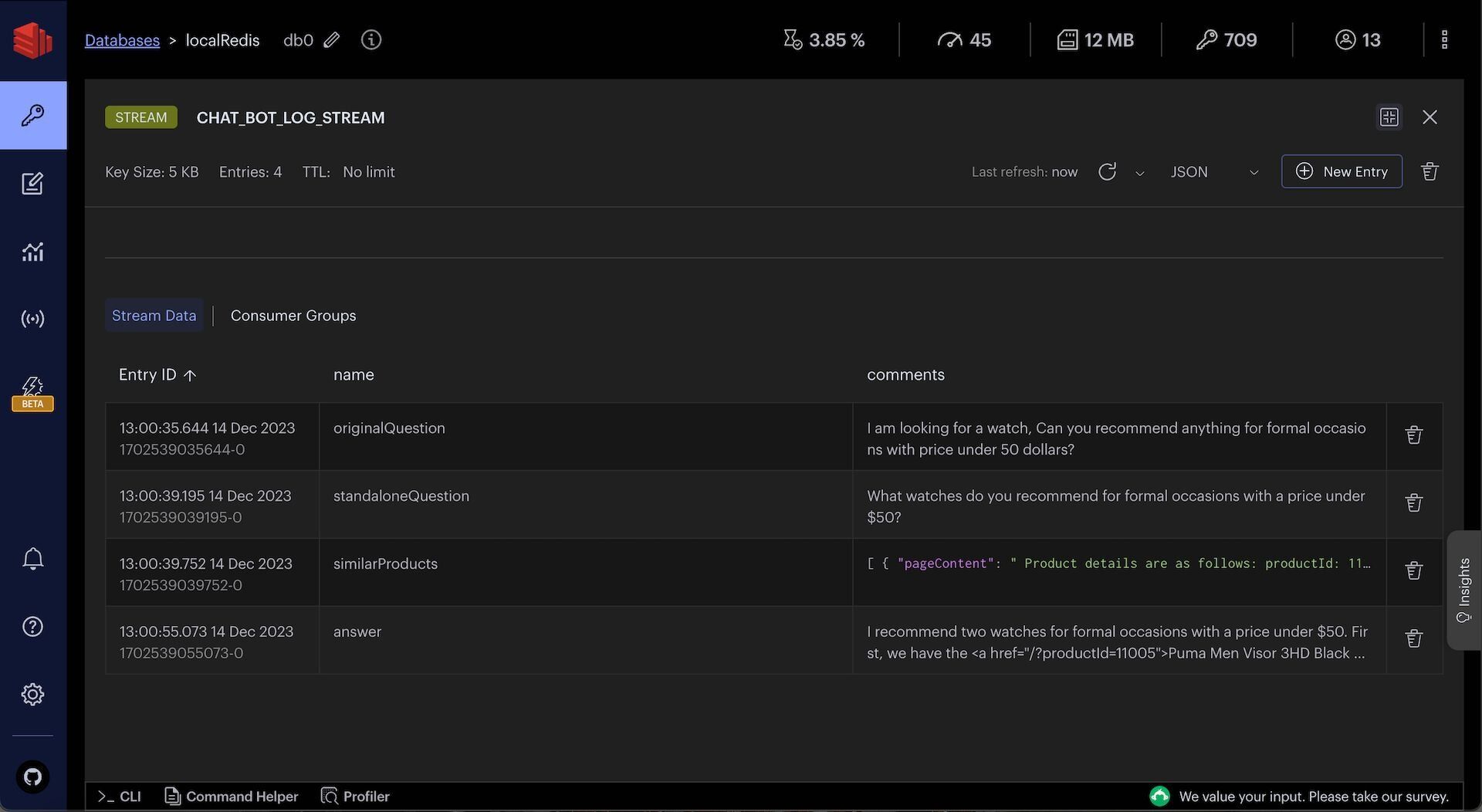
I am looking for a watch, Can you recommend anything for formal occasions with price under 50 dollars?Converted standaloneQuestion by openAI is as follows:
What watches do you recommend for formal occasions with a price under $50?After vector search on Redis, we get the following similarProducts:
The final openAI response with above context and earlier chat history (if any) is as follows:
#How do you set up the database?
INFOSign up for an OpenAI account to get your API key to be used in the demo (add OPEN_AI_API_KEY variable in .env file). You can also refer to the OpenAI API documentation for more information.
GITHUB CODEBelow is a command to the clone the source code for the application used in this tutorialgit clone --branch v9.2.0 https://github.com/redis-developer/redis-microservices-ecommerce-solutions
#What does the sample data look like?
For the purposes of this tutorial, let's consider a simplified e-commerce context. The
products JSON provided offers a glimpse into AI search functionalities we'll be operating on.#How do you seed OpenAI embeddings into Redis?
Below is the sample code to seed
products data as OpenAI embeddings into Redis.You can observe openAIProducts JSON in Redis Insight:
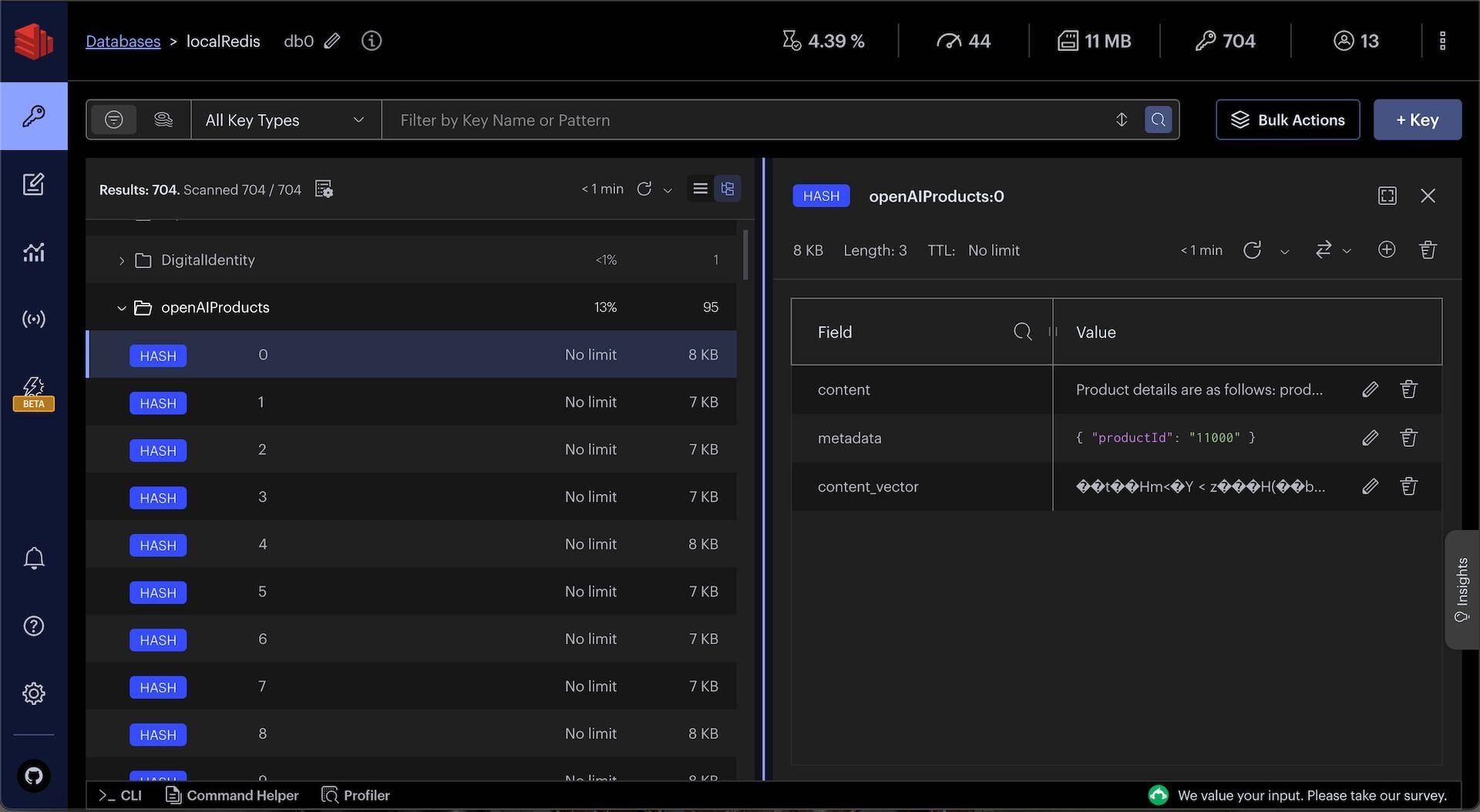
TIPDownload Redis Insight to visually explore your Redis data or to engage with raw Redis commands in the workbench.
#How do you set up the chatbot API?
Once products data is seeded as OpenAI embeddings into Redis, you can create a chatbot API to answer user questions and recommend products.
#What does the API endpoint look like?
The code that follows shows an example API request and response for the chatBot API:
Request:
Response:
#How is the chatbot API implemented?
When you make a request, it goes through the API gateway to the
products service. Ultimately, it ends up calling a chatBotMessage function which looks as follows:The following function converts the userMessage to a standaloneQuestion using OpenAI:
The following function uses Redis to find similar products for the standaloneQuestion:
The following function uses OpenAI to convert the standaloneQuestion, similar products from Redis, and other context into a human-readable answer:
You can observe chat history and intermediate chat logs in Redis Insight:
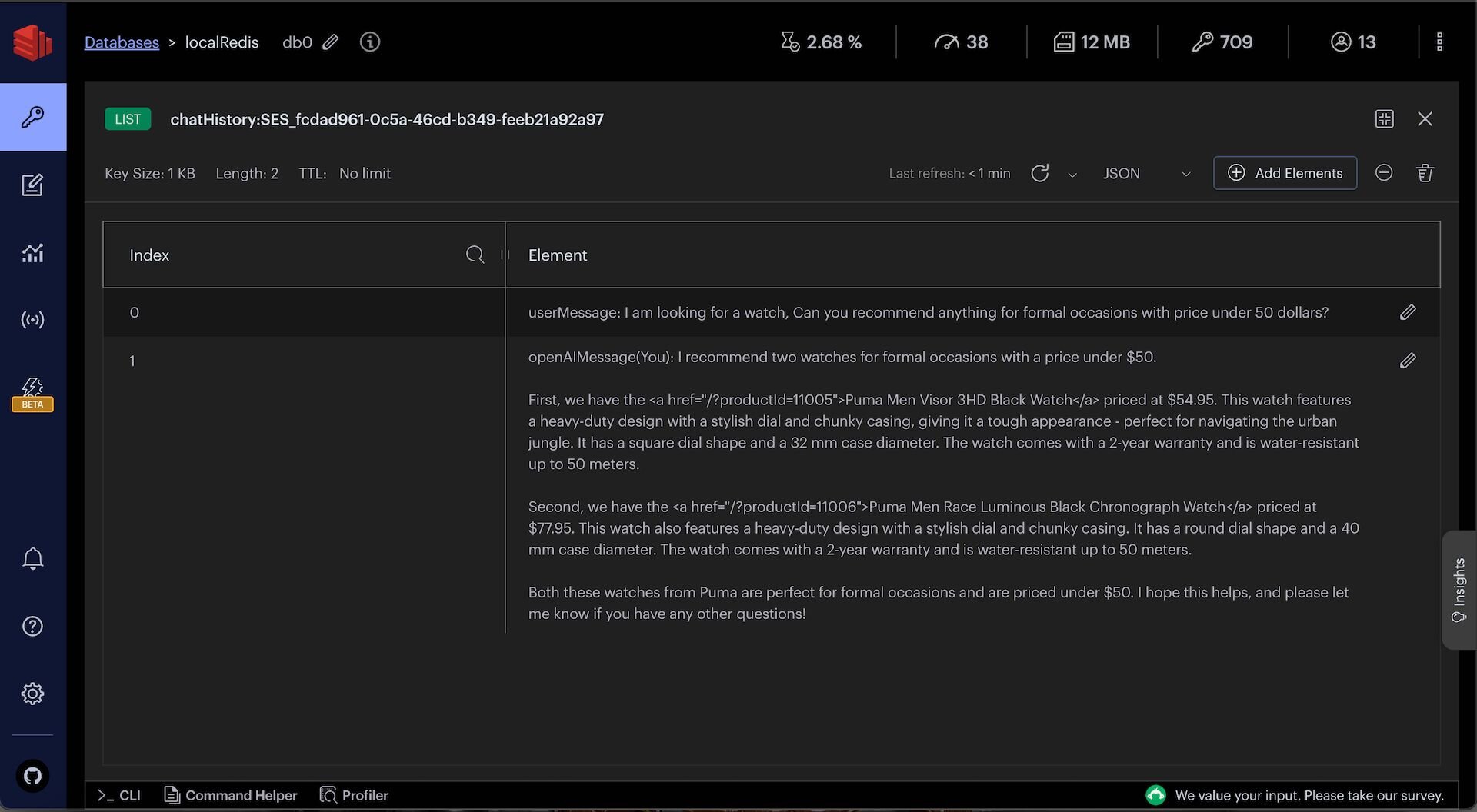
TIPDownload Redis Insight to visually explore your Redis data or to engage with raw Redis commands in the workbench.
#Summary
Building a RAG chatbot using LangChain and Redis involves embedding your data as vectors, searching for relevant context at query time, and passing that context to an LLM for answer generation. Redis serves double duty as the vector store and the conversation memory backend, keeping your infrastructure simple.
#Next steps
- Get started with vector similarity search in Redis to learn the fundamentals of embedding and querying vectors.
- Explore agent memory with LangGraph and Redis to add long-term memory and agentic workflows to your chatbot.
- LangChain JS documentation for more on chains, prompts, and output parsers.
- LangChain Redis integration for detailed configuration options.