Tutorial
Mobile Banking Authentication and Session Storage Using Redis
February 26, 20269 minute read


TL;DR:Use Redis as your session store for mobile banking by pairingexpress-sessionwithconnect-redis-stack. Redis stores session data as JSON with automatic TTL-based expiry, giving you sub-millisecond reads, built-in session timeout viattlInSeconds, and the ability to query or invalidate sessions instantly.
GITHUB CODEBelow is a command to the clone the source code for the application used in this tutorialgit clone --branch v1.2.0 https://github.com/redis-developer/mobile-banking-solutions
#What you'll learn
- How Redis stores and expires mobile banking sessions using TTL
- How to configure
express-sessionwith a Redis session store - How session IDs and tokens flow between client and server
- How to attach real-time data (like account balances) to sessions
- How to seed and visualize banking transaction data in Redis
#What is authentication and session storage for mobile banking?
After a user has successfully entered their login credentials, mobile banking apps use a
token and sessionId created by the server to represent a user's identity. The token is stored in Redis for the duration of a user session and also sent in the login response to the banking application client (mobile/ browser). The client application then sends the token with every request to server and server validates it before processing the request.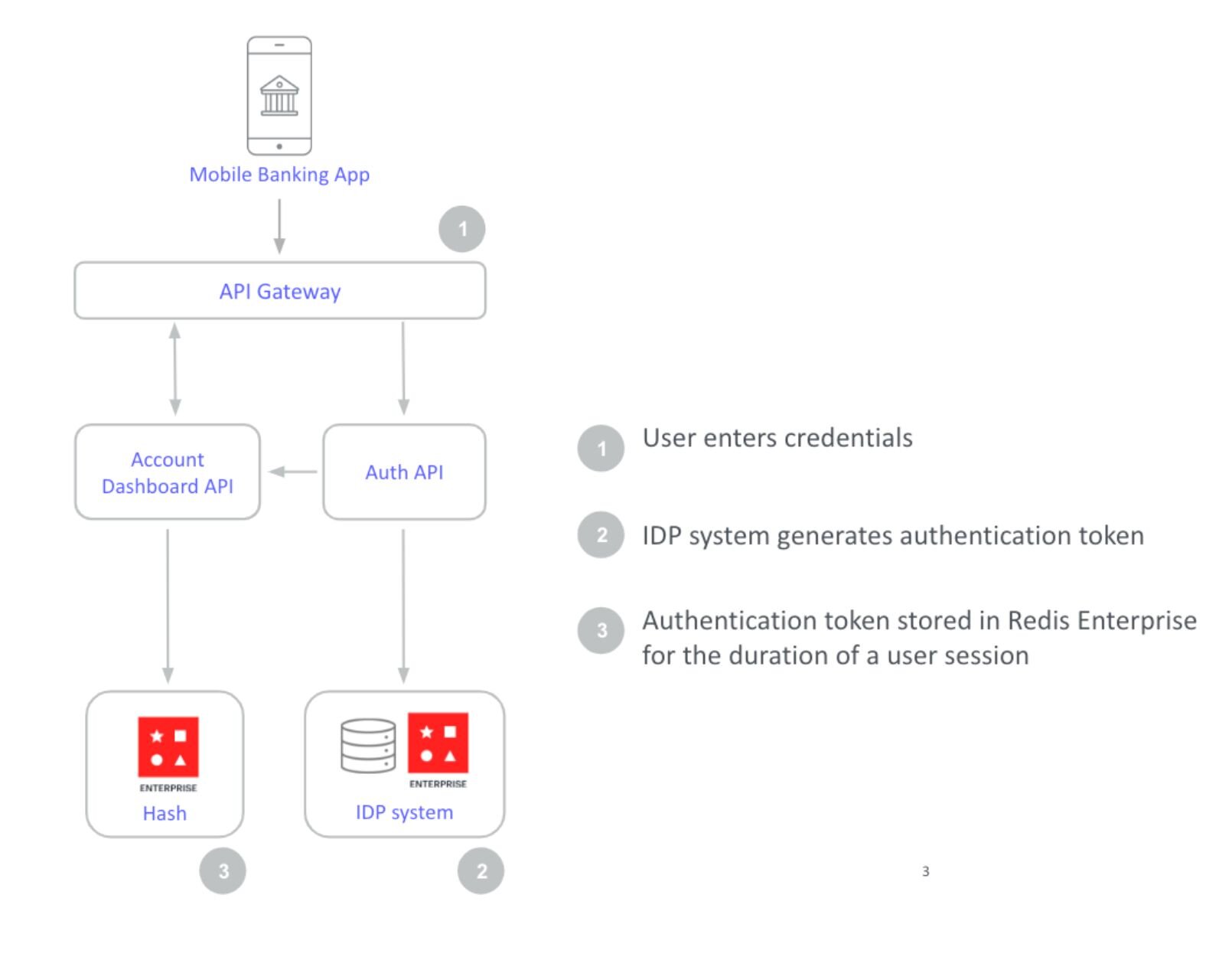
NOTERedis supports the JSON data type and allows you to index and querying JSON. So your session store is not limited to simple key-value stringified data.
The session store houses critical information related to each user as they navigate an application for the duration of their session. Mobile banking session data may include, but is not limited to following information:
- User's profile information, such as name, date of birth, email address, etc.
- User's permissions, such as
user,admin,supervisor,super-admin, etc. - Other app-related data like recent transaction(s), balance etc.
- Session expiration, such as one hour from now, one week from now, etc.
#Why should you use Redis for mobile banking session management?
- Resilience: Redis Cloud offers incredible resilience with 99.999% uptime. After all, authentication token stores must provide round-the-clock availability. This ensures that users get uninterrupted, 24/7 access to their apps.
- Scalability: Token stores need to be highly scalable so that they don't become a bottleneck when a high volume of users authenticate at once. Redis Cloud provides < 1ms latency at incredibly high throughput (up to 100MM ops/second) which makes authentication and session data access much faster!
- Integration with common libraries and platforms: Since Redis open source is integrated into most session management libraries and platforms, Redis Cloud can seamlessly integrate when upgrading from open source Redis (e.g.
express-sessionand connect-redis-stack libraries integration is demonstrated in this tutorial)
#How do you build session management with Redis?
GITHUB CODEBelow is a command to the clone the source code for the application used in this tutorialgit clone --branch v1.2.0 https://github.com/redis-developer/mobile-banking-solutions
Download the above source code and run following command to start the demo application
After docker up & running, open http://localhost:8080/ url in browser to view application
#How is transaction data seeded into Redis?
This application leverages Redis core data structures, JSON, TimeSeries, Search and Query features. The data seeded is later used to show a searchable transaction overview with realtime updates as well as a personal finance management overview with realtime balance and biggest spenders updates.
On application startup in
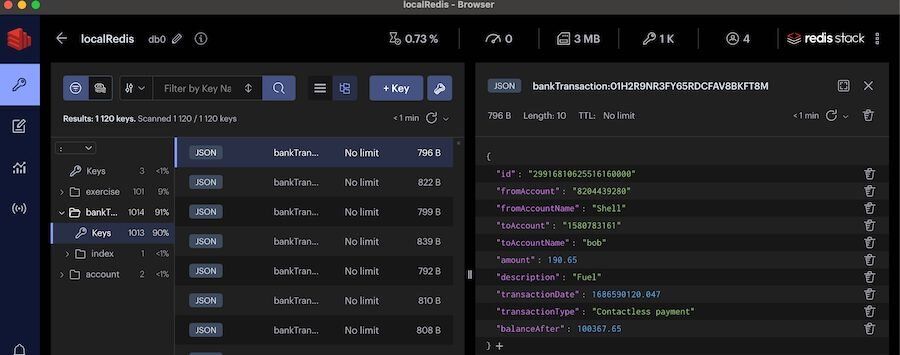
app/server.js, a cron is scheduled to create random bank transactions at regular intervals and seed those transactions in to Redis.- The transaction generator creates a randomized banking debit or credit which will reflect on a (default) starting user balance of $100,000.00
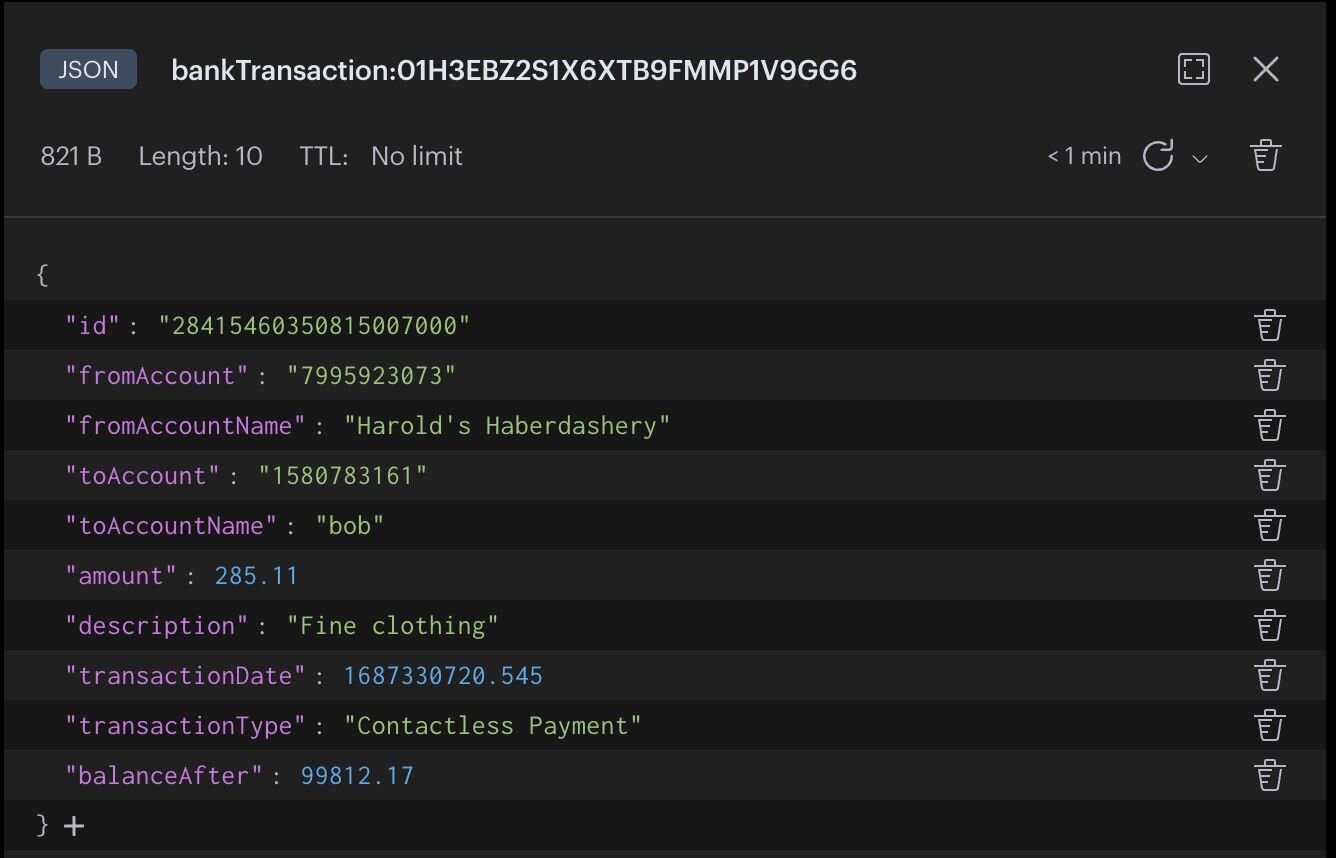
- The transaction data is saved as a JSON document within Redis.
- To capture balance over time, the
balanceAftervalue is recorded in a TimeSeries with the keybalance_tsfor every transaction. - To track biggest spenders, an associated
**fromAccountName**member within the sorted setbigspendersis incremented by the transaction amount. Note that this amount can be positive or negative.
Sample bankTransaction data view using Redis Insight
TIPDownload Redis Insight to view your Redis data or to play with raw Redis commands in the workbench.
#How do you configure Redis as a session store?
Redis is integrated into many session management libraries, We will be using connect-redis-stack library for this demo which provides Redis session storage for your express-session application.
The following code illustrates configuring Redis sessions and with
express-session.#How does the login API generate a session ID?
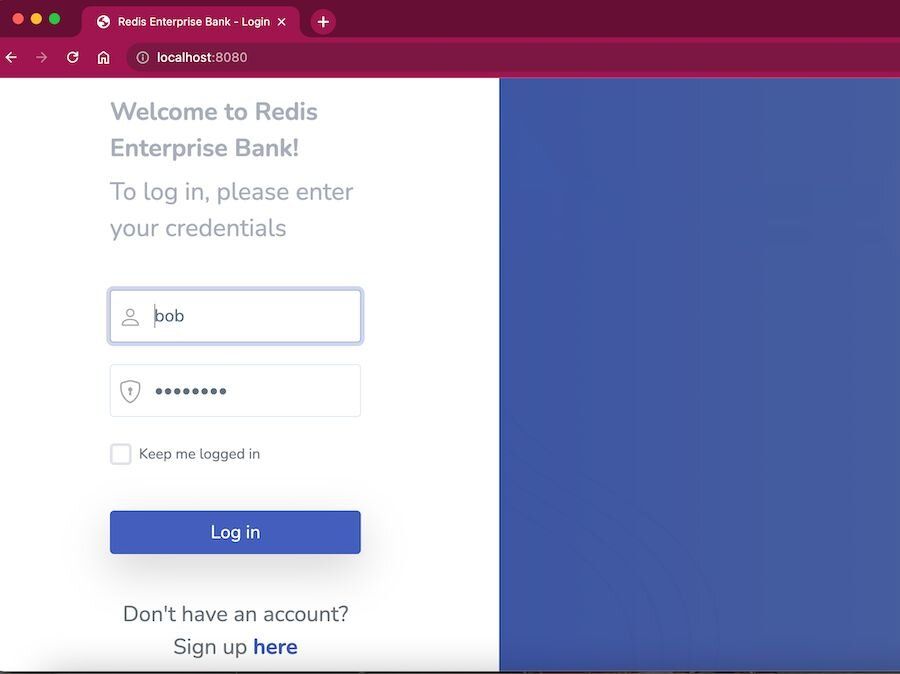
Let's look at the
/perform_login API code which is triggered on the click of Login button from login pageSince connect-redis-stack is an express middleware, a session is automatically created at the start of the request, and updated at the end of the HTTP(API) response if
req.session variable is altered.In above code -
session.userid variable is assigned with a value on successful login (for "bob" user), so a session is created in Redis with assigned data and only Redis key (sessionId) is stored in client cookie.- Dashboard page after successful login
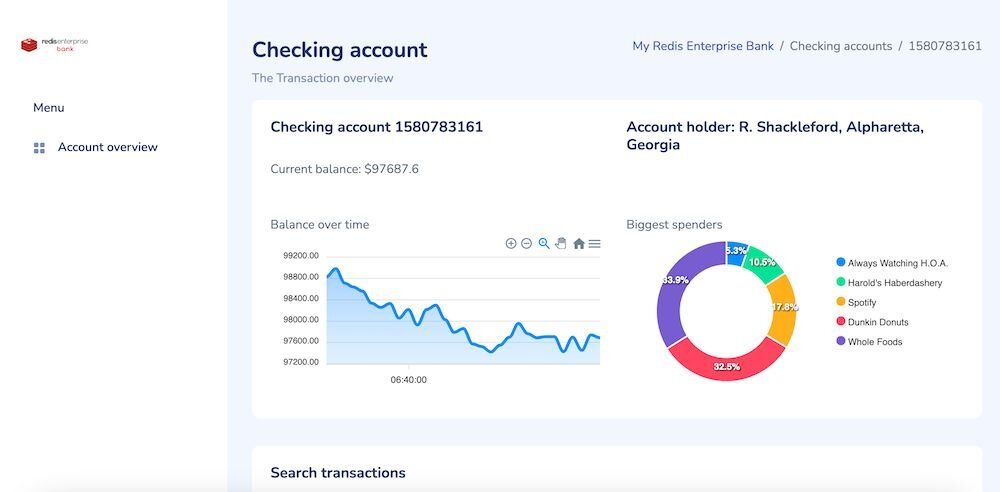
- Session entry in Redis
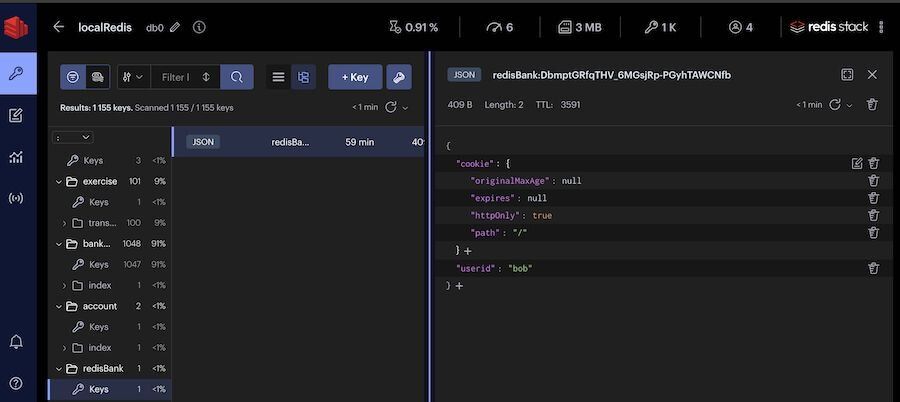
- Open developer tools in Dashboard page to check client cookie
connect.sid(containing only sessionId)
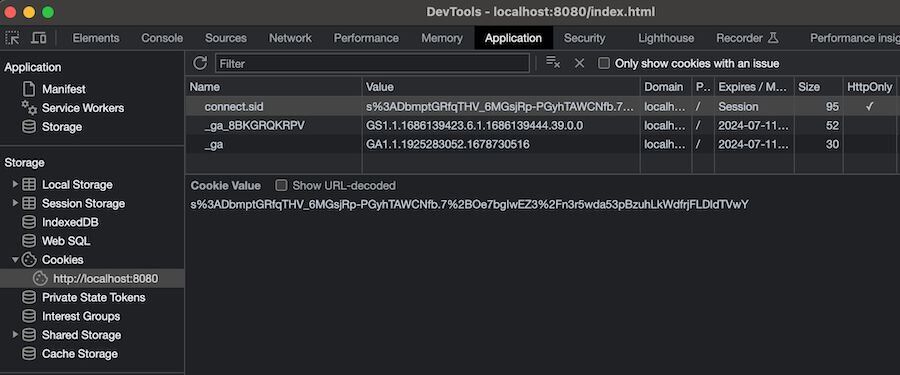
Now on every other API request from client, connect-redis-stack library makes sure to load session details from redis to
req.session variable based on the client cookie (sessionId).#How do you store real-time balance data in sessions?
Consider the below
/transaction/balance API code to demonstrate session storage.We have to modify the
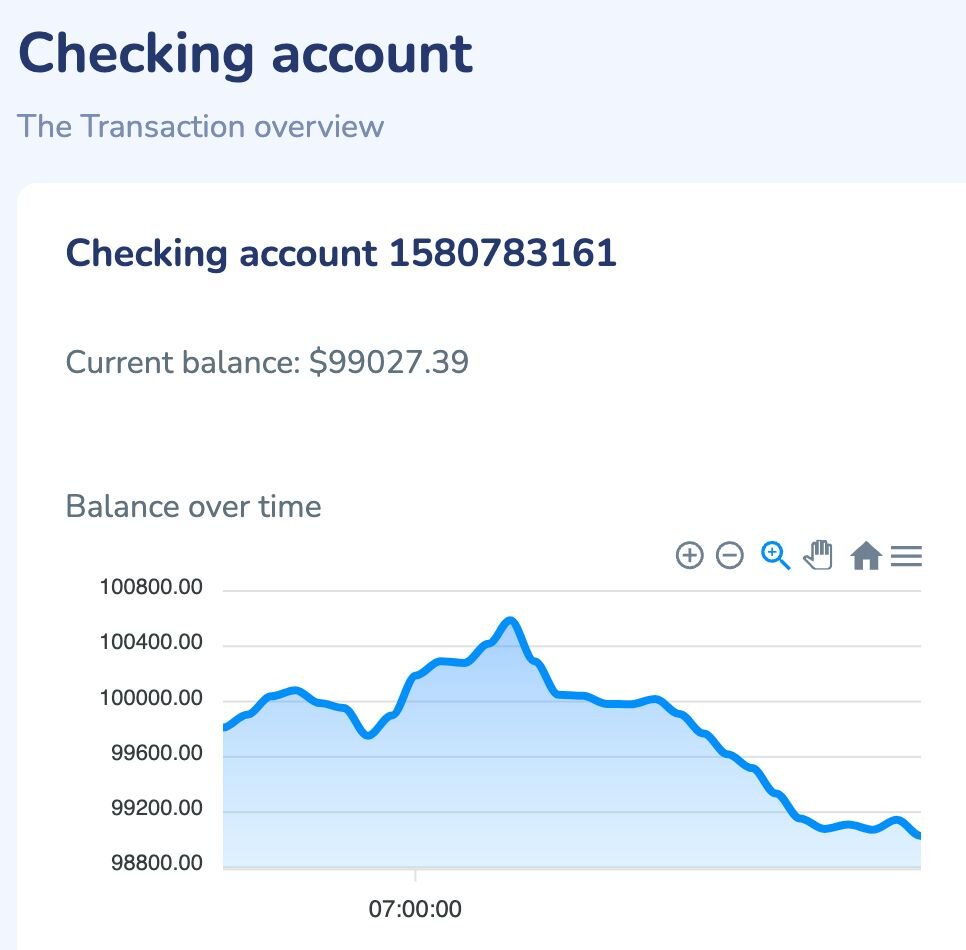
req.session variable to update session data. Let's add more session data like current balance amount of the user .- Updated session entry in Redis with
currentBalanceAmountfield ('x' denoting timestamp and 'y' denoting balance amount at that timestamp)
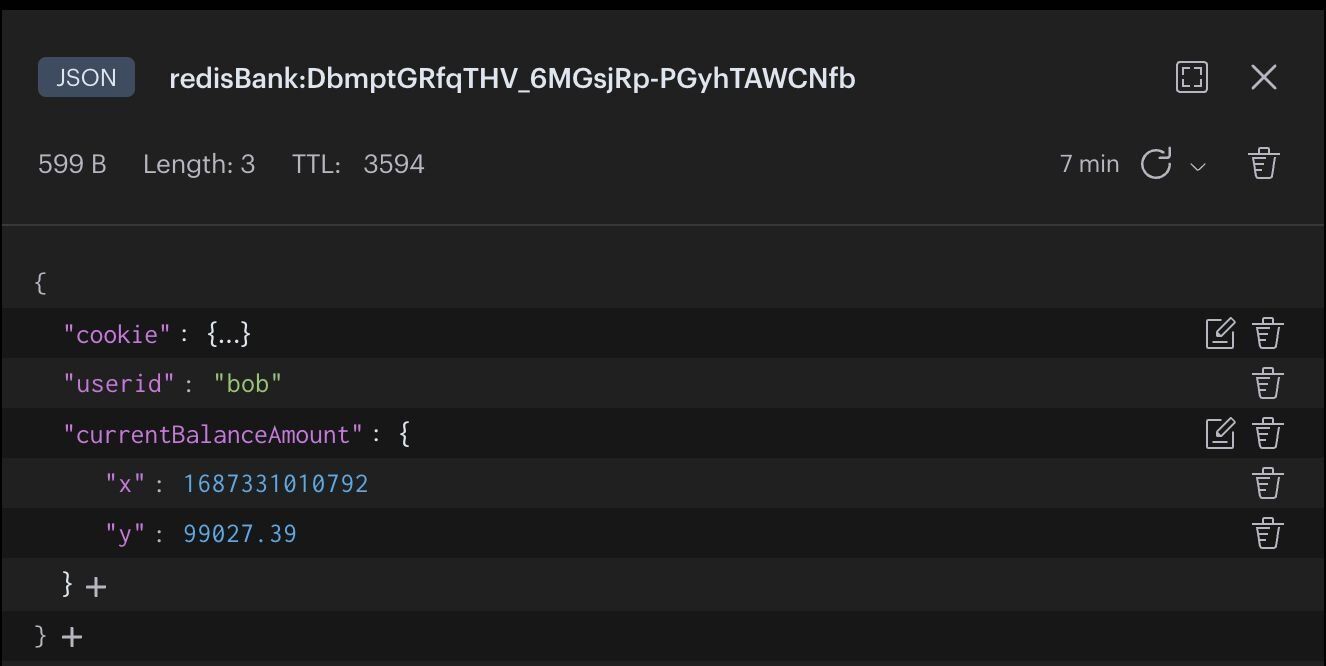
- Verify the latest balance amount in the Dashboard UI
#Ready to use Redis for secure session management?
Hopefully, this tutorial has helped you visualize how to use Redis for better session management, specifically in the context of mobile banking. For additional resources related to this topic, check out the links below:
#Next steps
- Build out the account dashboard to display transaction history and financial insights alongside session data
- Explore Redis Insight to inspect and debug your session store in real time
- Try Redis Cloud for free for a fully managed Redis deployment with 99.999% uptime
#Additional resources
- Redis YouTube channel
- Clients like Node Redis and Redis OM Node help you to use Redis in Node.js applications.
- Redis Insight: To view your Redis data or to play with raw Redis commands in the workbench
- Try Redis Cloud for free