Blog
Zero-downtime Redis migration from AWS to Redis Cloud with Eden

Redis migrations can suck.
Whether you’re switching cloud providers, moving off self-managed Redis, or consolidating clusters, the usual playbook involves maintenance windows, write freezes, connection string swaps, and a healthy amount of stress. Even when everything goes “according to plan,” you’re still betting production traffic on a one-time cutover.
I’d been hearing about Eden as a way to migrate Redis live—no downtime, no app changes—so I decided to actually try it and see where it breaks.
Short version: it didn’t.
You can consider this my report that covers Eden's data migration capabilities—validating the base assumption that migrating production Redis can actually be easy. In Part 2, we'll walk through the full production workflow: running Eden as a live proxy, swapping traffic between databases (Elasticache to Redis Cloud), and using Eden's pre-migration analysis to catch compatibility issues before they become production problems.
Why Redis migrations are painful in the first place
Most Redis migration approaches fall into two buckets.
Out-of-band migration tools like RIOT-X support both snapshot and live migrations, but they operate out of band—replicating data alongside application traffic rather than sitting directly in the request path—and require an explicit cutover once replication completes.
DIY replication setups avoid hard downtime, but come with their own problems. You’re wiring up temporary replication, handling dual writes, monitoring lag, and eventually orchestrating a cutover. It works, but you’re building bespoke infrastructure for something you’ll hopefully never need again.
Both approaches share the same downsides: operational complexity, risk during cutover, and extra logic living somewhere it shouldn’t.
Eden takes a different approach. Instead of running replication beside the application, it sits directly in the traffic path, which removes the need for keyspace notifications, migration hosts, or coordinated cutover logic.
What I wanted to test
I wasn’t looking for a whitepaper demo. I wanted to see if Eden could handle a real migration with:
- Zero application code changes
- Continuous reads and writes the entire time
- Visibility into what was happening while it ran
- A clean cutover without babysitting
I ran two tests:
- A local Redis-to-Redis migration under load
- A real cloud migration from AWS ElastiCache to Redis Cloud
How Eden works (at a high level)
Eden sits in front of Redis as a proxy layer they call an interlay. Your app connects to Eden instead of directly to Redis. Eden forwards traffic to the source while copying data to the destination in the background.
Conceptually, it looks like this:
Application → Eden Interlay → Source Redis (AWS)
↓
Destination Redis (Redis Cloud)
During a migration, Eden:
- Proxies all traffic so your app stays connected
- Copies existing keys to the destination
- Mirrors new writes to both sides
- Switches reads once the destination is fully caught up
From the app’s perspective, nothing changes.
It's worth noting that Eden is more than a migration tool—it's a proxy layer designed for production traffic. That means it can handle the actual traffic cutover between databases, not just the data sync. We'll cover that workflow in Part 2.
Baseline test: Redis to Redis, locally
Before touching cloud infrastructure, I wanted to see how Eden behaved under controlled conditions.
Setup
- Two local Redis instances
- Source: :
16379 - Destination: :
16380
- Source: :
analytics-demogenerating ~35k ops/sec with a mix of reads, writes, and TTL churn
redis-observer tracking key counts, ops/sec, and coverage
Before starting the migration, the source had ~144k keys and was handling ~33k ops/sec. The destination was empty. Because the workload includes continuous writes and TTL expirations, key counts fluctuate throughout the test - so when I say the destination "matched" the source at the end, that means it caught up to the live state at cutover, not some earlier snapshot.
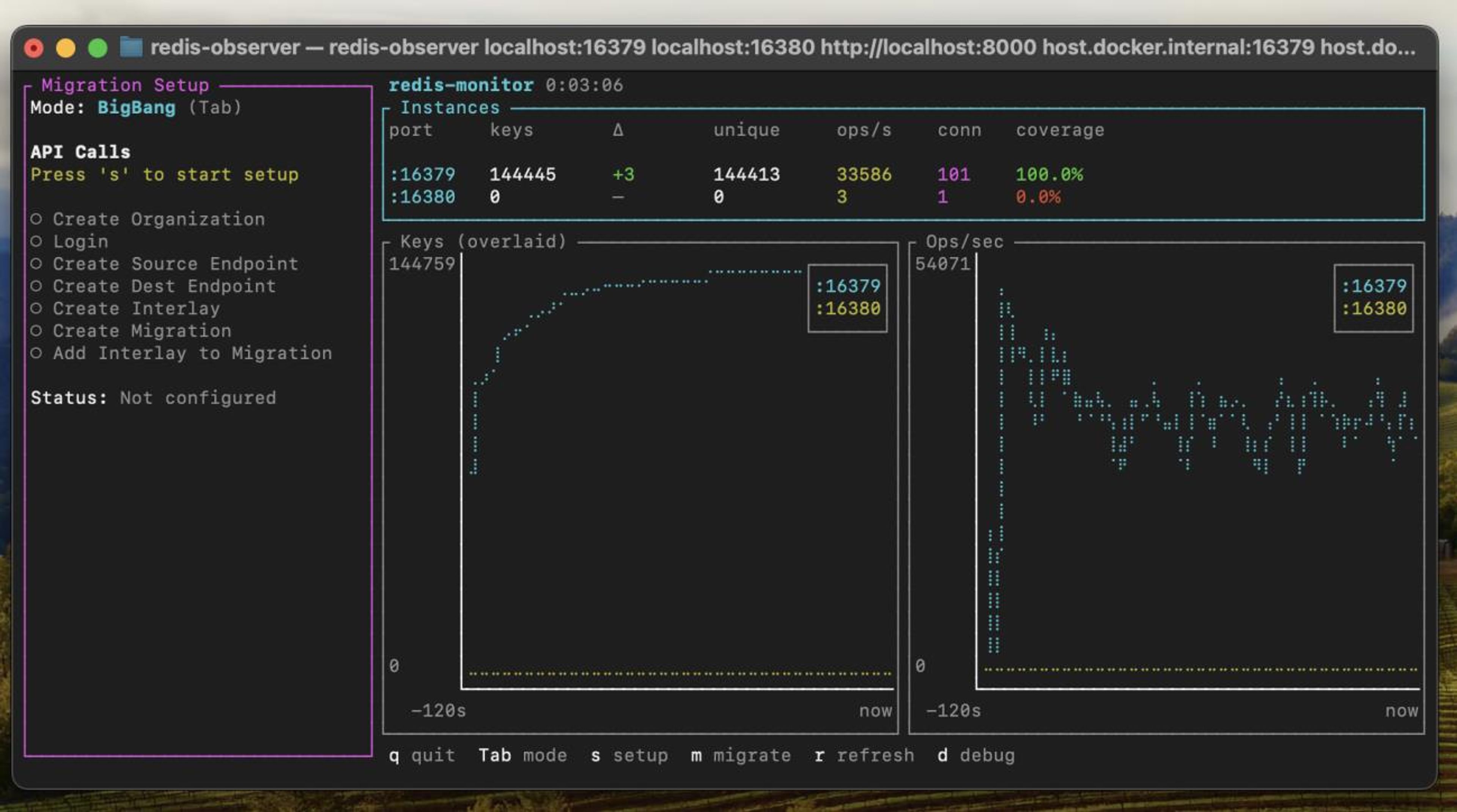
I walked through Eden’s setup flow—org creation, auth, endpoint registration, interlay creation, migration definition. Once everything was wired up, the migration sat in a pending state waiting to be triggered.
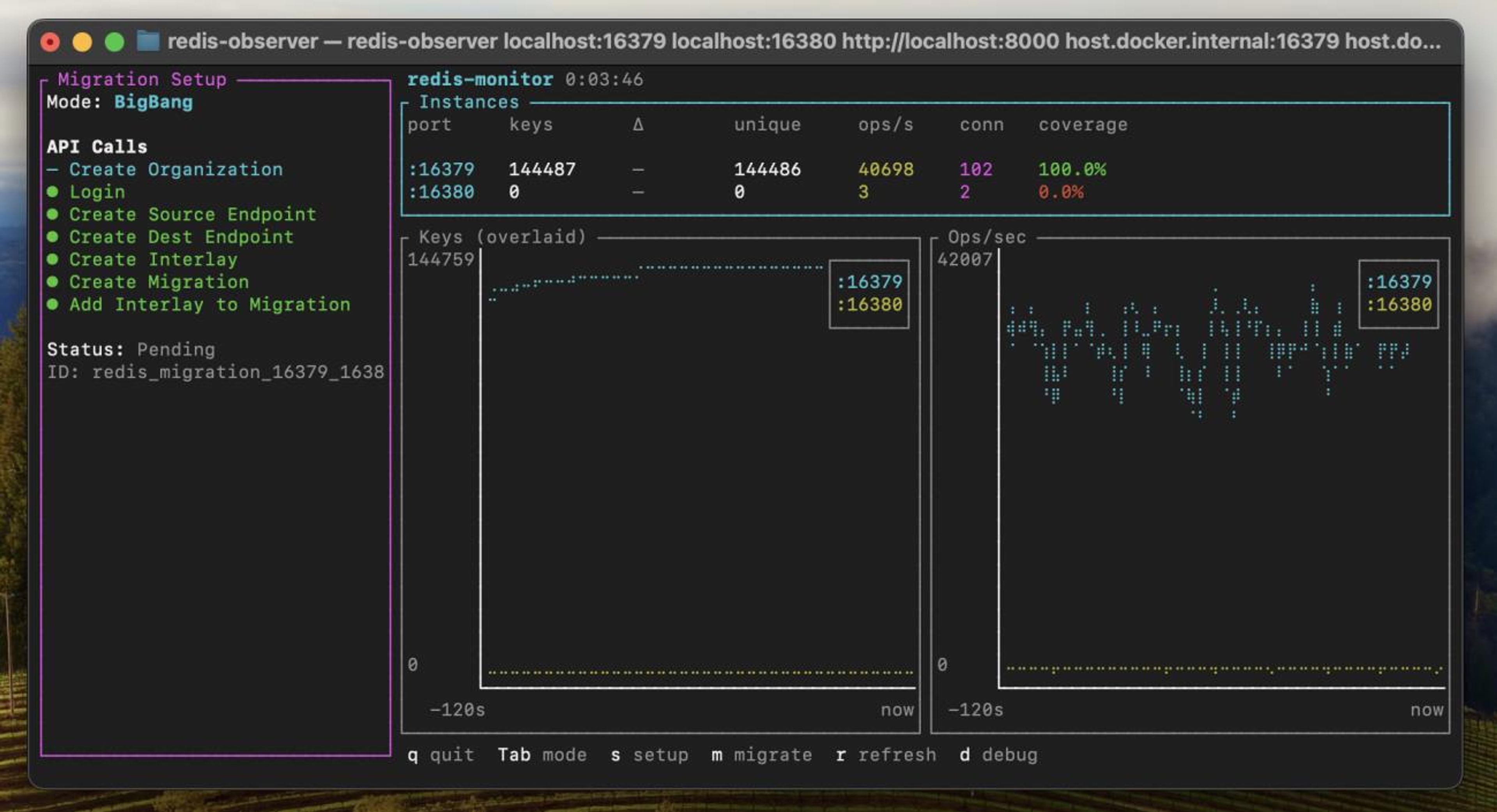
When I kicked it off, the destination key count started climbing immediately. Traffic never stopped. No reconnects. No errors.
About two minutes later, the migration completed. Key counts between source and destination were effectively identical.
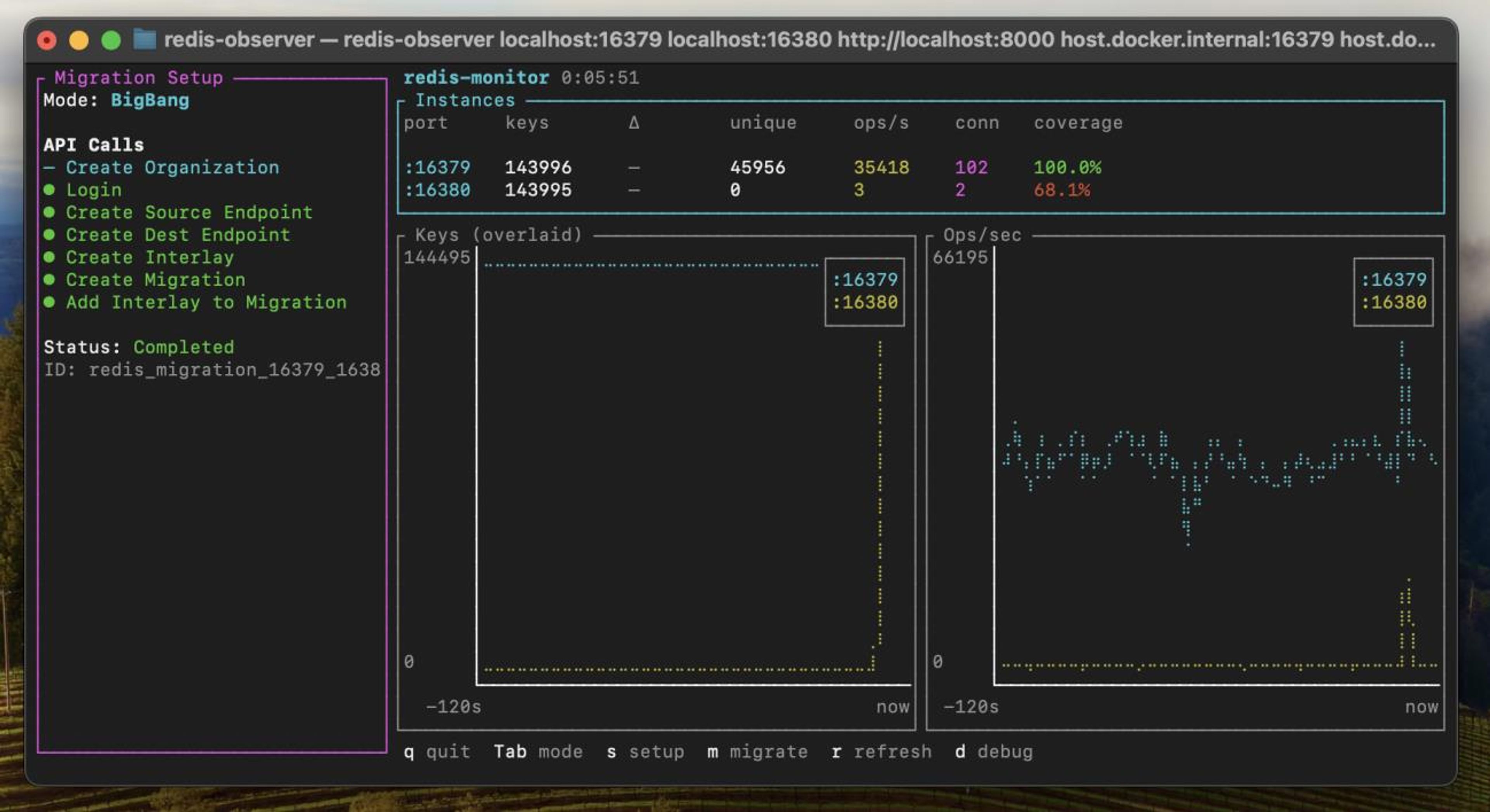
analytics-demo kept pushing traffic the entire time.
Results
- ~144k keys migrated
- ~2 minutes end-to-end
- Continuous traffic throughout
- Zero app changes
The speed wasn’t surprising—local Docker networking and a small dataset helped—but the important part was the application kept running as if nothing happened.
Cloud migration: AWS to Redis Cloud
With the baseline out of the way, I moved on to the real test.
Setup
- Source: Redis on AWS EC2
- Destination: Redis Cloud
- Eden running locally, connected to both
analytics-demogenerating ~40k requests/secredis-observerwatching both sides
Before starting, I confirmed the Redis Cloud database was empty using Redis Insight.
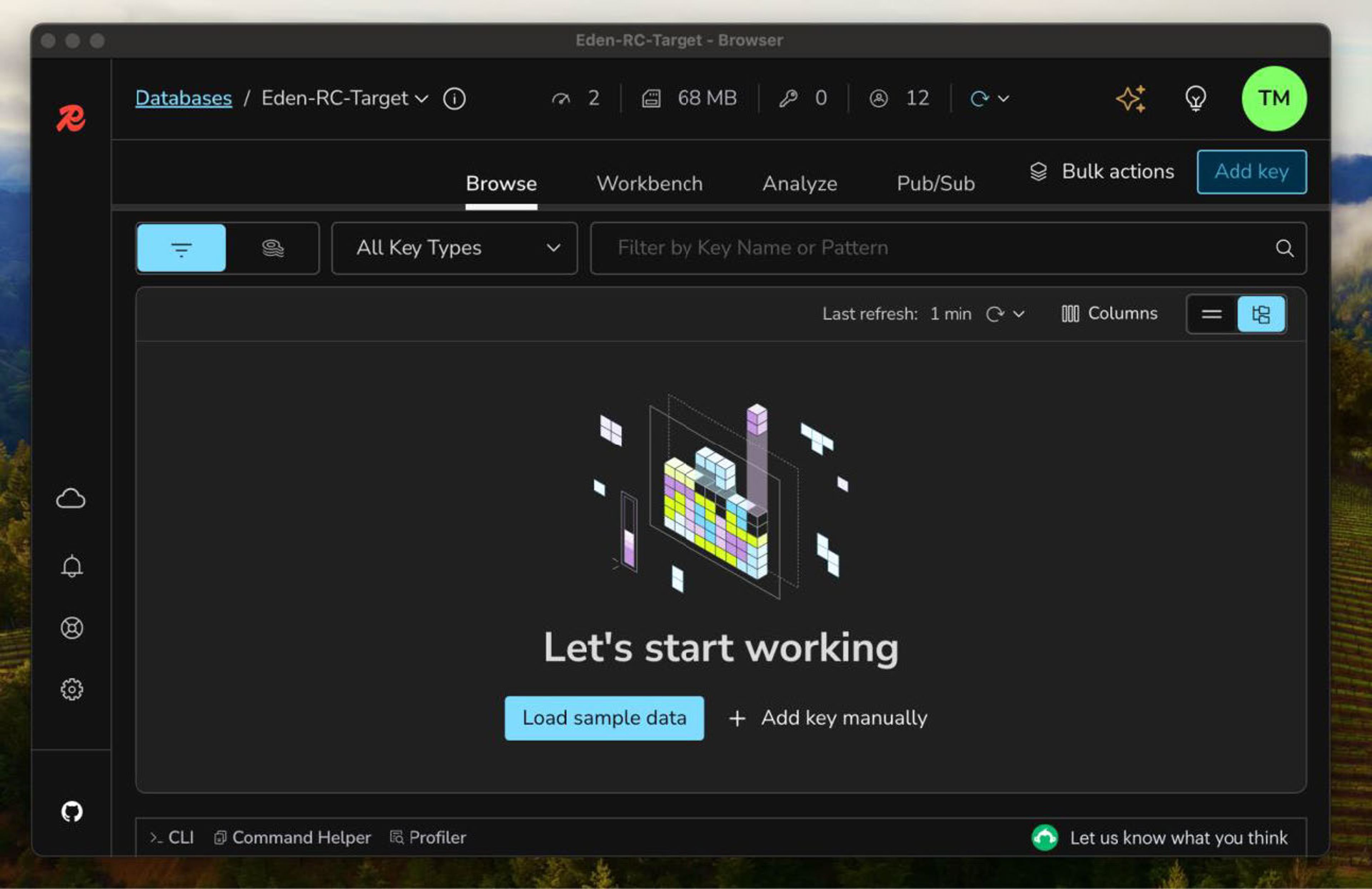
Once load stabilized, the source sat at ~62k keys. Destination was still empty.
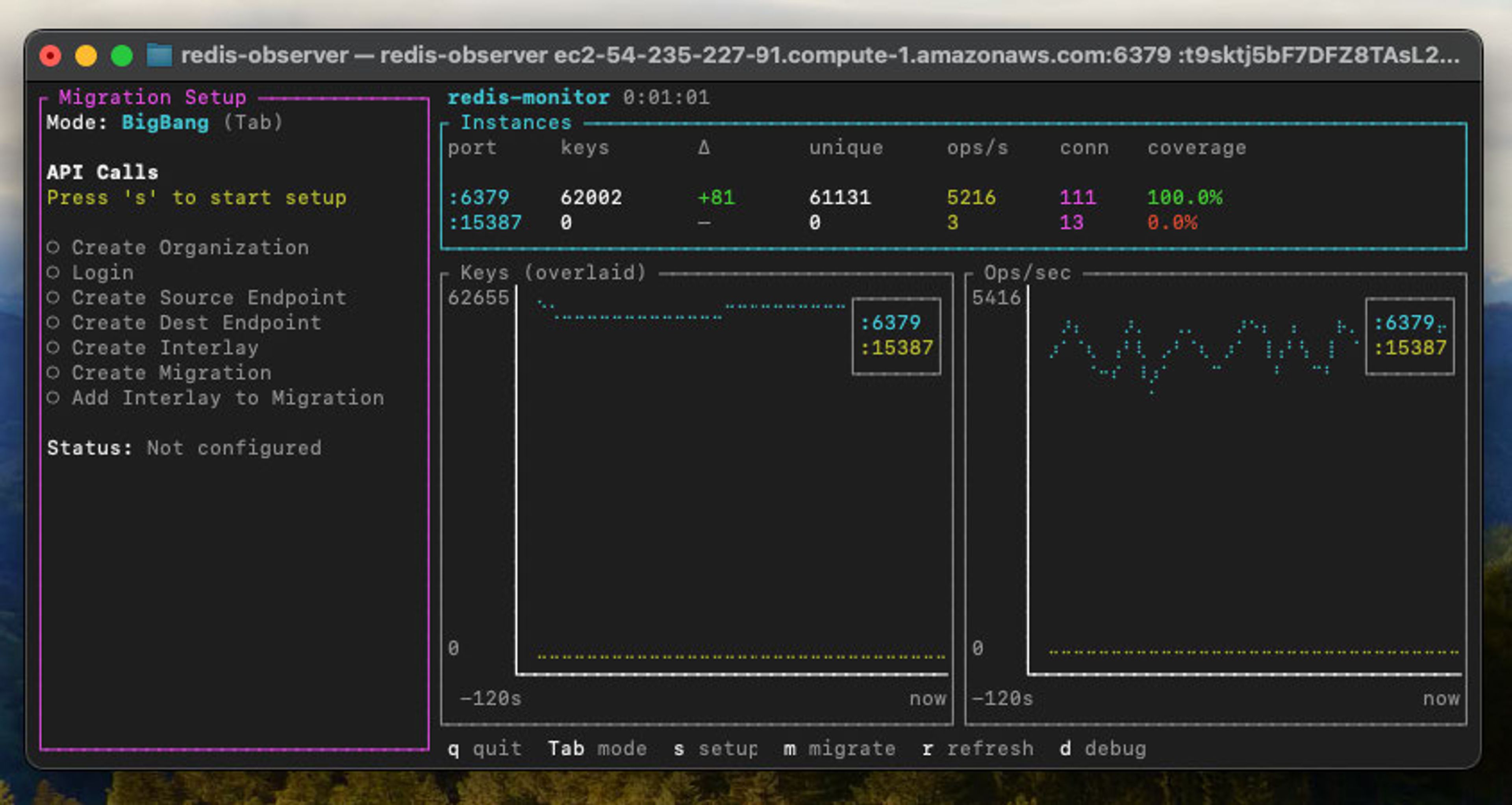
Then I ran through the same Eden workflow:
- Register endpoints
- Create the interlay
- Define the migration
- Trigger it
I went with a big bang strategy for this test, but Eden supports canary, blue-green, and other common migration patterns depending on your risk tolerance. As soon as the migration started, keys began appearing in Redis Cloud.
The entire migration finished in about seven minutes. At the end, Redis Cloud held ~69k keys, matching what was on the source.
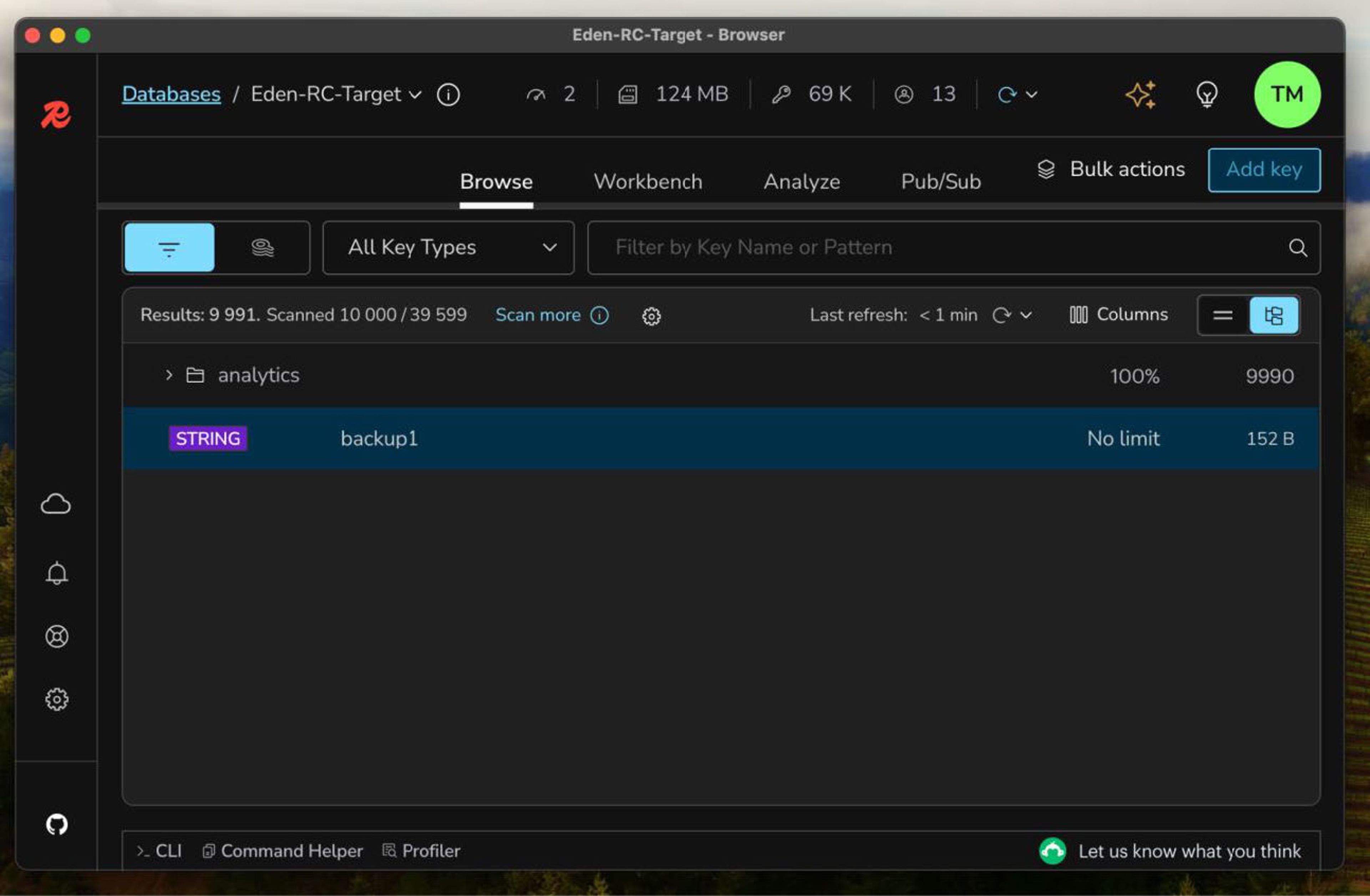
Traffic stayed steady the whole time.
Results
| Metric | Value |
|---|---|
| Duration | ~7 minutes |
| Keys migrated | ~70k |
| Traffic | ~40k req/sec |
| Downtime | None |
| App changes | None |
Eden compared to traditional approaches
| Aspect | Offline tools | Eden |
|---|---|---|
| Downtime | Required | None |
| App changes | Usually | None |
| Observability | Minimal | Full |
| Cutover | Manual | Automated |
| One-off plumbing | A lot | None |
The big difference isn’t performance—it’s operational risk. Eden turns migration into a process you can observe instead of a moment you brace for.
When this actually makes sense
Eden isn’t for every Redis migration.
If you’ve got a small dataset and a flexible maintenance window, offline tools are still fine. But it starts to make a lot of sense when:
- You’re running high QPS workloads
- Your dataset takes hours to copy
- You can’t afford even brief write freezes
- You want rollback without restoring backups
- You don’t want to write throwaway migration code
As Redis becomes more central to application state, migrations stop being “ops chores” and start being real risk events. Eden shifts that balance.
Final thoughts
I was mainly checking where this might fall apart. It didn’t.
Eden handled a live AWS to Redis Cloud migration under sustained load without downtime, connection churn, or application changes. The entire process was visible end-to-end, and the cutover was uneventful—which is exactly what you want.
If Redis is on your critical path, this makes migrations feel a lot less like a leap of faith and more like a controlled operation.
Interested in learning more about Eden? Contact the Eden team to discuss your migration needs.
Redis Cloud offers fully managed Redis with built-in high availability, automatic scaling, and enterprise support. Get started with Redis Cloud.
Get started with Redis today
Speak to a Redis expert and learn more about enterprise-grade Redis today.