Tutorial
Vector Semantic Text Search Using LangChain (OpenAI) and Redis
February 26, 202616 minute read


TL;DR:Semantic text search uses AI embeddings to match queries by meaning instead of keywords. In this tutorial, you generate OpenAI embeddings for product descriptions, store them in Redis using LangChain'sRedisVectorStore, and query them with a similarity search API—so a search for "pure cotton blue shirts" returns relevant results even if those exact words don't appear in the product listing.
Semantic text search lets users find products and documents by meaning rather than exact keyword matches. This tutorial shows how to build a semantic search engine using Redis as a vector store, with LangChain and OpenAI embeddings to convert natural language queries into vector similarity lookups.
#What you'll learn
- How semantic search differs from traditional full-text search
- How to generate vector embeddings from product descriptions using OpenAI
- How to store and index embeddings in Redis with LangChain
- How to build a search API that finds products by meaning using vector similarity
- How to integrate semantic search into a frontend application
#How is semantic search different from full-text search?
Full-text search matches documents based on the presence of specific keywords. It works well when users know the exact terms in the data, but it struggles with synonyms, paraphrases, and natural language queries. For example, searching "affordable blue casual wear" won't match a product described as "budget-friendly navy leisure shirt."
Semantic search solves this by converting text into numerical vectors (embeddings) that capture meaning. Queries and documents that are conceptually similar end up close together in vector space, regardless of the exact words used. Redis serves as a high-performance vector store for these embeddings, enabling sub-millisecond similarity lookups at scale.
| Feature | Full-text search | Semantic search |
|---|---|---|
| Matching method | Keyword occurrence | Vector similarity (meaning) |
| Handles synonyms | No (without manual configuration) | Yes (automatically) |
| Natural language queries | Limited | Strong |
| Setup complexity | Lower | Requires embedding model |
| Best for | Exact lookups, filters | Discovery, natural language |
#Terminology
- LangChain: A versatile library for developing language model applications, combining language models, storage systems, and custom logic.
- OpenAI: A provider of cutting-edge language models like GPT-3, essential for applications in semantic search and conversational AI.
#What does the e-commerce application architecture look like?
GITHUB CODEBelow is a command to the clone the source code for the application used in this tutorialgit clone --branch v9.2.0 https://github.com/redis-developer/redis-microservices-ecommerce-solutions
The demo application uses a microservices architecture:
products service: handles querying products from the database and returning them to the frontendorders service: handles validating and creating ordersorder history service: handles querying a customer's order historypayments service: handles processing orders for paymentapi gateway: unifies the services under a single endpointmongodb/ postgresql: serves as the write-optimized database for storing orders, order history, products, etc.
INFOYou don't need to use MongoDB/ Postgresql as your write-optimized database in the demo application; you can use other prisma supported databases as well. This is just an example.
#What does the frontend look like?
The e-commerce microservices application consists of a frontend, built using Next.js with TailwindCSS. The application backend uses Node.js. The data is stored in Redis and either MongoDB or PostgreSQL, using Prisma. Below are screenshots showcasing the frontend of the e-commerce app.
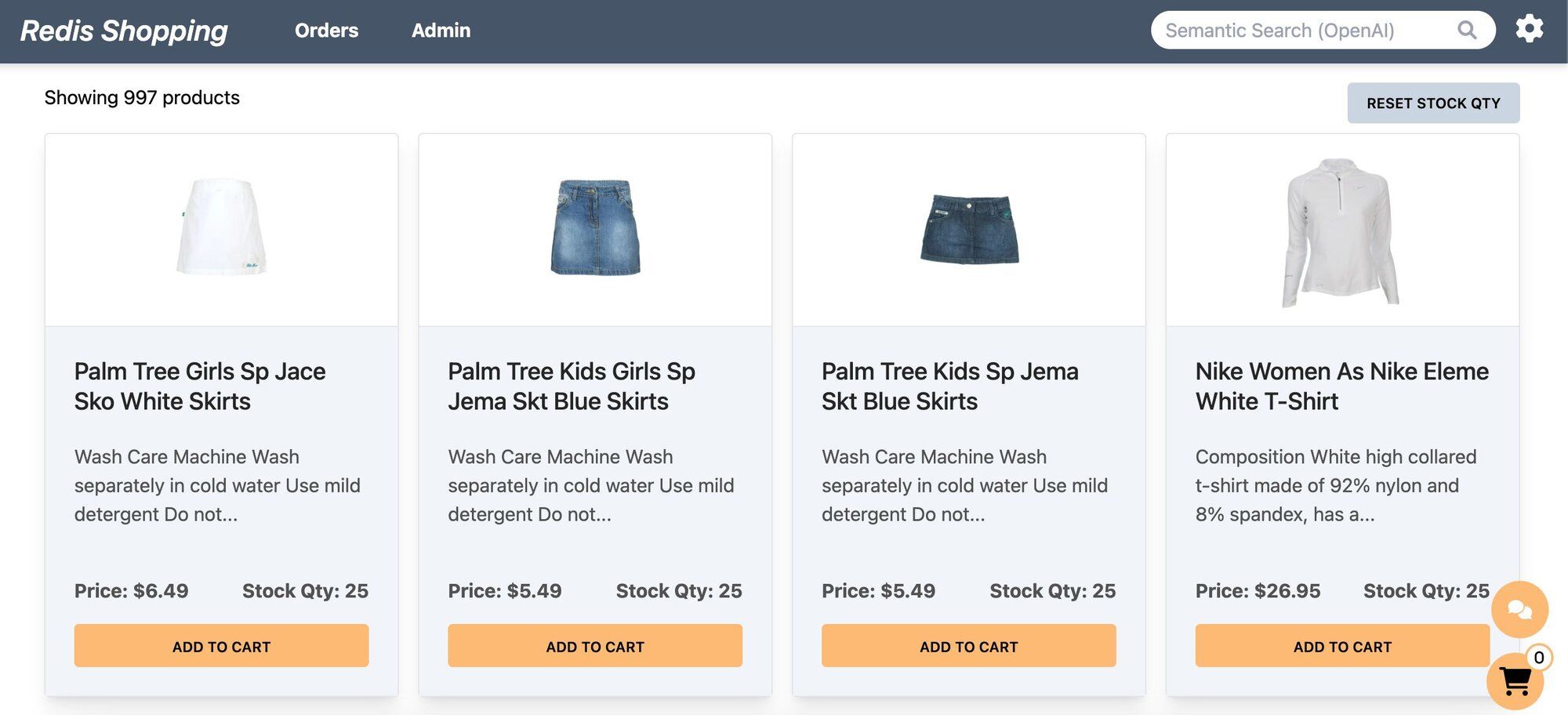
- Dashboard: Displays a list of products with different search functionalities, configurable in the settings page.
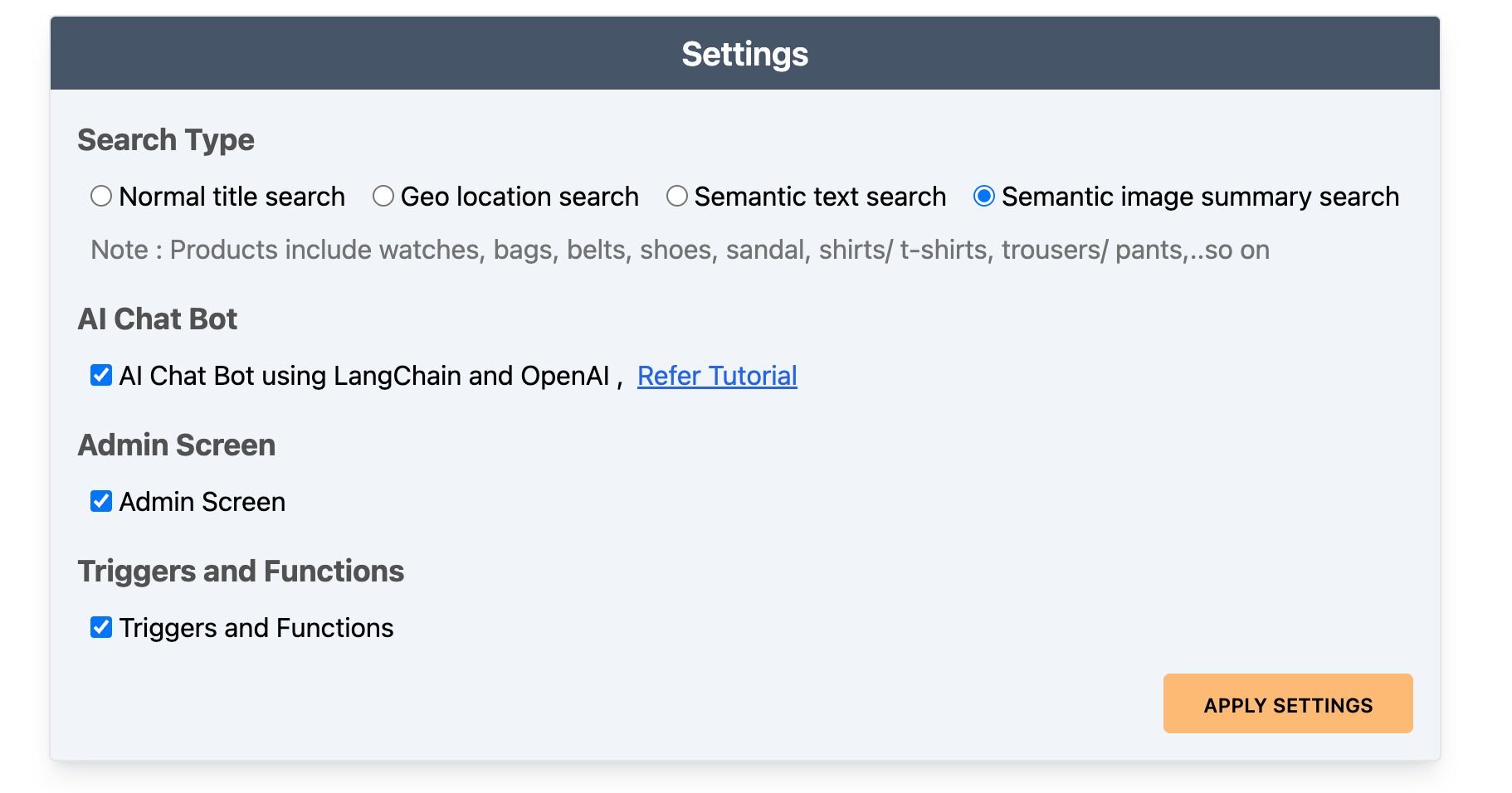
- Settings: Accessible by clicking the gear icon at the top right of the dashboard. Control the search bar, chatbot visibility, and other features here.
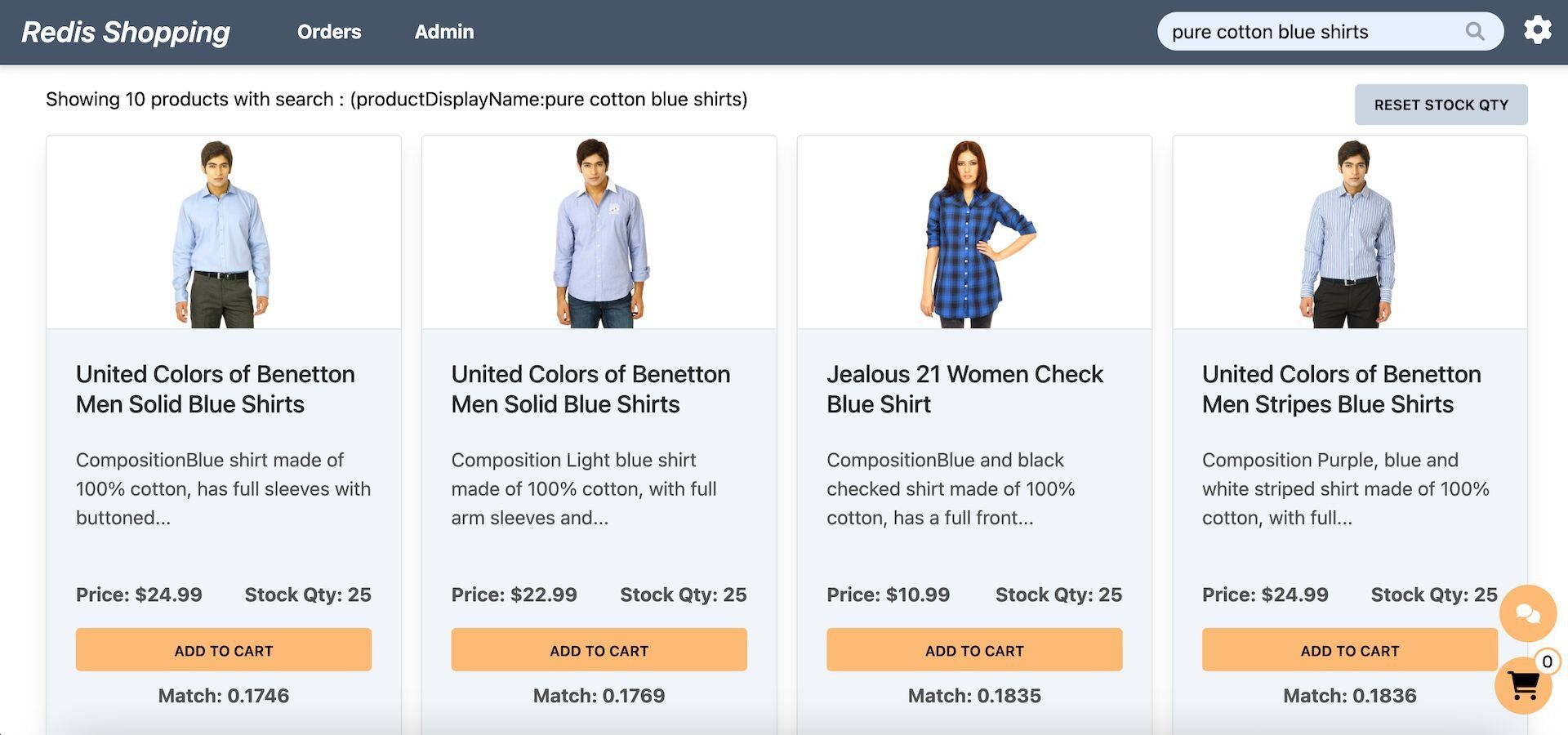
- Dashboard (Semantic Text Search): Configured for semantic text search, the search bar enables natural language queries. Example: "pure cotton blue shirts."
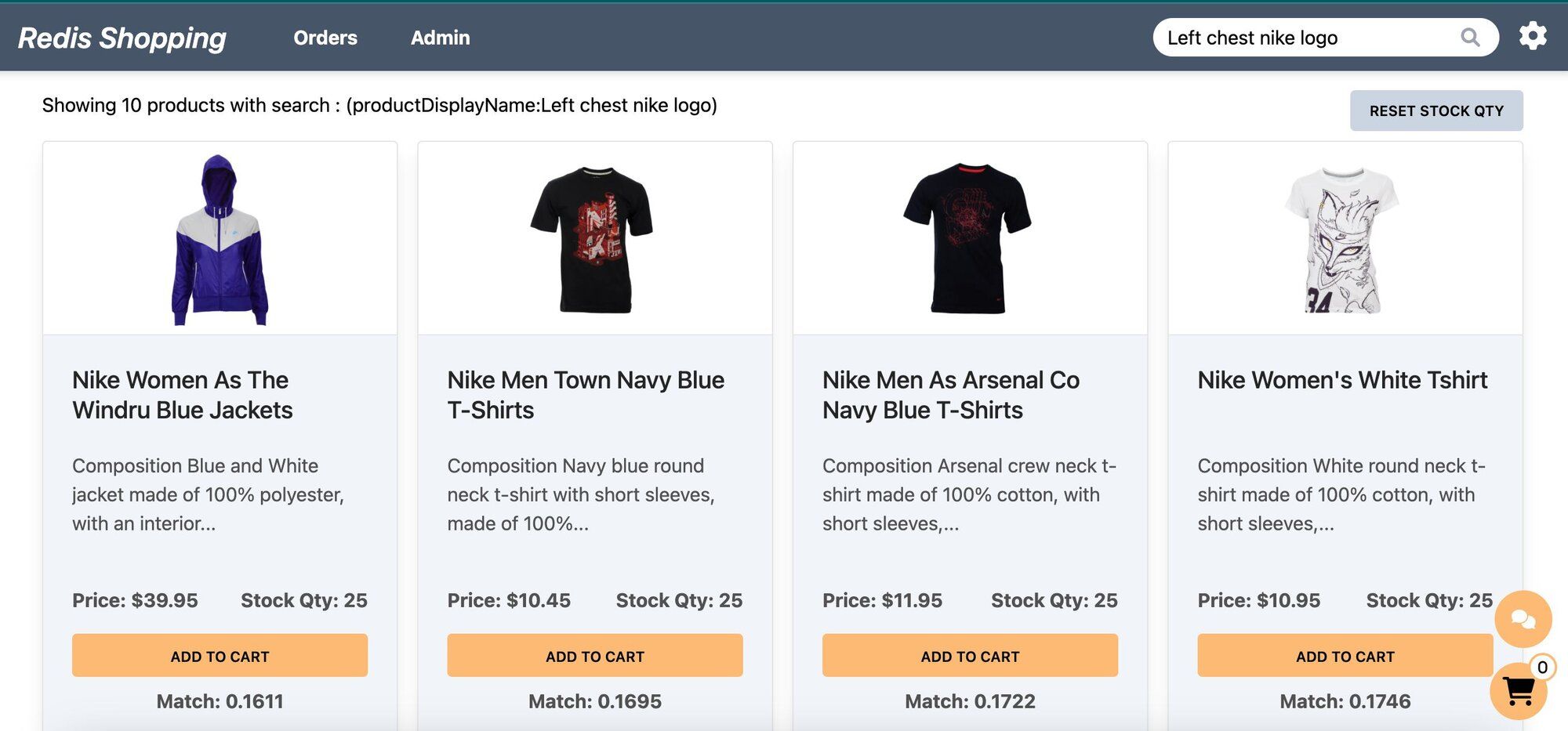
- Dashboard (Semantic Image-Based Queries): Configured for semantic image summary search, the search bar allows for image-based queries. Example: "Left chest nike logo."
- Chat Bot: Located at the bottom right corner of the page, assisting in product searches and detailed views.
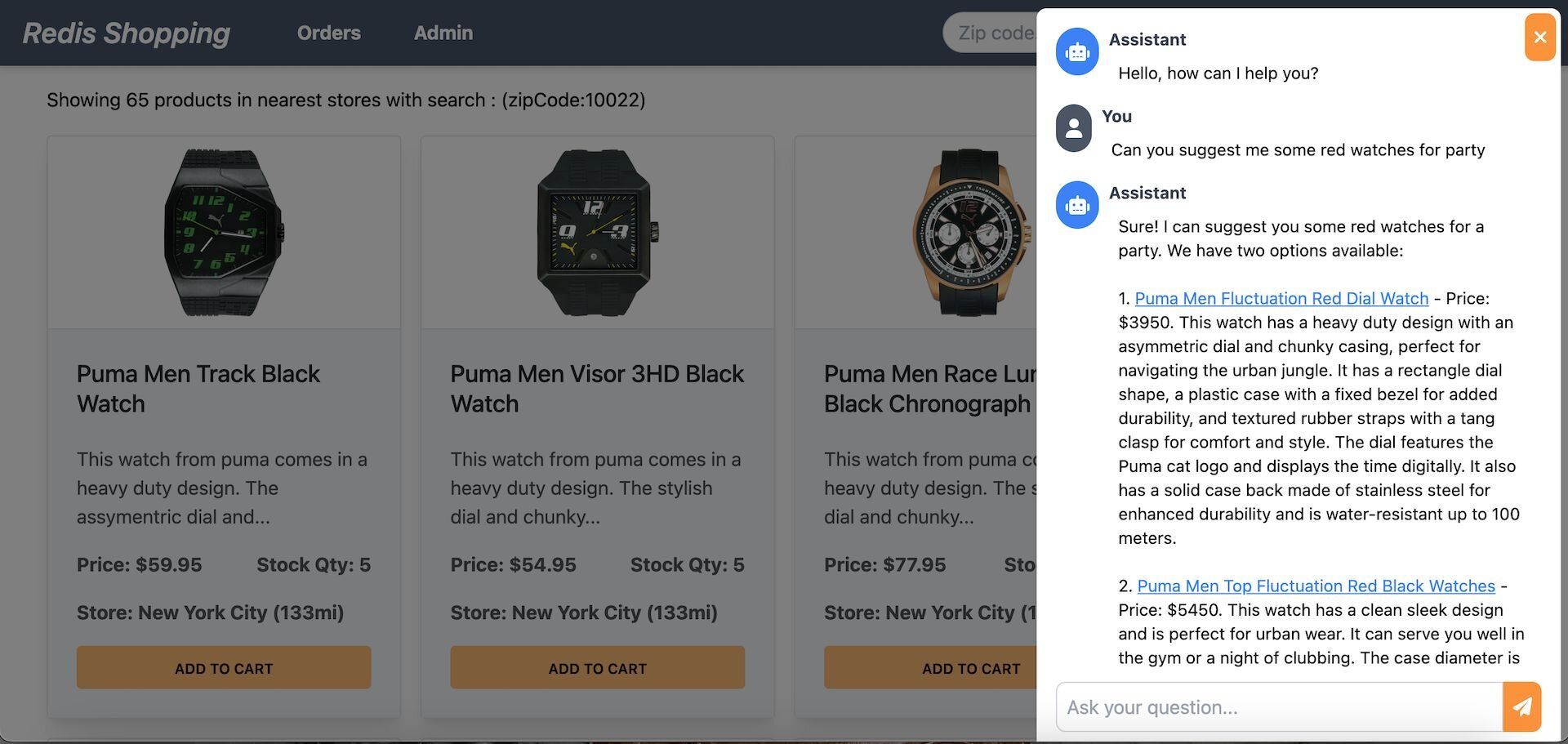
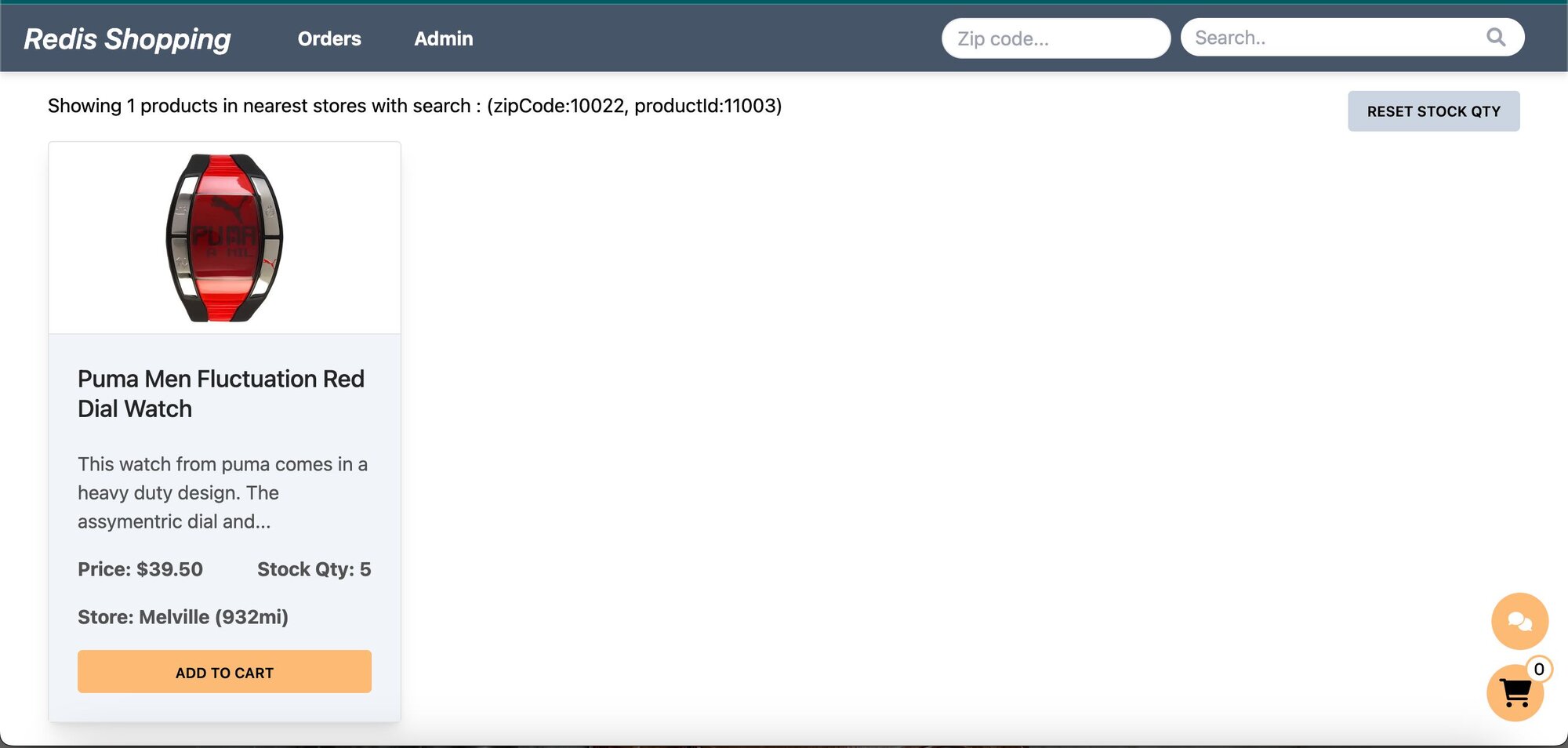
Selecting a product in the chat displays its details on the dashboard.
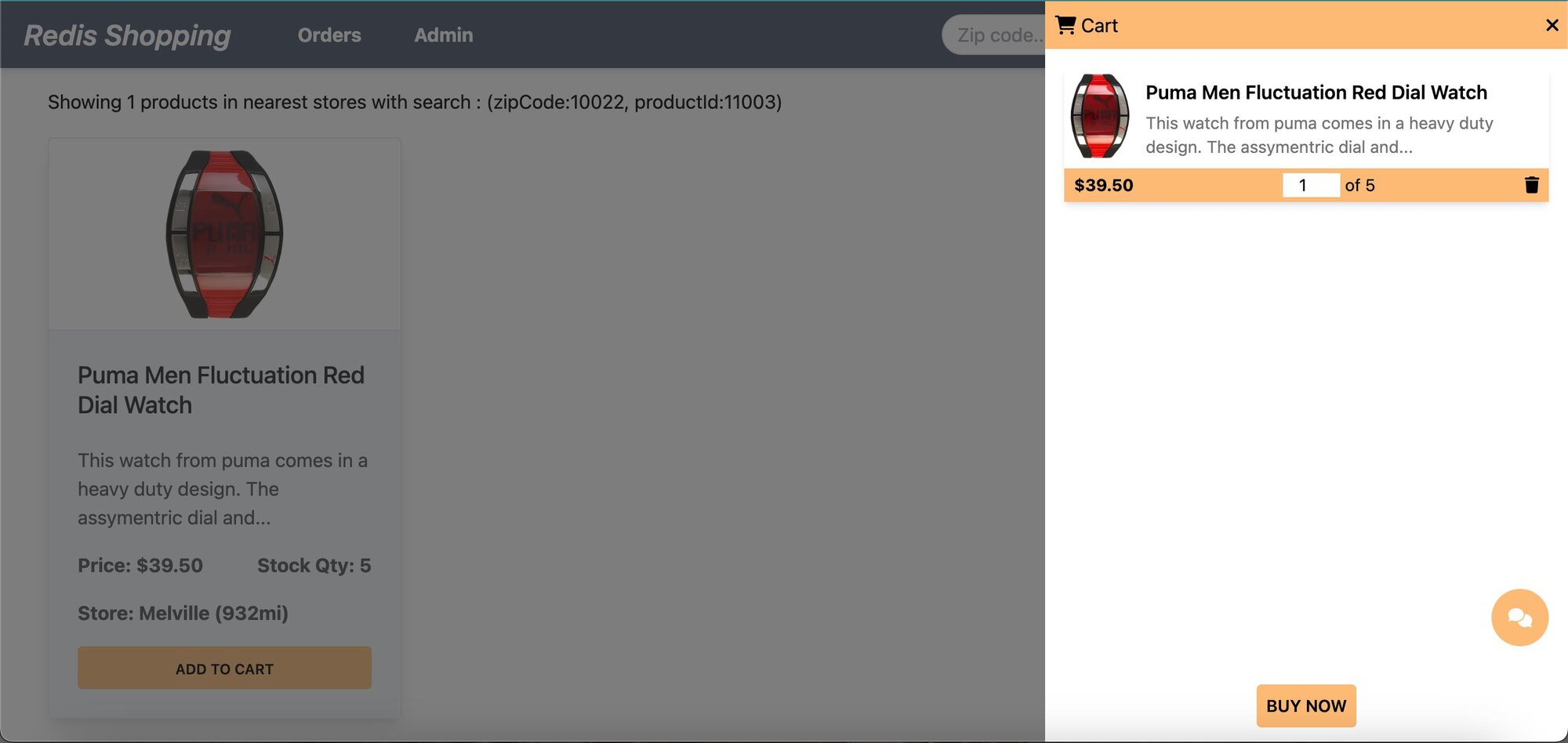
- Shopping Cart: Add products to the cart and check out using the "Buy Now" button.
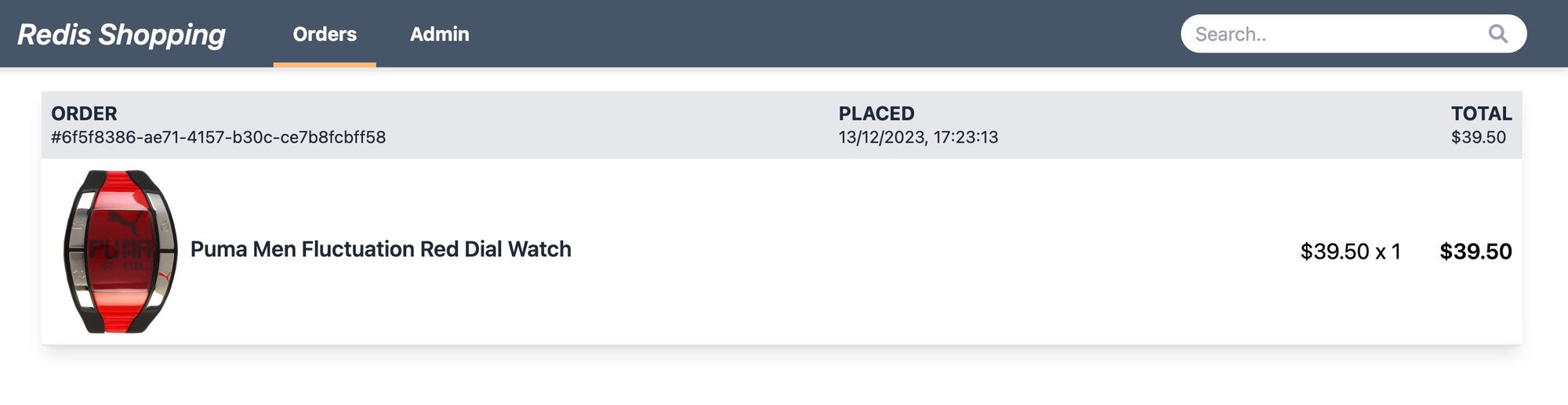
- Order History: Post-purchase, the 'Orders' link in the top navigation bar shows the order status and history.
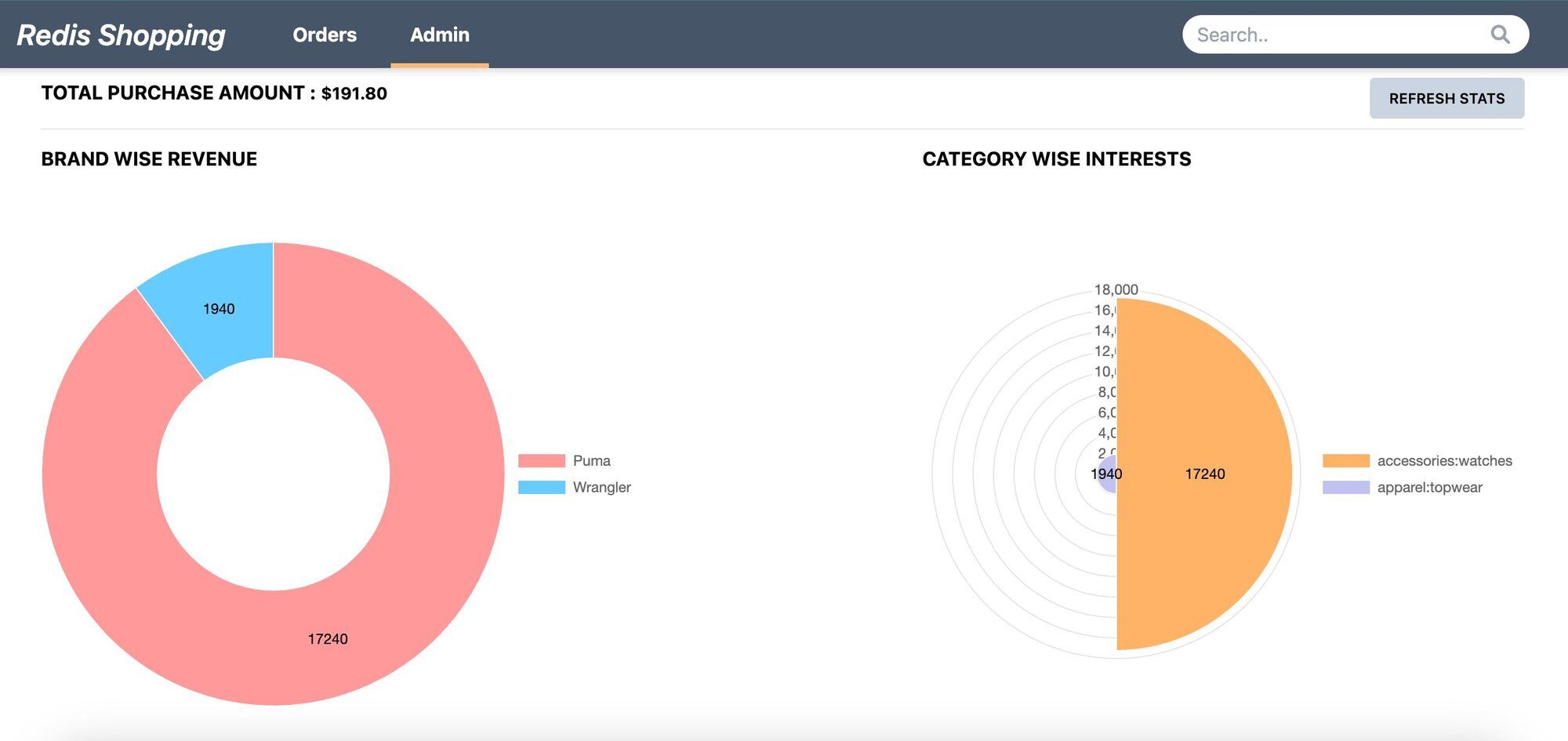
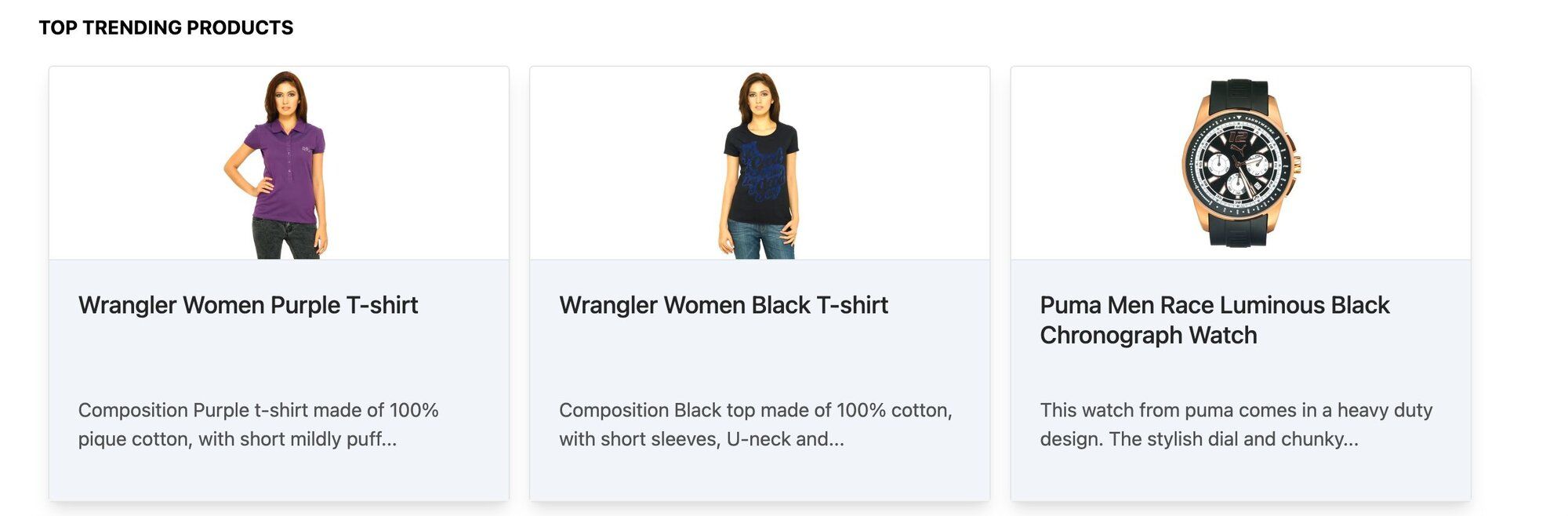
- Admin Panel: Accessible via the 'admin' link in the top navigation. Displays purchase statistics and trending products.
#How do you set up the database for semantic search?
INFOSign up for an OpenAI account to get your API key to be used in the demo (add OPEN_AI_API_KEY variable in .env file). You can also refer to the OpenAI API documentation for more information.
GITHUB CODEBelow is a command to the clone the source code for the application used in this tutorialgit clone --branch v9.2.0 https://github.com/redis-developer/redis-microservices-ecommerce-solutions
#What does the sample data look like?
Consider a simplified e-commerce dataset featuring product details for semantic search.
#How do you generate and store embeddings in Redis?
Implement the
addEmbeddingsToRedis function to integrate AI-generated product description embeddings with Redis.This process involves two main steps:
- Generating Vector Documents: Utilizing the
convertToVectorDocumentsfunction, we transform product details into vector documents. This transformation is crucial as it converts product details into a format suitable for Redis storage. - Seeding Embeddings into Redis: The
seedOpenAIEmbeddingsfunction is then employed to store these vector documents into Redis. This step is essential for enabling efficient retrieval and search capabilities within the Redis database.
Examine the structured
openAI product details within Redis using Redis Insight.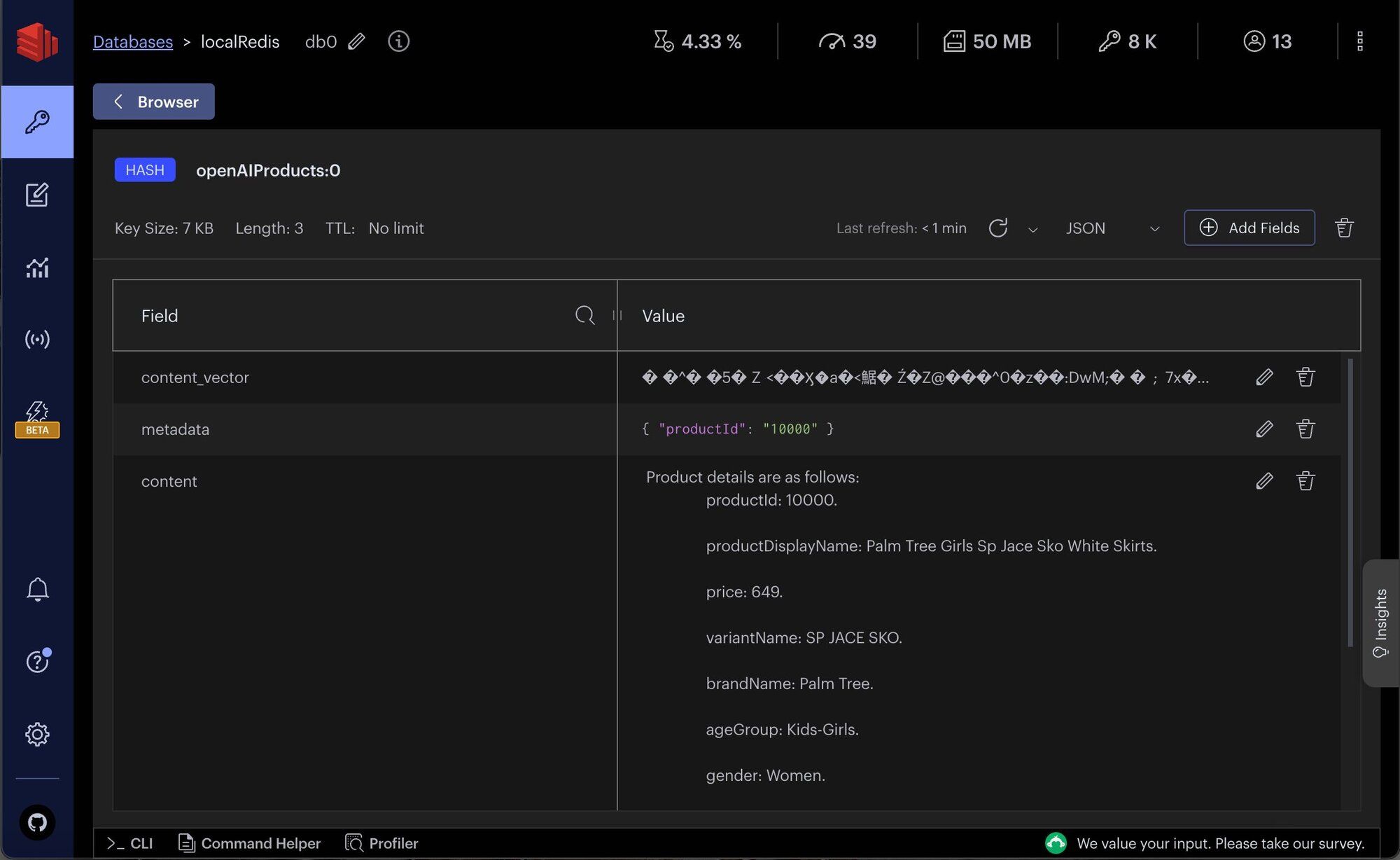
TIPDownload Redis Insight to visually explore your Redis data or to engage with raw Redis commands in the workbench.
#How do you build the semantic search API?
#What does the search API request and response look like?
This section covers the API request and response structure for
getProductsByVSSText, which is essential for retrieving products based on semantic text search.#Search API request format
The example request format for the API is as follows:
#Search API response structure
The response from the API is a JSON object containing an array of product details that match the semantic search criteria:
#How does the search API implementation work?
The backend implementation of this API involves following steps:
getProductsByVSSTextfunction handles the API Request.getSimilarProductsScoreByVSSfunction performs semantic search on product details. It integrates withOpenAI'ssemantic analysis capabilities to interpret the searchText and identify relevant products fromRedisvector store.
#How do you configure the frontend for semantic search?
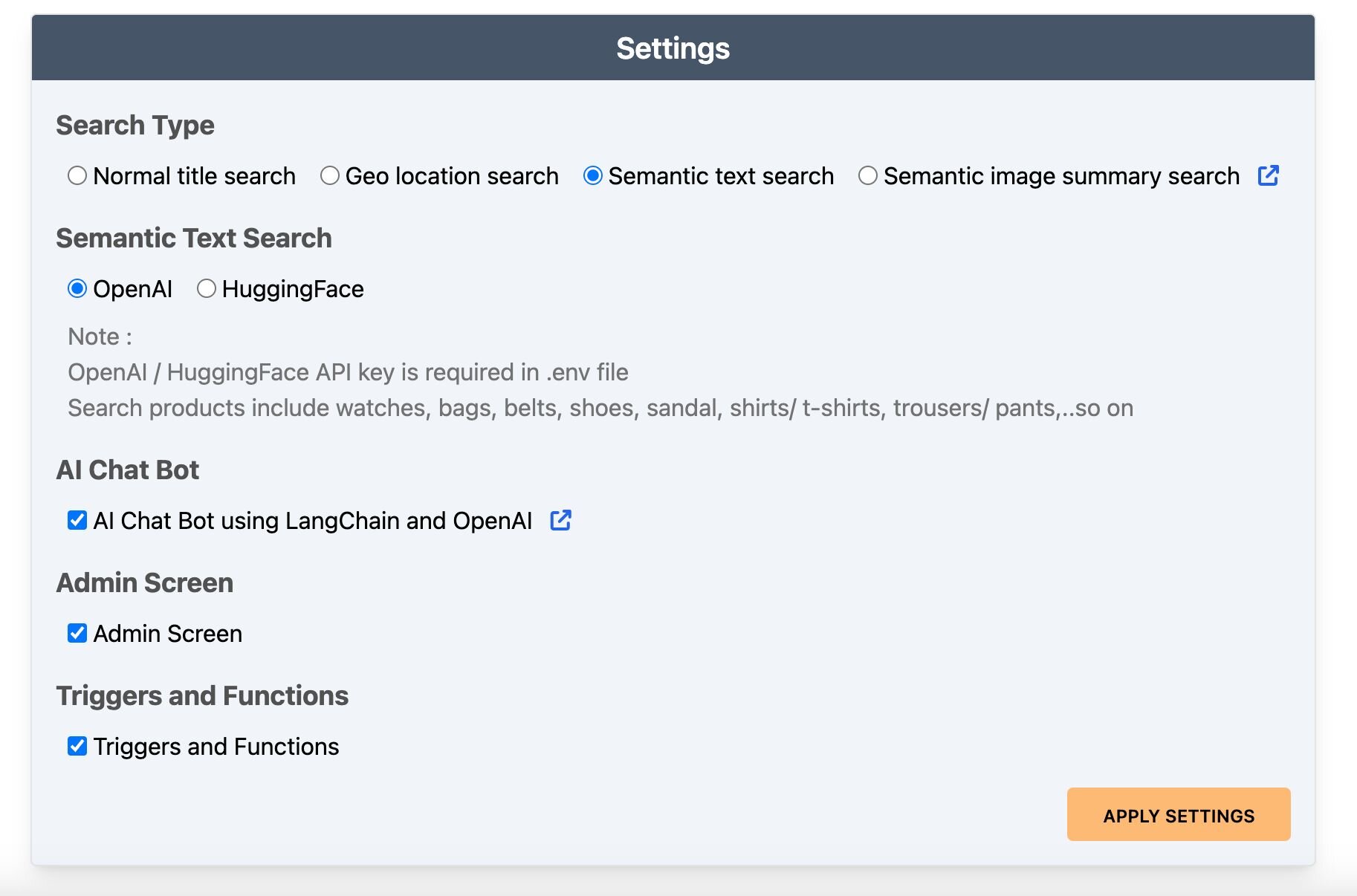
- Settings configuration: Enable
Semantic text searchin the settings page
- Performing a search: Use textual queries on the dashboard.
- Note: Users can click on the product description within the product card to view the complete details.
#Next steps
Now that you've built a semantic text search engine with Redis, LangChain, and OpenAI, here are some ways to go further:
- Get started with vector similarity search: Learn the fundamentals of vector search in Redis with the vector similarity search getting started tutorial.
- Build a RAG chatbot: Combine semantic search with generative AI to create a conversational chatbot powered by Redis and LangChain.
- Try image-based semantic search: Extend your search beyond text with semantic image-based queries using LangChain and Redis.