Blog
Try Redis code examples instantly with interactive Jupyter notebooks


If you're learning Redis or exploring a new client library, you've probably encountered a familiar frustration: you find a great code example in the docs, but before you can try it, you need to set up your development environment, install dependencies, configure a Redis connection, and hope everything works together. What should take seconds to test ends up taking minutes or longer if you hit dependency conflicts.
We've heard this feedback from developers, and we're excited to announce a new feature that eliminates this friction entirely: interactive Jupyter notebooks built right into the Redis docs.
Run Redis code examples in your browser
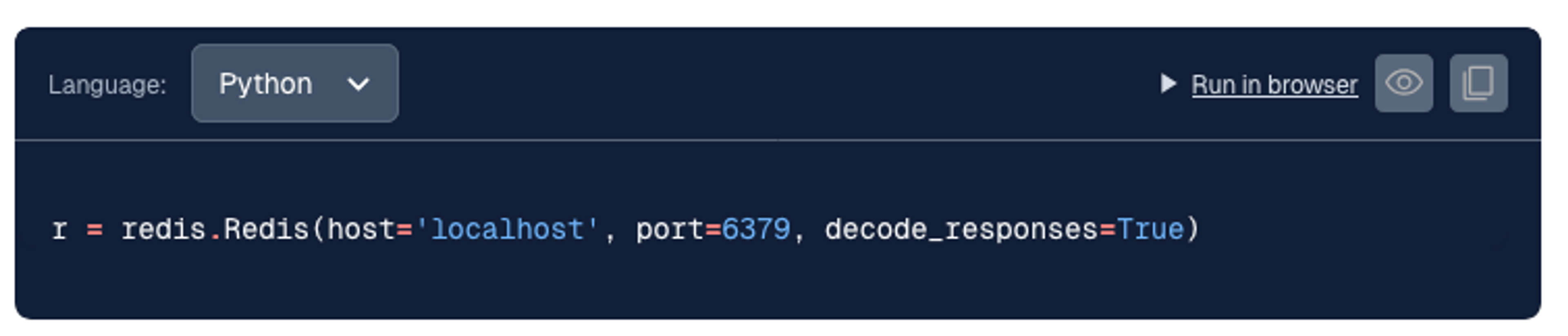
Starting with our Python, Java, C#/.NET, and Go client library docs, every code example on these redis-py, Jedis, C#/.NET, node-redis, go-redis, Lettuce, hiredis, and predis docs pages now include a "Run in browser" link. Click it, and within seconds you'll have a fully configured Jupyter notebook environment running in your browser with:
- Redis pre-installed and running
- All necessary client libraries and dependencies installed
- The code example ready to run and modify
No local installation. No configuration files. No dependency management. Just click and code.
How it works: BinderHub integration
Under the hood, we're using BinderHub, an open source tool that creates custom computing environments from Git repositories. When you click "Run in browser," BinderHub:
- Spins up a containerized environment with all the dependencies specified for that example
- Launches a Jupyter notebook server
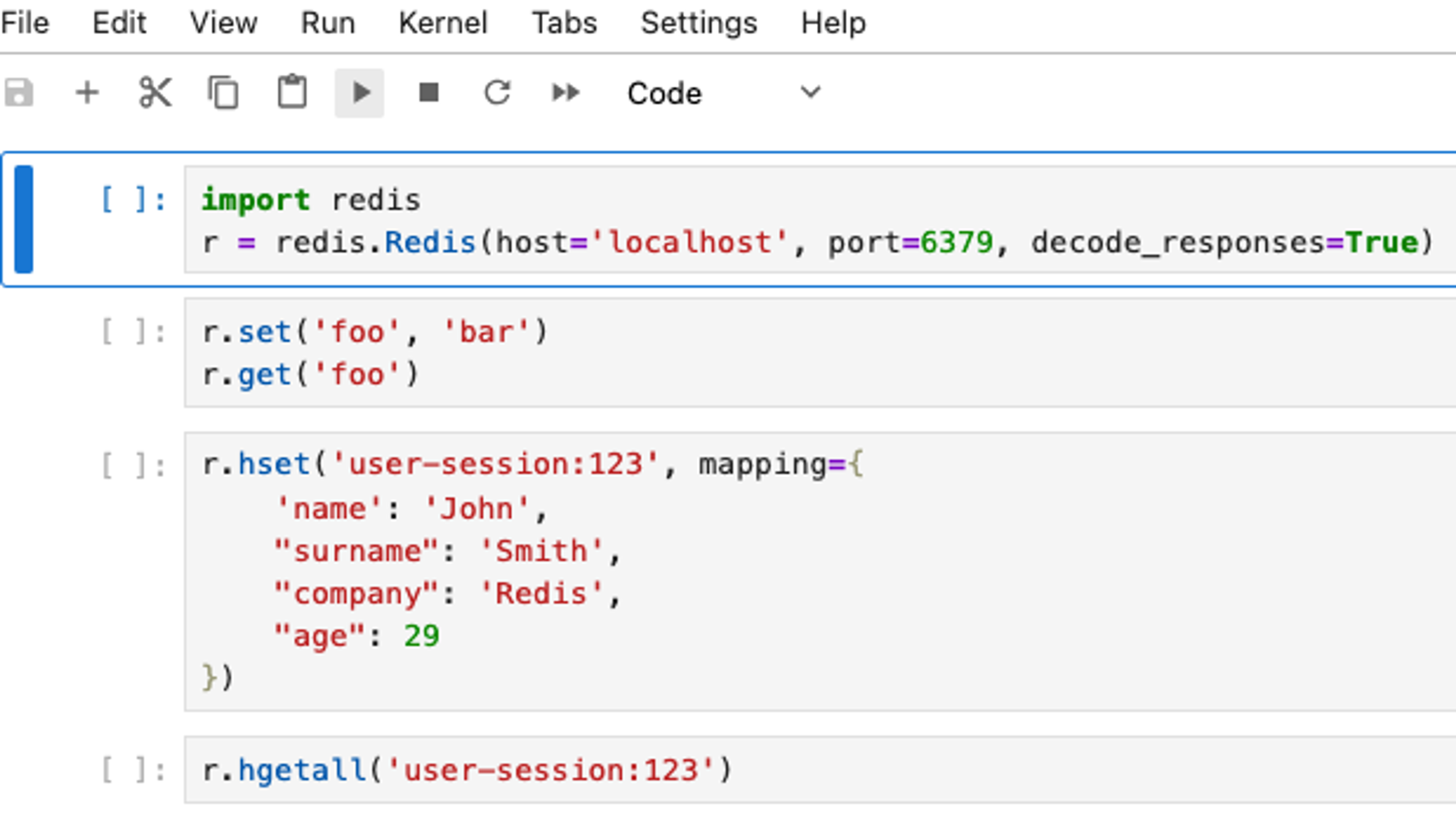
- Loads the code example into an interactive notebook
- Connects you to a live Redis instance
The entire process takes just a few seconds, and you get a fully interactive coding environment where you can run the example, modify it, and see the results immediately.
Perfect for learning and experimentation
This feature is especially powerful for developers who are:
- Learning Redis for the first time: Try commands and see results without any setup
- Evaluating Redis for a project: Test real code examples with your own data
- Exploring new features: Experiment with Redis capabilities in a safe sandbox
- Teaching or presenting: Share working examples that anyone can run instantly
For example, on the redis-py documentation page, you can now:
- Connect to Redis and test basic commands
- Try hash operations with real data
- Experiment with JSON documents
- Test vector similarity searches
- Query and manipulate data structures
All without leaving your browser.
Multi-language support
We're starting with connection code examples to get you up and running, but this is just the beginning. We're working on bringing interactive notebooks to our documentation to:
Each language will have the same seamless experience: click a link, get a working environment, start coding.
Try it yourself
Head over to the redis-py documentation page and look for the "Run in browser" links next to code examples. Click one and start experimenting. Modify the code, try different commands, break things and fix them. It's your sandbox to explore.
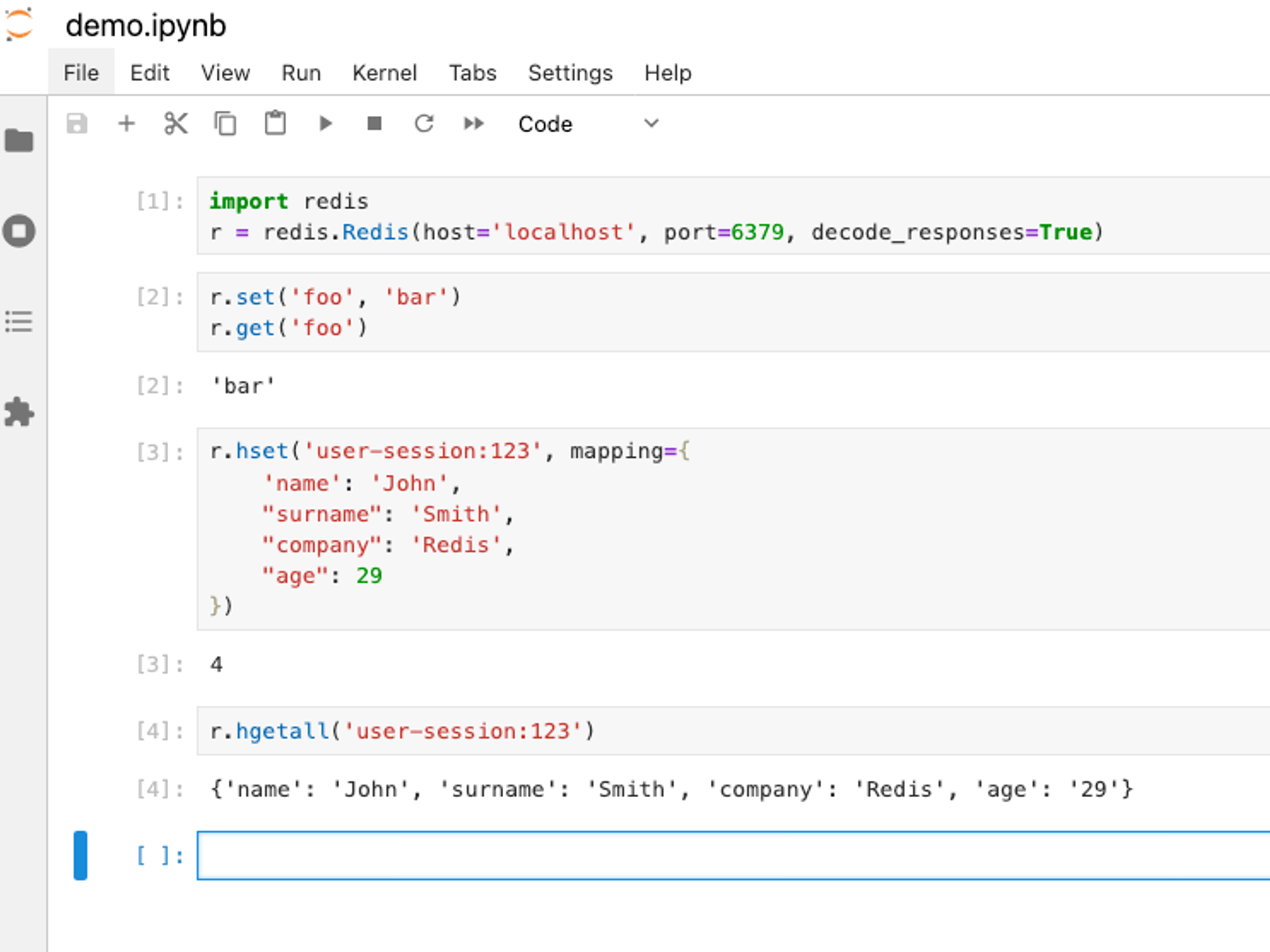
We think this is going to make learning Redis significantly easier and more enjoyable. No more "it works on my machine" problems. No more setup friction. Just pure, hands-on learning.
What's next
This is part of our broader effort to make Redis docs more interactive and developer-friendly. We're constantly looking for ways to reduce friction and help developers get value from Redis faster.
Have feedback on this feature? Want to see it for a specific language or use case? Let us know in the on-page feedback form or on GitHub.
Happy coding.
More resources
Get started with Redis today
Speak to a Redis expert and learn more about enterprise-grade Redis today.