

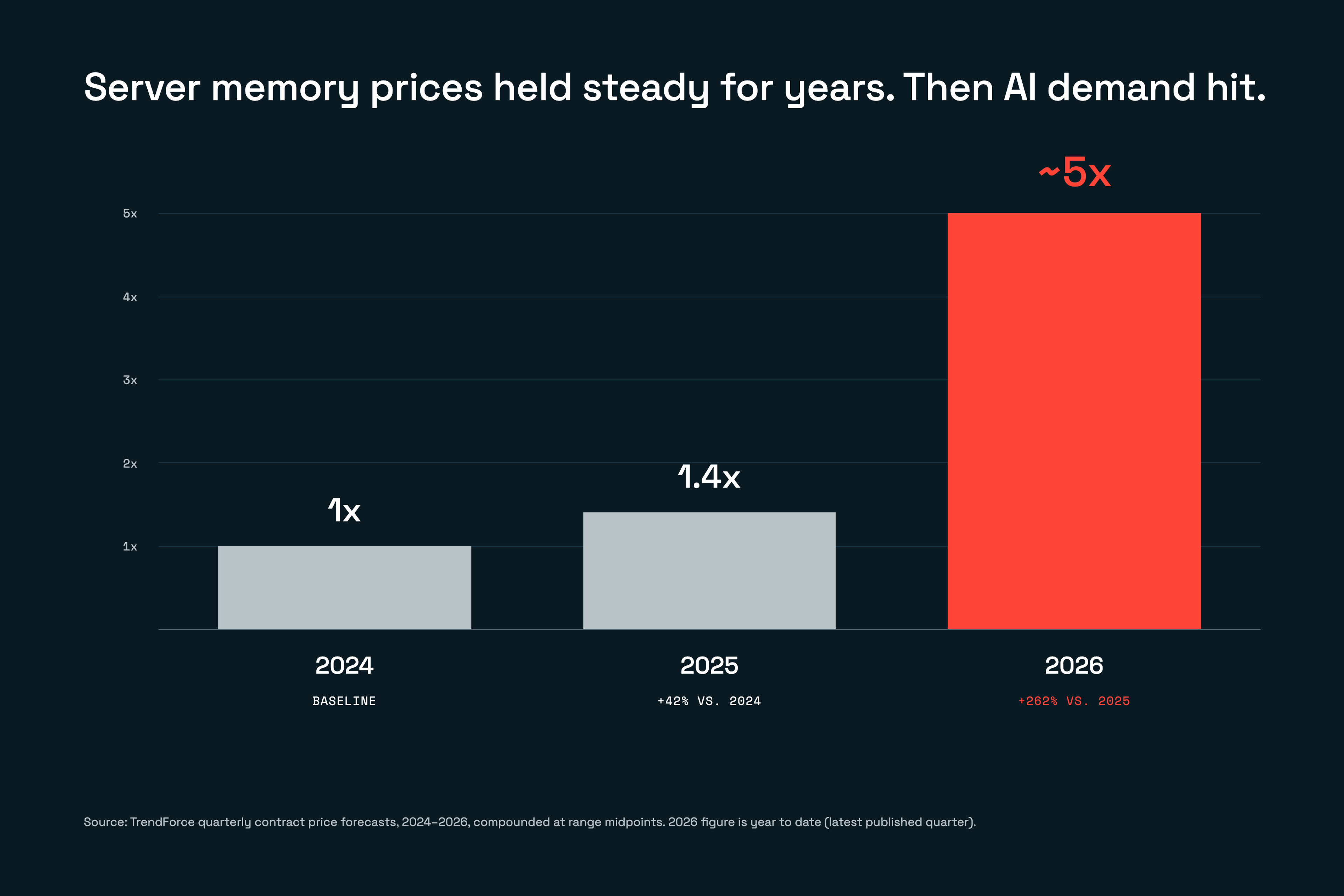
AI is pushing memory prices up, fast
For decades, memory got cheaper every year. In late 2025 that reversed. Memory makers shifted capacity to the high-bandwidth memory AI accelerators need, cloud providers locked up the rest, and server DRAM prices roughly doubled in early 2026. For some teams the constraint isn't price anymore; it's getting an allocation at all.
If you run an in-memory database, this hits you directly. RAM you already own doesn't get pricier. Adding capacity, replicating it, or scaling for growth does.
Storing less isn't a real answer
When RAM gets expensive, growth is where it hurts. Every new user, feature, or agent adds data that has to stay fast, and now every gigabyte of it costs more.
So teams scale back instead:
- Shorter history. Fewer signals to decide with.
- A smaller cache. More requests fall through to a slower database.
- Data pushed to other systems. More lookups, more to maintain.
Each one lowers the bill by lowering what the application can do.
Fraud and recommendation systems feel this most. They make hundreds of thousands of decisions per second with a few milliseconds each, and every decision is only as good as the features you can afford to serve.
Agents compound it. A single task fans out into dozens of steps, each pulling context, memory, and real-time signals. Trim any of them and the agent gets worse.
The problem isn't that data grows. It's that scaling it while maintaining real-time performance now costs more than it should, and the fixes on offer all mean settling for less. What teams need is a way to keep scaling without paying RAM prices for everything.

Scale agents without scaling RAM costs
Join us as we look at areas where this problem shows up & how to design for them as your agentic architecture scales.How tiering should work
Pair RAM with SSD. Hot data stays in memory; everything else lives on SSD at a fraction of the cost.
Both keys and values move to SSD, so RAM is reserved for the data your app touches constantly. When a request comes in for something on SSD, it's pulled into RAM, served, and kept there while it stays busy. Your application still sees one database and one API.
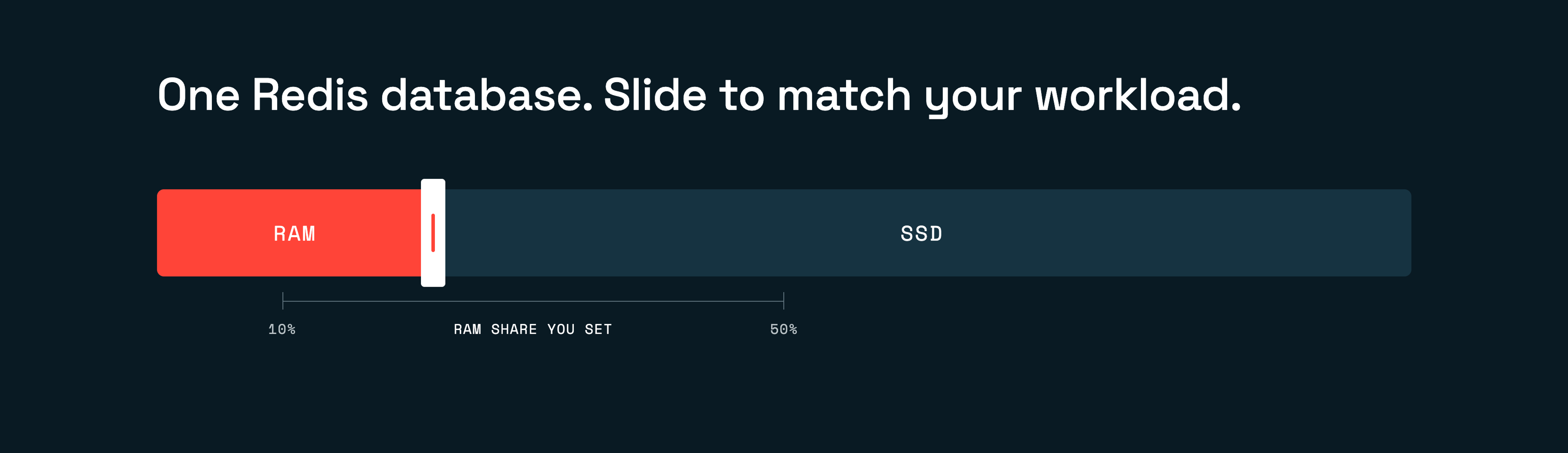
How much RAM you need depends on the workload:
- Huge dataset, small hot slice. Runs on a low RAM share.
- Touches most of its data. Needs more.
- Sub-millisecond on every request. Stays all-RAM.
Capacity becomes a dial you control rather than a bill you absorb.
Put this into practice
Dial in your RAM and SSD ratio so you can run terabyte-scale datasets without keeping everything in memory.Put this into practice with Redis Flex
Redis Flex combines RAM and SSD in a single Redis database. Hot data stays in RAM; less frequently used keys and values move to SSD. You choose a RAM ratio from 10% to 50% per workload and change it as your needs or memory prices change.
Redis Flex costs up to 80% less per gigabyte than RAM alone, on the same Redis you already use, with no code changes.
Flex now supports Redis Search too, with large indexes stored on SSD (in preview on Redis Cloud Pro).
If you're growing a feature store, expanding a cache, or giving your agents more to remember, Flex lets you keep more useful data while buying less of the most expensive resource in the data center.
Talk with a solutions architect about using Redis Flex to meet your performance, scale, and cost goals.
Get started with Redis today
Speak to a Redis expert and learn more about enterprise-grade Redis today.