
Blog
Connect to Azure Managed Redis with Redis Insight 3.2.0 — Now with Entra ID Authentication

We're excited to highlight a key feature in the Redis Insight 3.2.0 release (February 2026): native support for connecting to Azure Managed Redis using Microsoft Entra ID authentication. This is a significant step forward for Azure-based teams who want a seamless, secure, and passwordless experience when working with their Azure Managed Redis resources directly from Redis Insight.
What's new
Connecting to Azure Managed Redis resources previously required manual credential management. With Redis Insight 3.2.0, that experience is now dramatically simpler. The new release introduces:
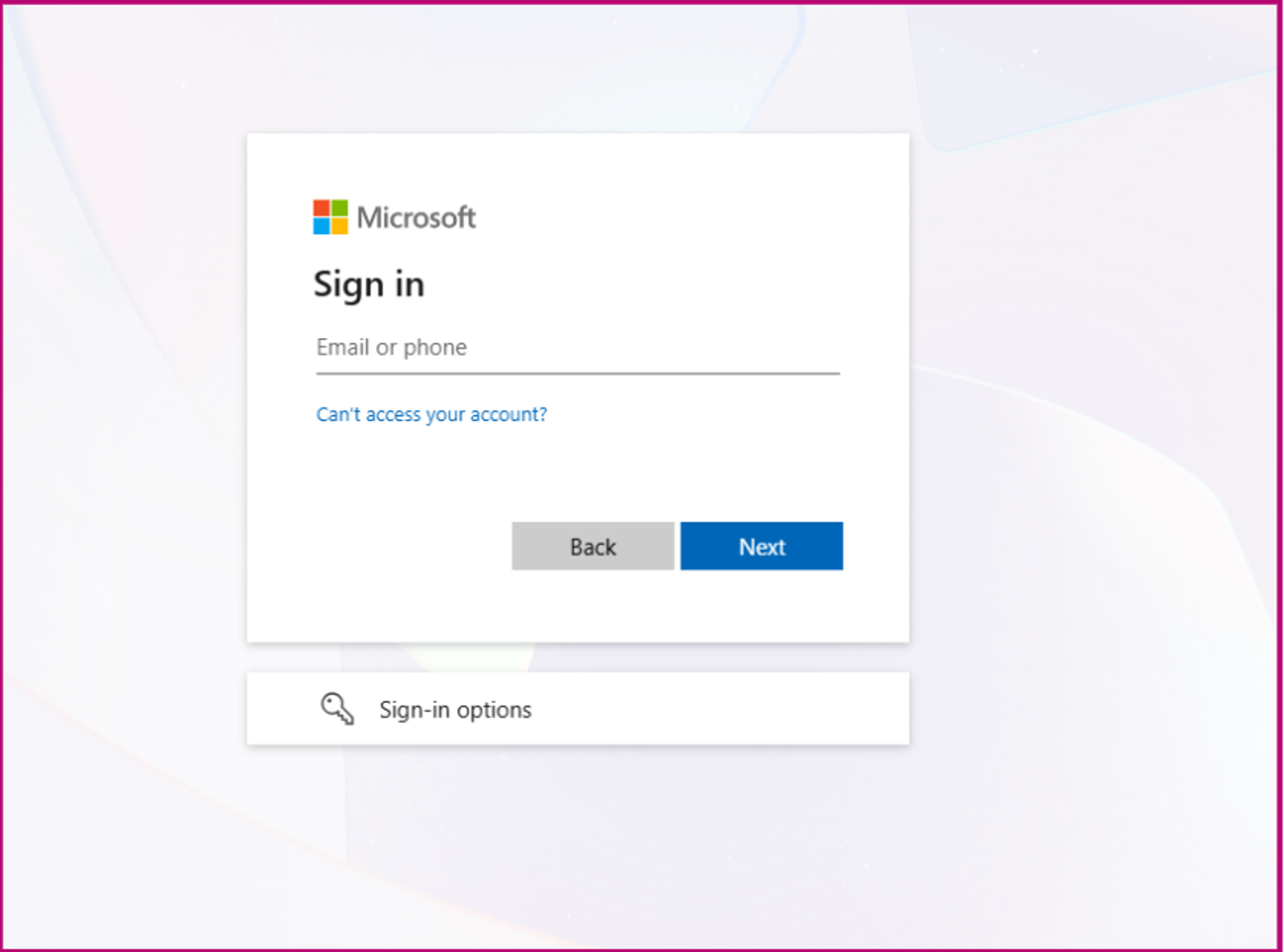
Entra ID authentication with automatic token refresh. Connect to your Azure Managed Redis instances using Microsoft Entra ID - no passwords required. Redis Insight handles background token refresh automatically, so your sessions stay active without interruption.
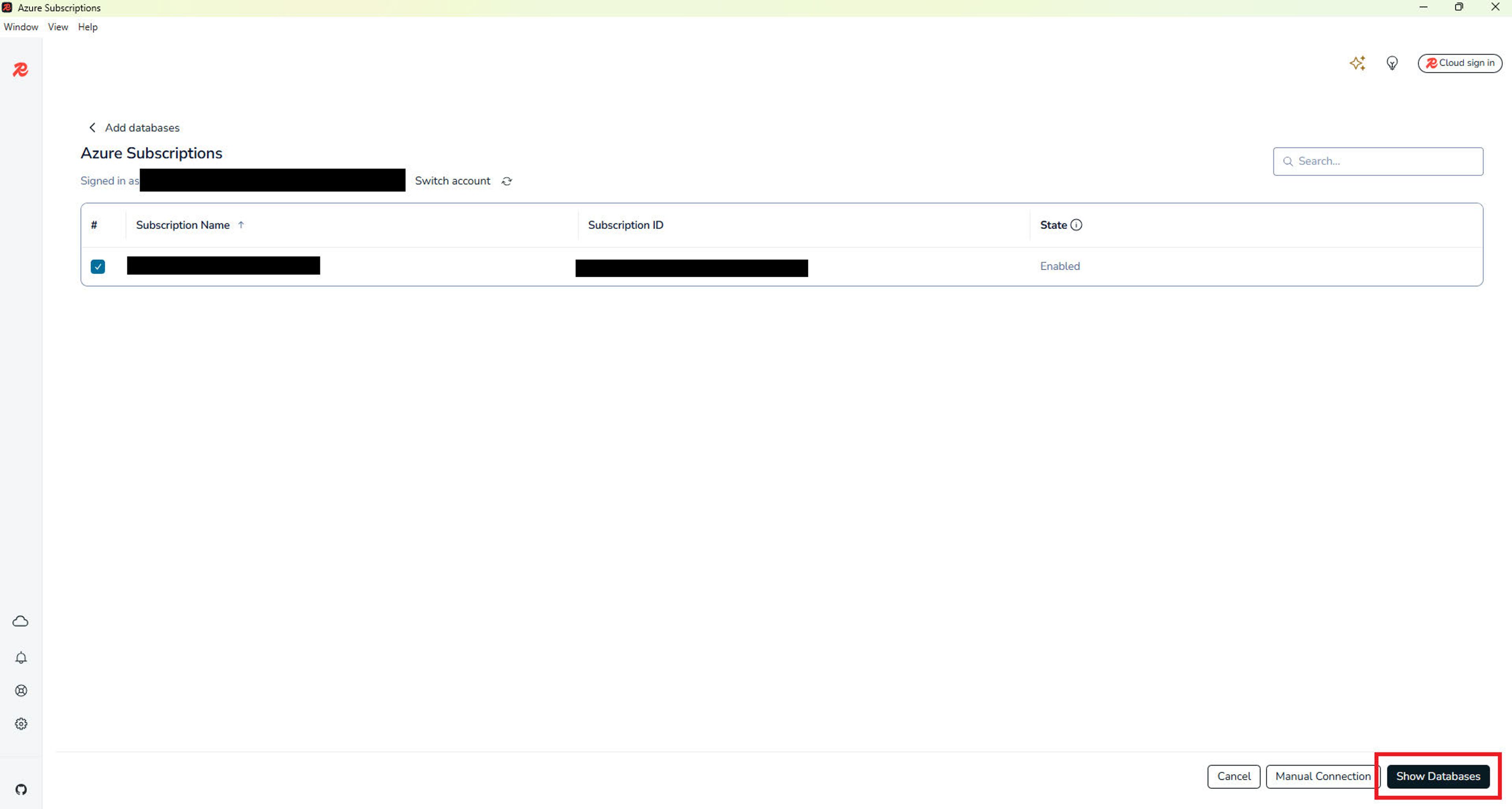
Auto-discovery across subscriptions. Redis Insight can now scan across your Azure subscriptions and surface all your Azure Managed Redis resources automatically. A one-click import flow means you're connected in seconds, without manually entering connection strings.
Multi-account support. Easily switch between different Azure accounts within Redis Insight - useful for teams managing multiple environments or working across different Azure tenants.
Getting started
To use Entra ID authentication with Azure Managed Redis in Redis Insight 3.2.0, you'll first need to configure the required Azure permissions. Follow the Azure setup guide to get your environment ready, then:
1. Download or update to Redis Insight 3.2.0
2. Open the Add Database flow and select Azure Managed Redis
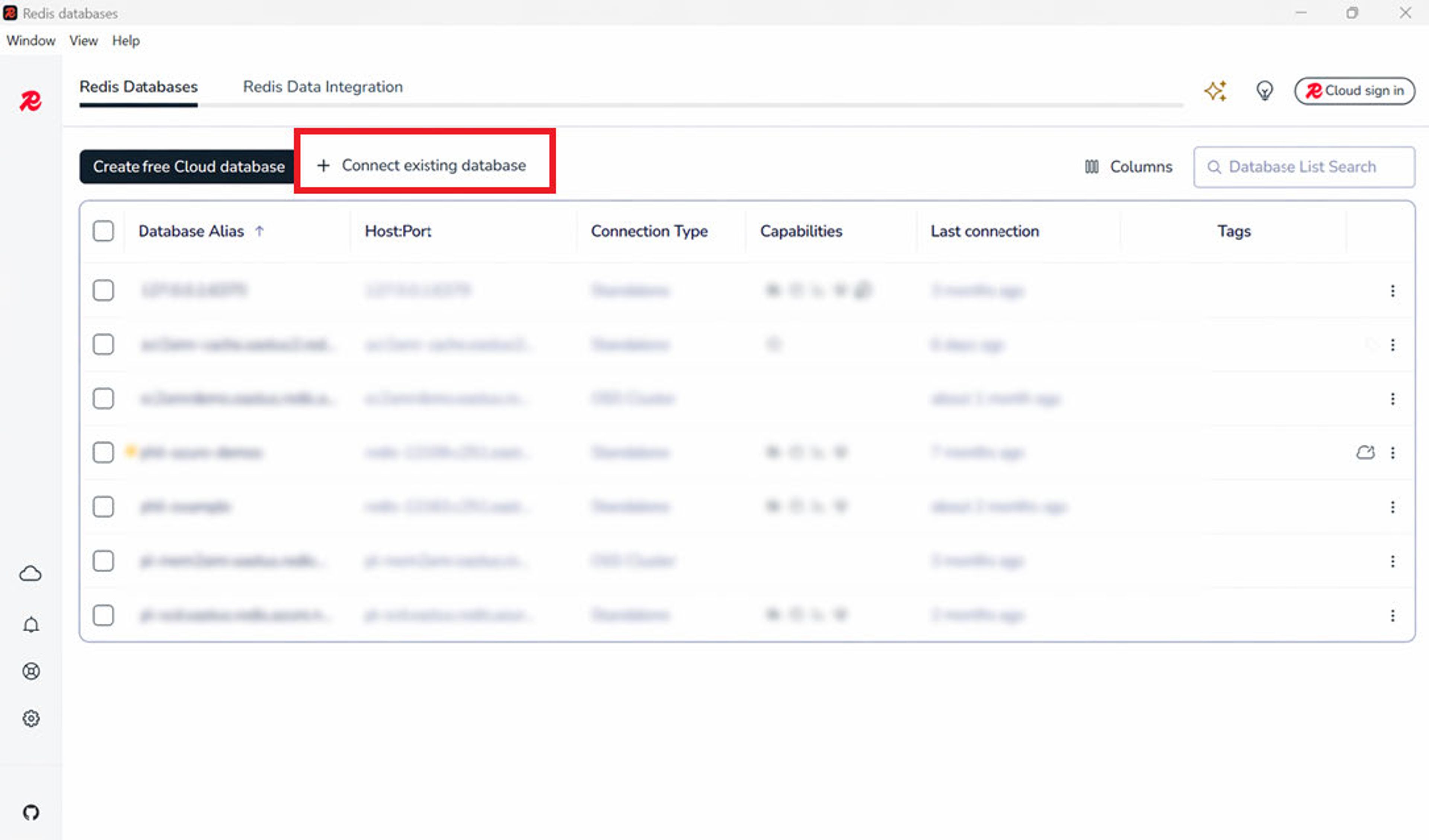
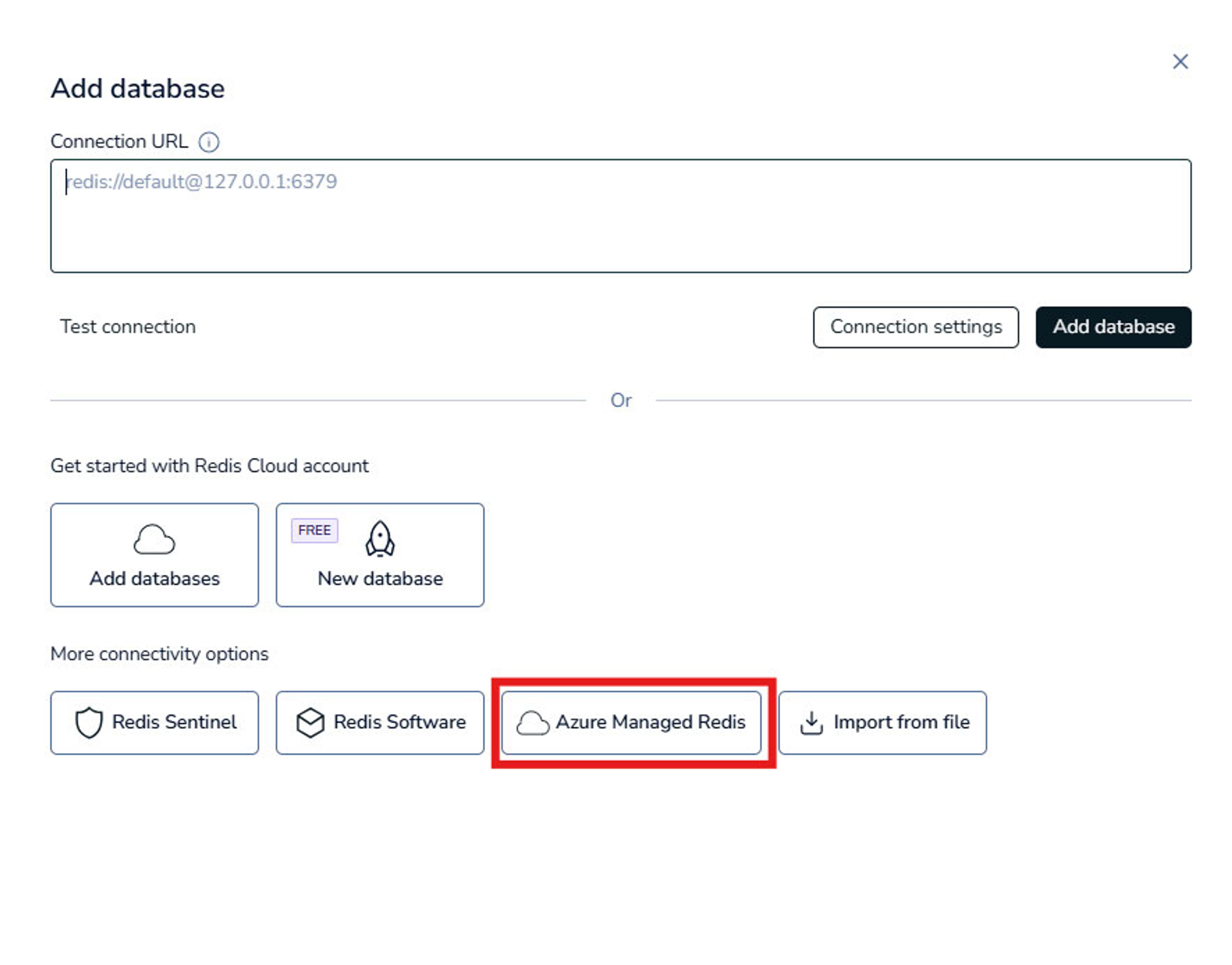
3. Sign in with your Microsoft Entra ID credentials
4. Let Redis Insight auto-discover your databases and connect with one click
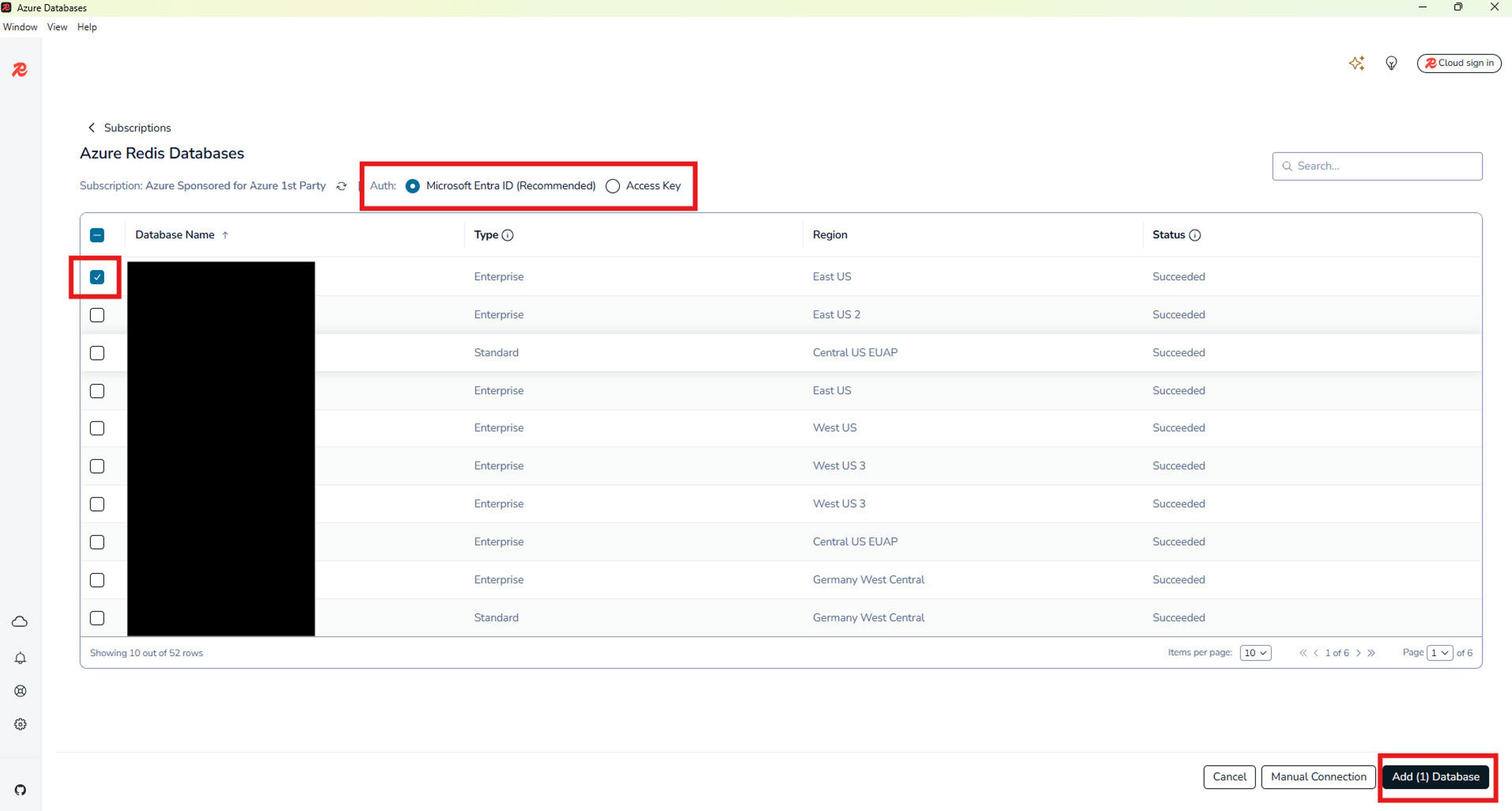
Note: While not the recommended approach, you have the option to connect Redis Insight to your Azure Managed Redis cache using Access Keys. This requires first enabling Access Keys on the cache, and then configuring the connection using the custom connection settings within Redis Insight.
Share your feedback
This feature is now generally available, and we want to hear how it's working for you. Whether you're migrating from Azure Cache for Redis, managing multiple subscriptions, or simply exploring Azure Managed Redis for the first time - your experience matters.
Tell us what you think: open an issue or start a discussion in the Redis Insight GitHub repository. Your feedback will directly influence how we continue to improve the Azure experience in Redis Insight.
Download Redis Insight 3.2.0 →
Get started with Redis today
Speak to a Redis expert and learn more about enterprise-grade Redis today.