
Tutorial
How to build a Fraud Detection System using Redis
February 25, 202610 minute read


TL;DR:You can build a real-time fraud detection system with Redis by combining Cuckoo Filters for IP blacklisting, Sorted Sets for click spam detection, Streams for event ingestion, and TimeSeries with Grafana for visualization. This tutorial walks through a Python-based implementation that catches suspicious transactions as they happen.
#What you'll learn
- How to use Redis Cuckoo Filters (a probabilistic data structure) to detect blacklisted IPs in real time
- How to identify click spamming using Redis Sorted Sets with time-windowed counting
- How to stream fraud detection events through Redis Streams and process them with RedisGears
- How to visualize fraud metrics in Grafana using Redis TimeSeries
- How to containerize and deploy the full fraud detection pipeline with Docker
#Prerequisites
- Docker installed on your local machine
- Basic familiarity with Python and Flask
- A Redis server with modules (RedisGears, RedisBloom, RedisTimeSeries) — this tutorial uses the
redislabs/redismodDocker image - Basic understanding of Redis data structures (Sorted Sets, Streams)
#Why do you need a real-time fraud detection system?
Imagine that your ads are generating a lot of traffic, but you are not seeing the desired results from your ad spend. This might not be a coincidence—fraudsters often try to steal digital ad marketing budgets through various sophisticated mechanisms. Faking clicks can make it appear as though a real user was engaging with the ad, but in reality when these fake clicks drive installs, the cost of the install goes to the fraudster's pocket. As companies' willingness to spend more on digital advertisements grows, the number of fraudsters in ad markets also increases.
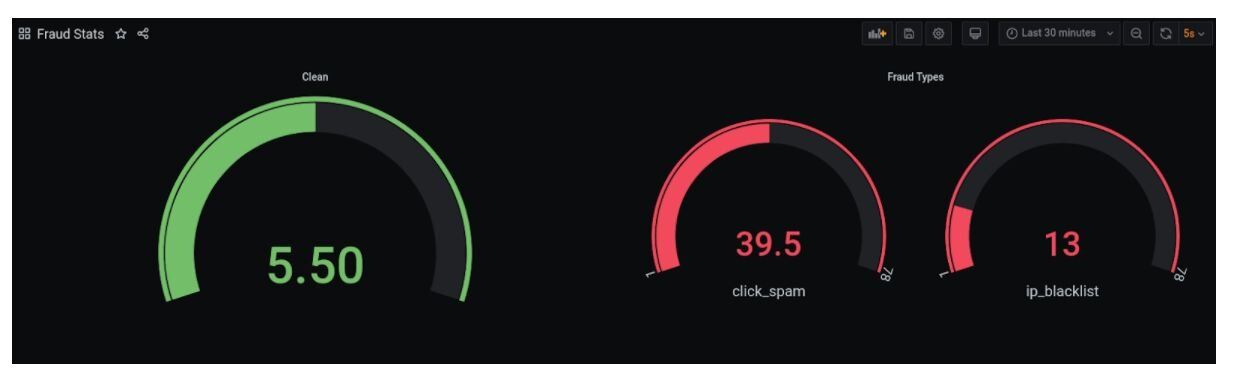
This tutorial demonstrates a simplified use case of how fast fraud detection works—so that you can understand how to stay ahead of the fraudsters.
#What Redis data structures does this fraud detection system use?
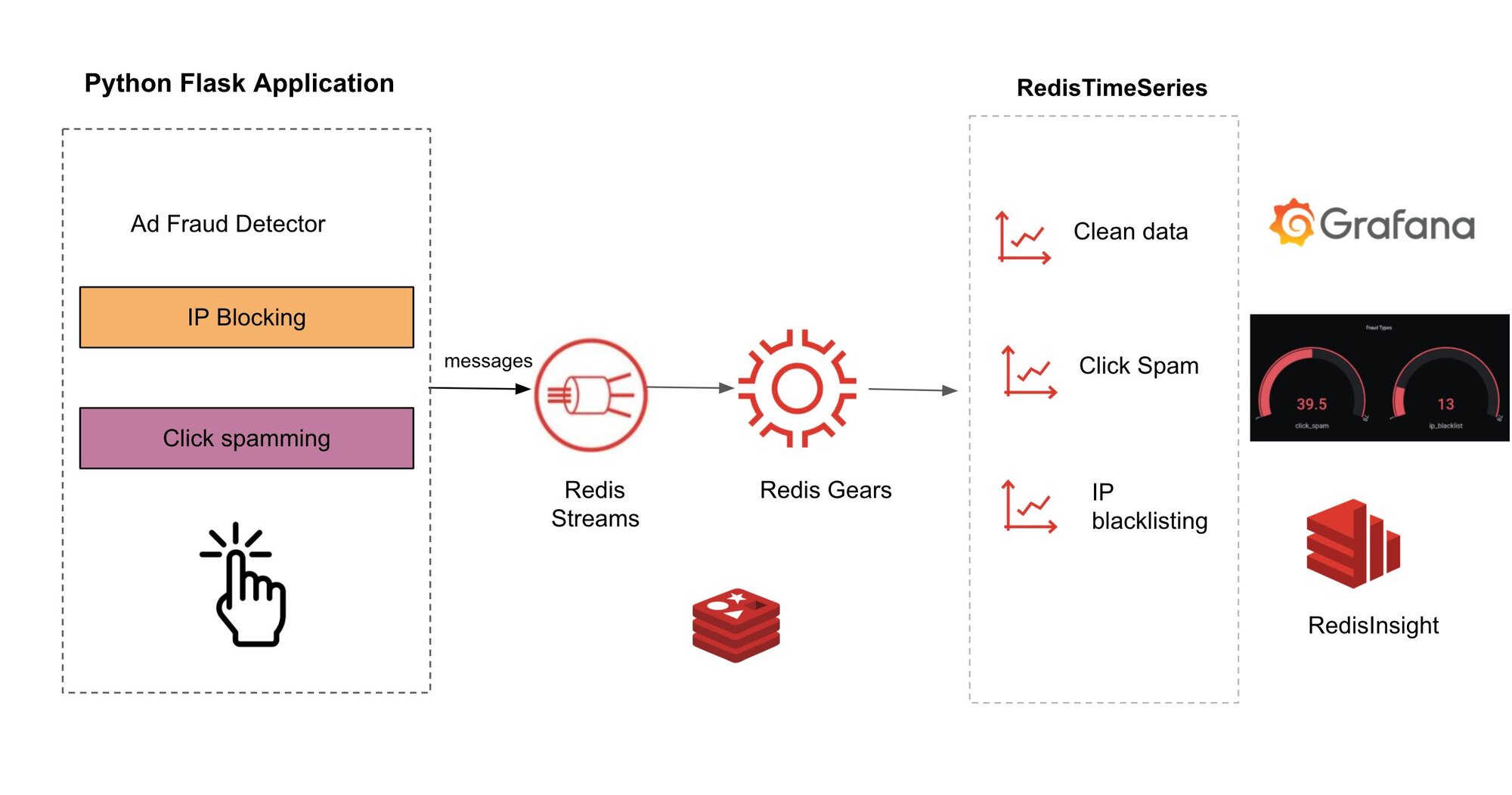
Here's what we have used:
- Python-based fraud detector module which performs two kinds of fraud checks: IP blacklisting & click spamming
- IP blacklisting uses Redis Cuckoo Filter.
- Click spamming uses Redis Sorted Set.
- The data is then pushed to Redis Streams which is consumed by RedisGears for processing
- Redis TimeSeries gets updated and Redis Data Source for Grafana displays the dashboard
#How do you install Docker for this project?
You can follow https://docs.docker.com/get-docker/ to get Docker installed on your local system.
#How do you set up Redis with the required modules?
You will need a Redis server up and running on your local machine. You can use the below CLI to bring up Redis server with RedisGears.
The command will pull the image from redis docker repo and start the Redis server with all the required modules and the logs ends like this.
#How do you clone the fraud detection repository?
#How do you build and run the Docker container?
Change directory to fraud-detection
The code is present in use-cases/fraud-detection. The app is dockerized with necessary packages (including client packages for redis modules).
Create the image using the command:
Create the container using the command:
You will get the container Id, which can be used to tail application logs.
If you are using a redismod image to run Redis locally, please provide the IP of the host machine (and not localhost or 127.0.0.1).
#How does the fraud detection application work?
Let's take a look at how connections are managed in this project.
In line 2, we import the redis package for package. All the core Redis commands are available in this Redis package.
In line 4, we import the RedisBloom package. Since RedisBloom is a module, the clients used to interact with this module are also different. We will see more such examples below. The singleton_decorator ensures only one instance of this connection class is created, and os package is used to read the environment variables to form the connection.
#How does Redis detect IP fraud and click spamming?
Now let's take a look at how we use Redis to solve click spamming and IP fraud.
In the above code, Cuckoo Filter is used to find blacklisted IP fraud. Cuckoo Filter is a probabilistic data structure that's part of Redis. Checking for existence of IP in Cuckoo Filter is done using the cfExists method provided by bloom client.
TIPThe Cuckoo Filter can return false positives. To configure the error rate, thecf.reservecommand can be used to create the filter, and a custom bucket size can be provided.
To identify click spam, we use the zcount method of sorted sets provided in redis package. Using zcount, we find the number of clicks from a device in a certain pre configured window. If the count received is greater than a certain threshold, we identify it as anomalous.
Finally, data is pushed to Redis Streams using the xadd command. id='*' indicates Redis Streams to generate a unique id for our message.
#How do you register RedisGears for stream processing?
When the app appears, a gear is registered, which reacts to the stream that we use to push data.
As mentioned before, since RedisGears and Redis TimeSeries are modules, we need to use the clients provided in their respective packages.
We use the GearsRemoteBuilder class to build the Gear. StreamReader ensures that the stream_handler function is executed for every new message from the stream. The stream_handler adds the data to the sorted set using zadd (This information is used in zcount to identify click_spam) and increments the count of time series for clean and fraud types using incrby of the Redis TimeSeries module, which is later used for visualization.
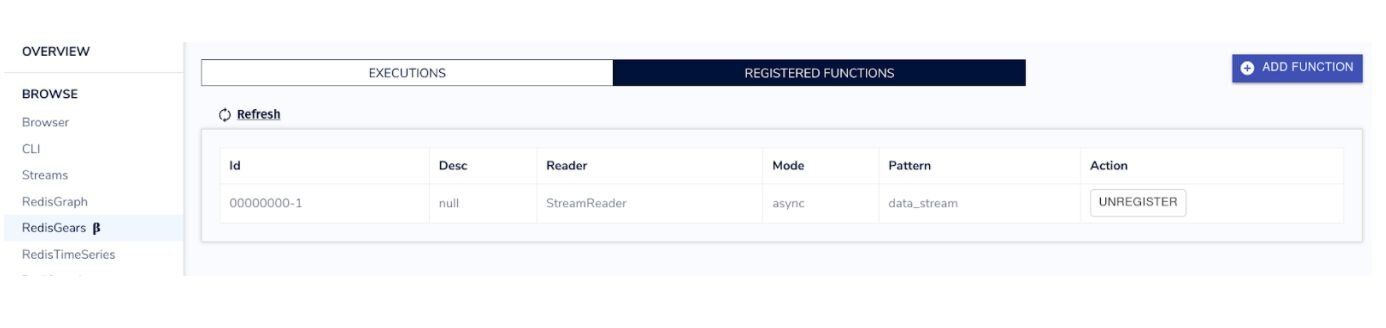
Gear registration can be checked on Redis Insight as well.
#How do you expose the fraud detection API with Flask?
Finally, we incorporate the flask app which exposes the end point for trigger.
Here, the app is exposed on port 5000. Before starting the server, our init method of setup is called to register the gear. The endpoint calls the function that does the fraud checks and returns the response.
#How do you test the fraud detection endpoint?
The application is written in python and exposes an endpoint which accepts a few parameters. Use the below command to invoke the application:
Since initially no data is available in Cuckoo Filter, all IPs will be allowed through. To add data to Cuckoo Filter, connect to Redis using cli and run the command
Run the post command with this IP again. This time, the result will be ip_blacklist.

#How does click spam detection work?
The app is configured to allow two events in a window of 10 seconds from the same device. To verify, make more than two curl requests within 10 seconds and the result will be
click_spam.
Optional: The following variables can be configured during the 'docker run' command. -e CLICK_SPAM_THRESHOLD=3 -e CLICK_SPAM_WINDOW_IN_SEC=10
#How do you visualize fraud detection results with Grafana?
It's exciting to see the fraud detection plotted in Grafana. To implement this, run the command below:
Point your browser to https://<IP_ADDRESS>:3000.
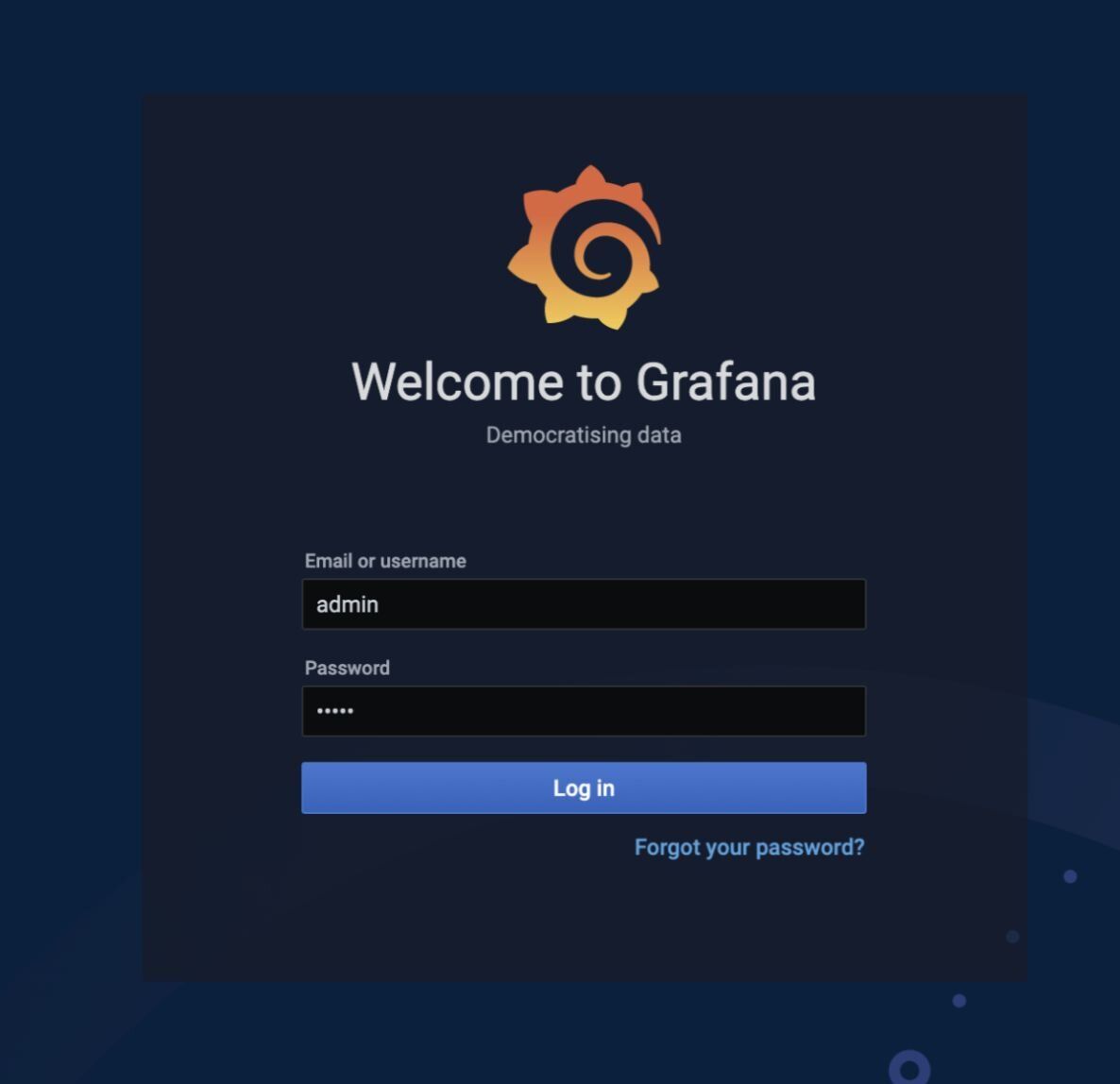
Login as 'admin' with password as 'admin', you can reset the password after your first login.
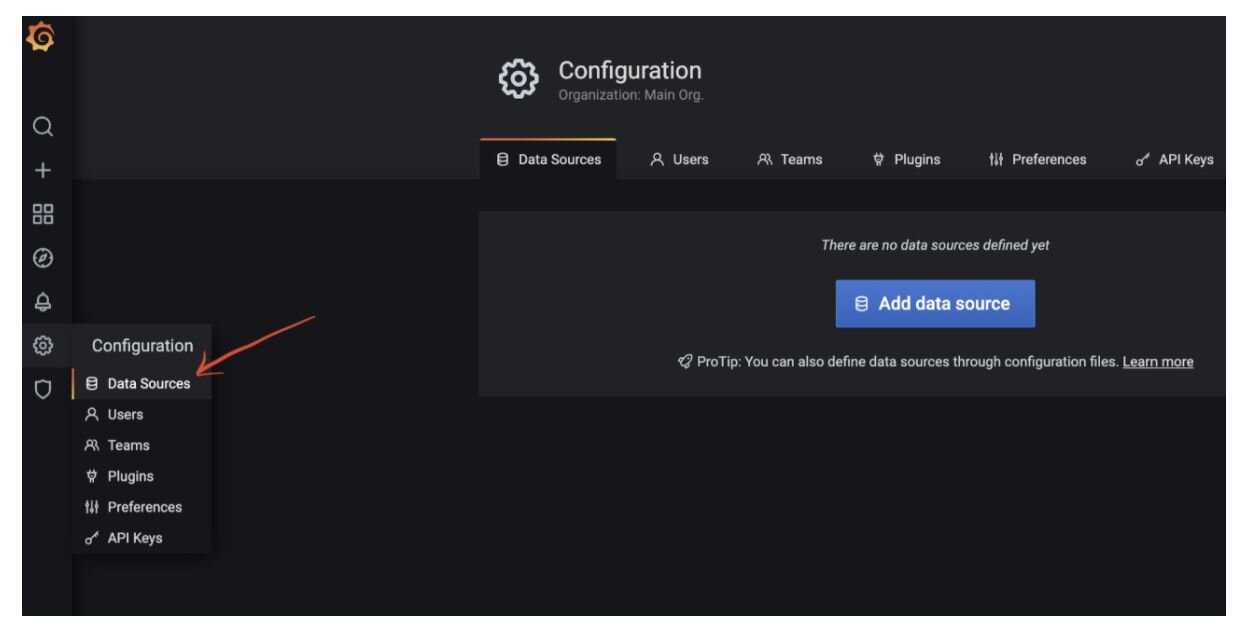
Click on the gear icon on the left panel (Configuration) and choose Data Sources.
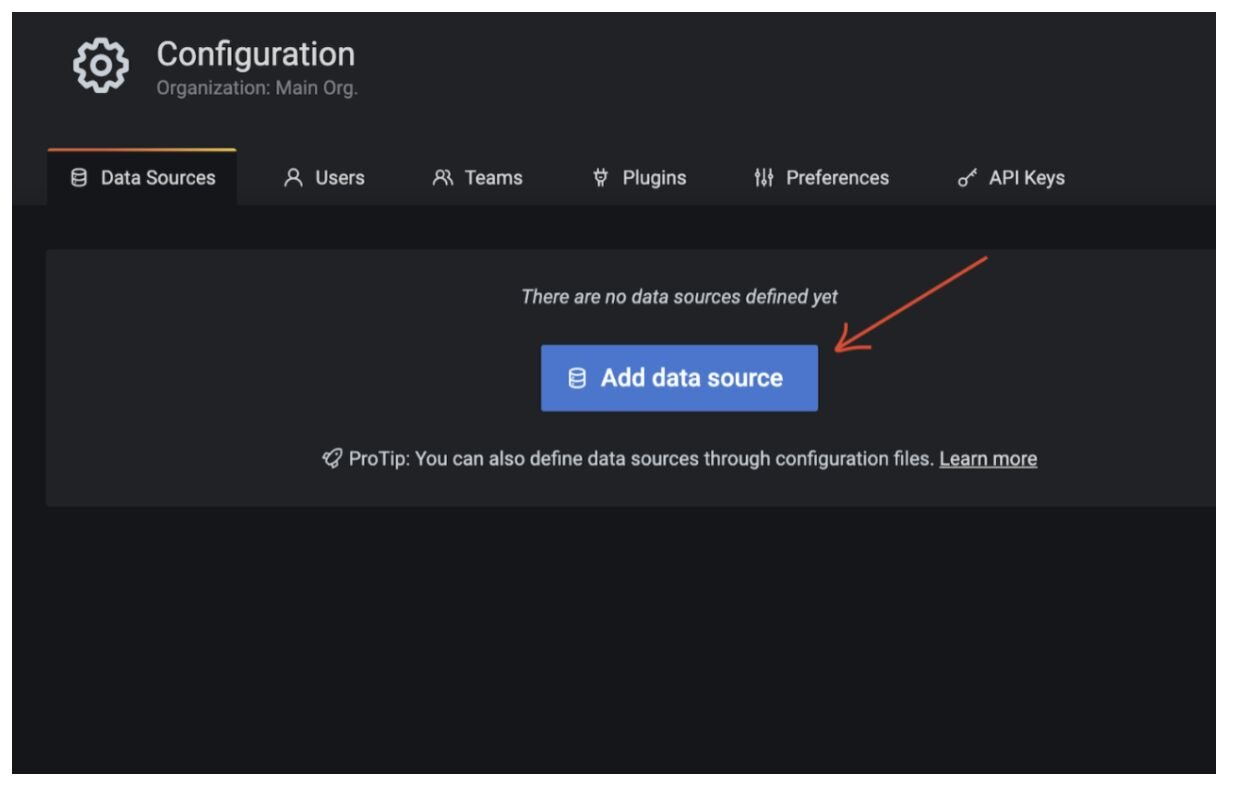
Choose 'Add data source'.
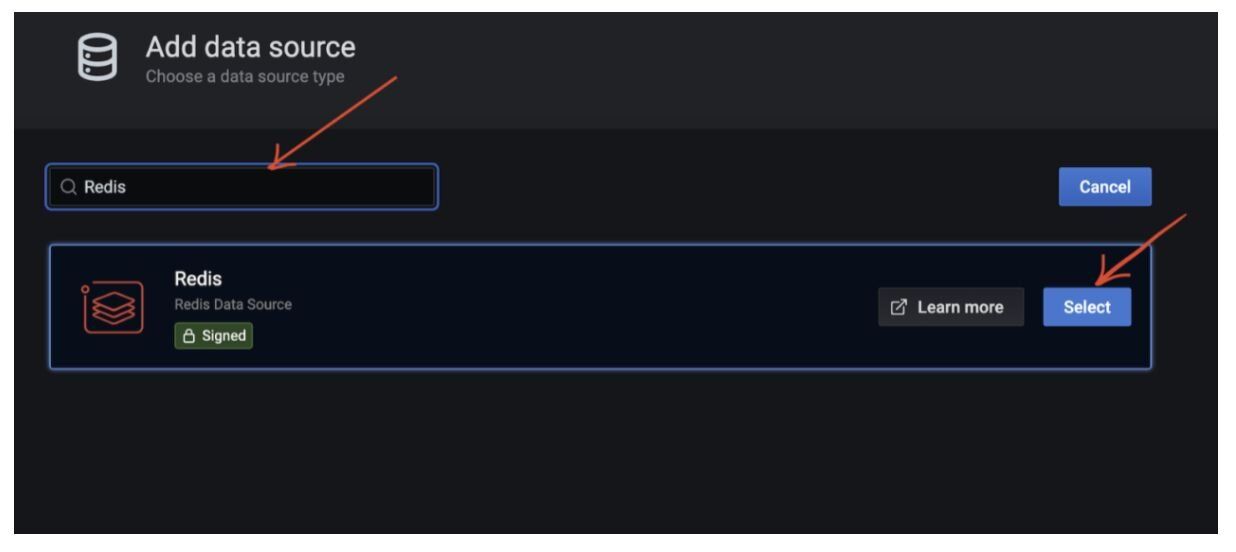
Search for Redis and choose Redis Data Source.
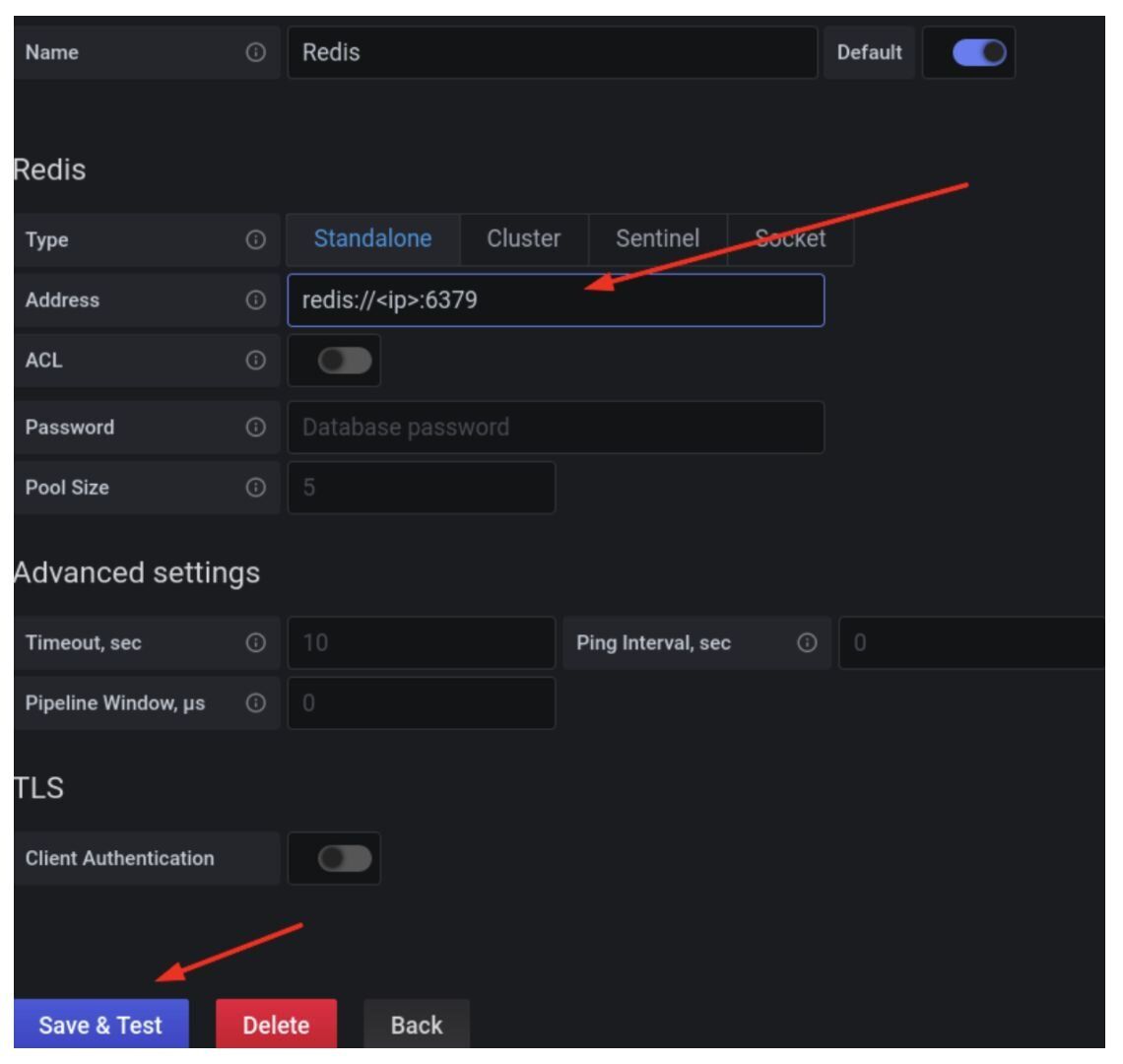
Copy and paste the raw json content in the 'Import via panel json' box. Click on Load.
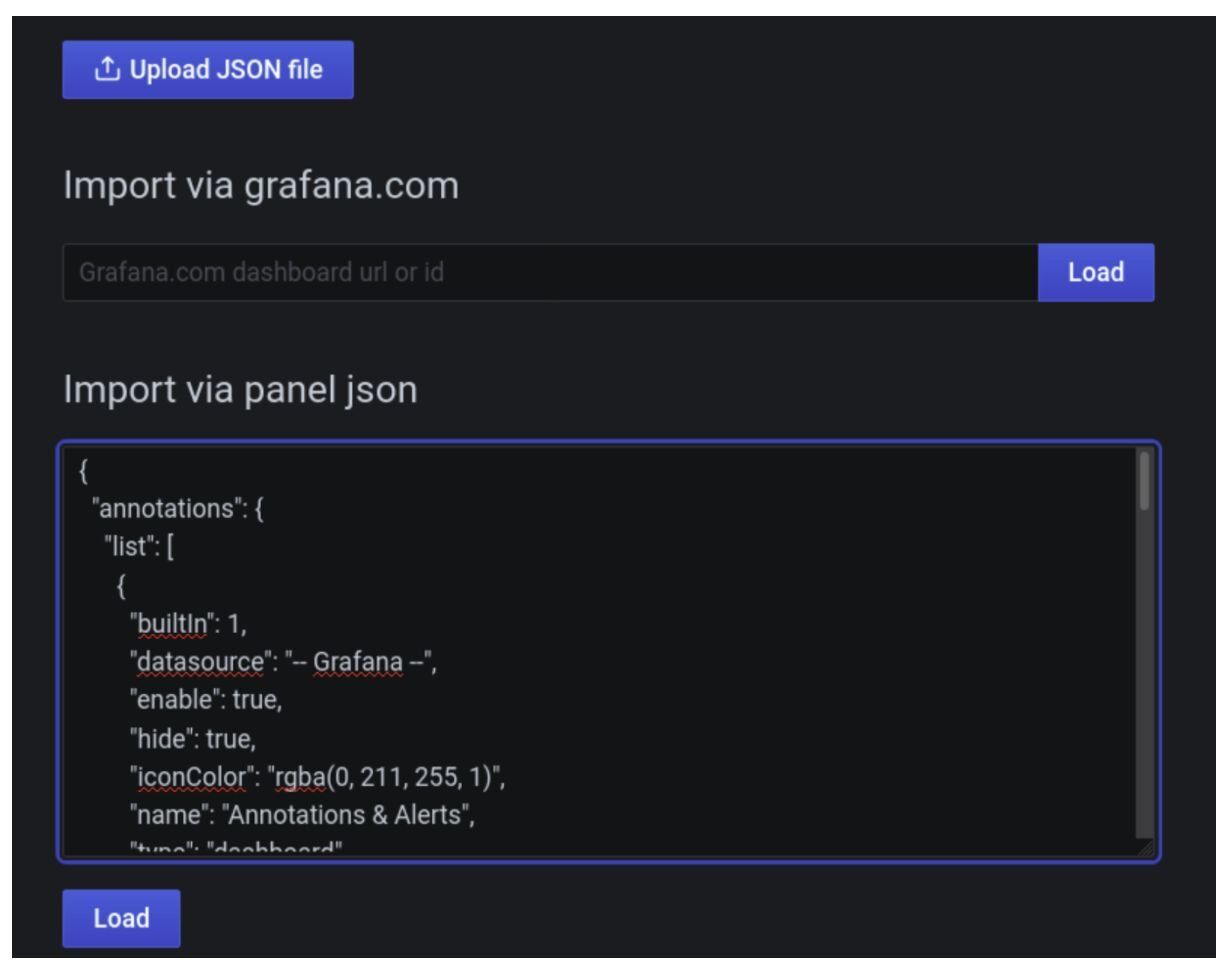
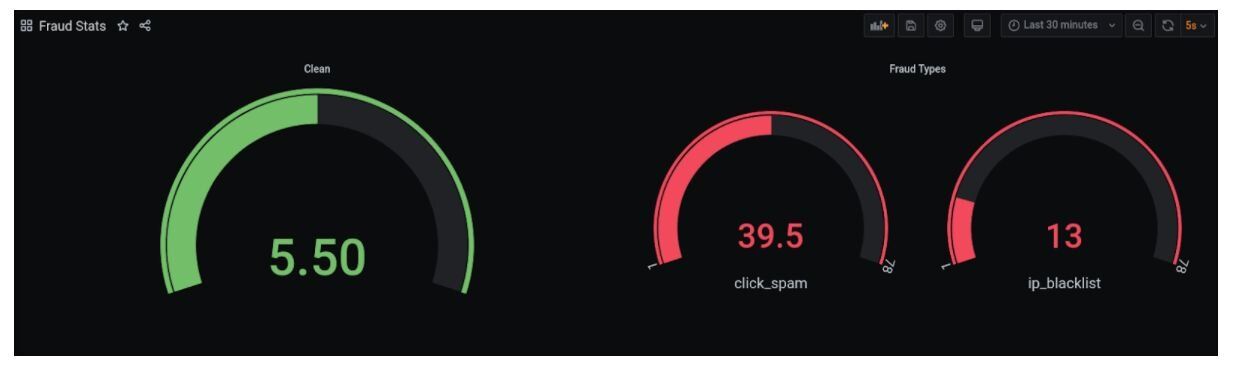
This creates a dashboard 'Fraud Stats'. If you get an error while importing the dashboard, try changing the name and UUID of the dashboard.
#Conclusion & future work
- If we consider the entire flow starting from fraud check, from event streaming to data processing to visualization (using insights), all of this would have required multiple components and extensive orchestration. With Redis Ecosystem, most of this is removed.
- This is just the beginning of more checks that can be done on events. A lot of other checks can be done using modules and data structures. For example; Redis provides geospatial data structures built over sorted sets. Since latitude and longitude can be derived from IP using IP to location conversion providers, a lot of insight can be derived on whether the event can be fraudulent or not.
- To reject servicing requests altogether, the redis-cell module to rate limit requests against a key can be used.
#Next steps
Now that you've built a basic fraud detection system with Redis, explore these related tutorials to expand your fraud prevention capabilities:
- Transaction Risk Scoring with Redis — Learn how to score transactions for risk in real time using Redis data structures, adding another layer to your fraud detection pipeline.
- Digital Identity Validation with Redis — Discover how to validate digital identities using Redis to prevent identity-based fraud alongside your transaction monitoring.
- Build modern fraud-detection platforms with Redis Cloud — See how Redis Cloud provides an enterprise-grade foundation for fraud detection at scale.