

TL;DR:Install the Deno Redis client, import theconnectfunction, and pass your Redis host, port, and password. You can then call standard Redis commands likeSETandGETdirectly from TypeScript — no extra build step required.
With over 100,000 stars and 1000+ contributors, Deno is a popular modern runtime for JavaScript and TypeScript. It is built on V8, an open-source JavaScript engine developed by the Chromium Project for Google Chrome and Chromium web browsers.
#What you'll learn
- How to install and configure Deno
- How to connect Deno to a Redis database
- How to run Redis commands (SET, GET) from TypeScript
- How Deno KV compares to Redis for caching and data storage
#What is Deno and why use it with Redis?
Deno is a secure-by-default runtime that supports TypeScript natively, ships as a single executable, and has no external dependencies. When paired with Redis, Deno lets you build fast, real-time TypeScript applications with minimal setup.
Key features of Deno:
- Secure by default — executes code in a sandbox environment, disallowing runtime access to the underlying filesystem, environment variables, and scripts.
- First-class TypeScript — supports both JavaScript and TypeScript out of the box.
- Single executable — ships with no dependencies.
- Built-in tooling — includes a dependency inspector (
deno info) and a code formatter (deno fmt).
#Prerequisites
- Deno 1.19+ installed on your machine (see installation below)
- A Redis database — either a free Redis Cloud account or a local Redis instance
#How do I install the Deno Redis client?
deno.land/x is a hosting service for Deno scripts. It caches releases of open source modules stored on GitHub and serves them at one easy-to-remember domain. The basic format of code URLs is:
For example:
You import the Redis client directly in your TypeScript file — no separate install step is needed.
#How do I connect Deno to Redis?
#Step 1. Set up a free Redis Cloud account
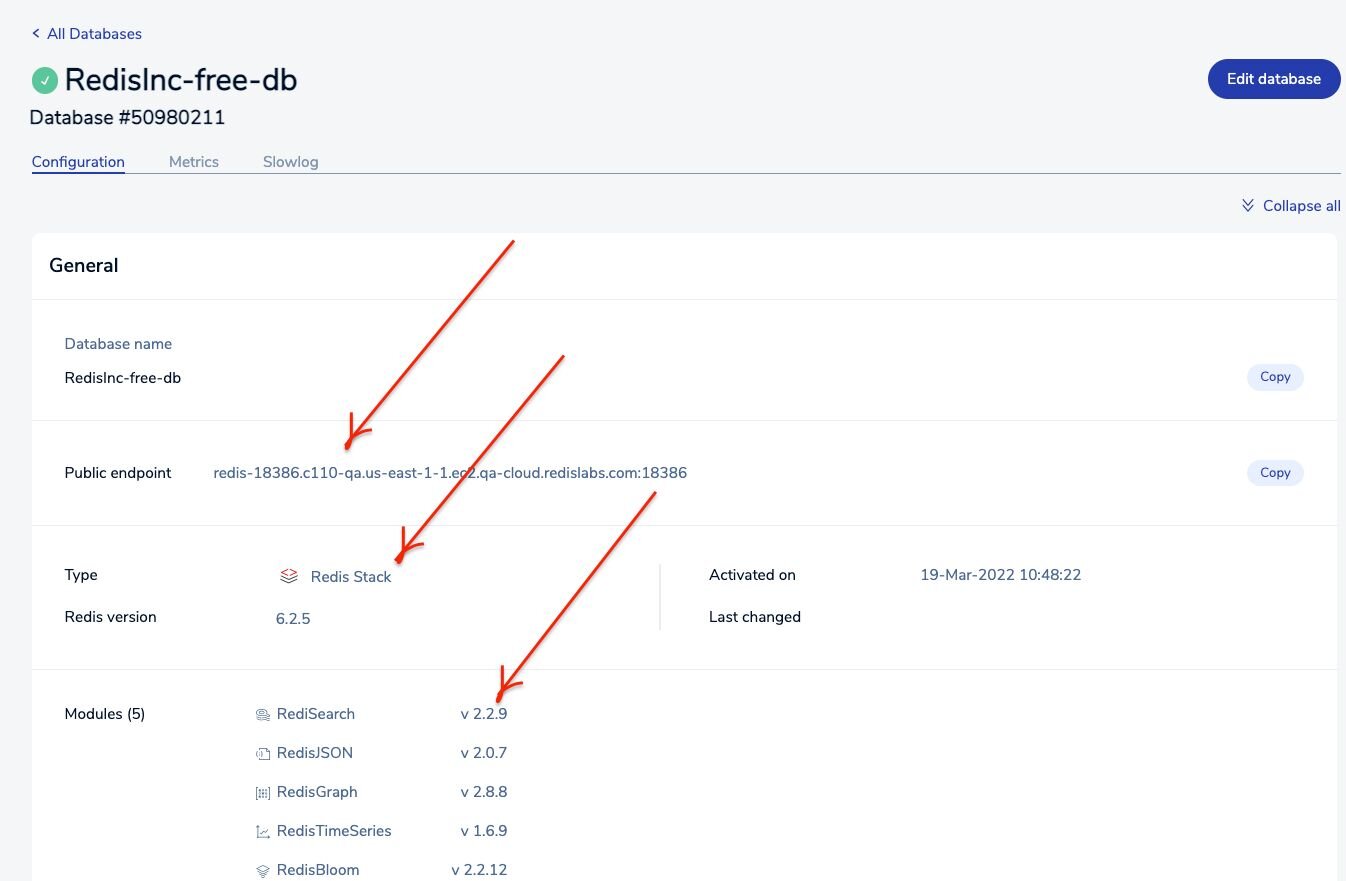
Visit redis.io/try-free and create a free Redis Cloud account. Once you complete this tutorial, you will be provided with the database endpoint URL and password. Save it for future reference.
TIPFor a limited time, use TIGER200 to get $200 credits on Redis Cloud and try all the advanced capabilities!
#Step 2. Install Deno
Verify the installation:
#Step 3. Create a Redis script
Create a file called
redis.ts with the following content:Replace the values of
hostname and port to match those of your Redis database, and set password to your database password.#Step 4. Run the script
Deno can grab scripts from multiple sources. For example, you can provide a filename, a URL, or
- to read the file from stdin. You can run a JavaScript or TypeScript program by executing deno run.When you run the script, the value of
foo should be output. You can verify this by running the monitor command:#Deno KV vs Redis: which should I use?
Deno ships with Deno KV, a built-in key-value store. While Deno KV is convenient for small projects and prototyping, Redis offers significant advantages for production workloads:
| Deno KV | Redis | |
|---|---|---|
| Data structures | Key-value only | Strings, hashes, lists, sets, sorted sets, streams, and more |
| Performance | Good for single-node use | Sub-millisecond latency, optimized for high throughput |
| Scalability | Limited to single Deno process | Horizontal scaling with Redis Cluster |
| Ecosystem | Deno-only | Language-agnostic — works with any runtime or language |
| Persistence | SQLite-backed | RDB snapshots, AOF, or Redis Cloud managed persistence |
| Advanced features | Basic CRUD | Pub/Sub, Lua scripting, transactions, TTL, probabilistic data structures |
Use Deno KV when you need a quick, zero-config store for small applications. Choose Redis when you need advanced data structures, cross-language access, high availability, or horizontal scaling.
#Next steps
- Explore the full Deno Redis client API
- Try Redis data structures beyond strings — hashes, lists, sets, and sorted sets
- Deploy your Deno + Redis app to Deno Deploy
- Set up Redis Cloud for managed persistence and scaling