
Tutorial
How to Deploy and Manage Redis Databases on AWS Using Terraform
February 26, 202620 minute read

TL;DR:You can deploy Redis Cloud databases on AWS using Terraform by configuring the Redis Cloud Terraform provider, defining your subscription and database resources in a.tffile, and runningterraform apply. This gives you repeatable, version-controlled infrastructure-as-code (IaC) for your Redis deployments.
#What you'll learn
- How to install and configure the Redis Cloud Terraform provider
- How to define Redis Cloud subscriptions and databases as Terraform resources
- How to use Terraform data sources for payment methods and cloud accounts
- How to create an execution plan and apply it to provision Redis on AWS
- How to clean up resources with
terraform destroy
#Prerequisites
- Terraform installed on your machine (installation guide)
- A Redis Cloud account with a Flexible or Annual subscription (sign up)
- Redis Cloud API access enabled with an API account key and API user key
- An AWS account (Redis Cloud provisions resources in your chosen AWS region)
#What is Terraform and why use it with Redis?
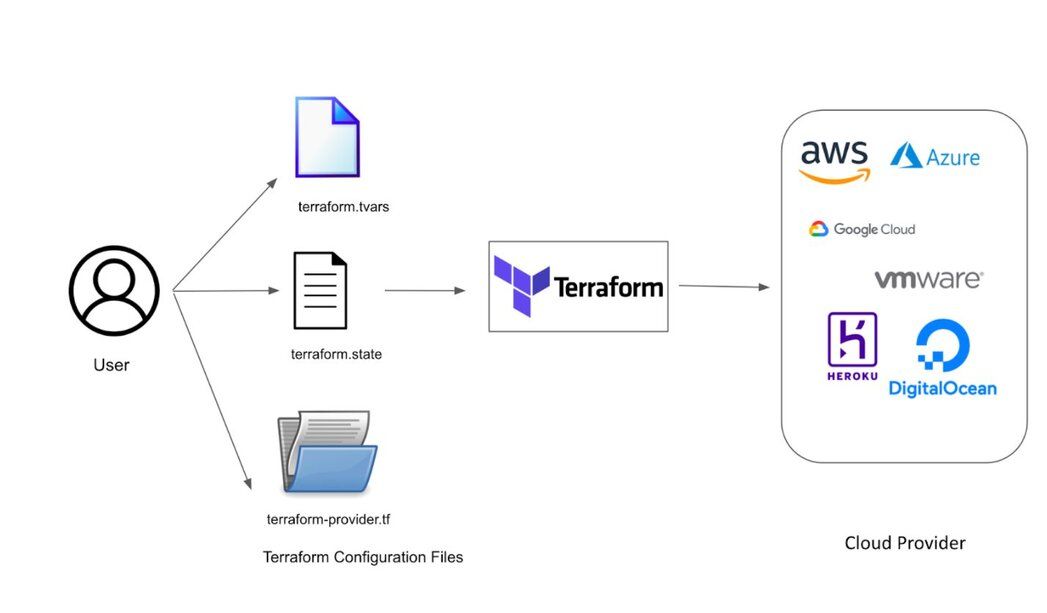
Development teams today are embracing DevOps principles like continuous integration and continuous delivery (CI/CD). Managing infrastructure-as-code (IaC) has become essential for any cloud service. IaC tools let you manage infrastructure with configuration files rather than through a graphical user interface, allowing you to build, change, and manage your infrastructure in a safe, consistent, and repeatable way.
HashiCorp Terraform is a leading open-source IaC tool that provides a consistent CLI workflow to manage hundreds of cloud services. Terraform codifies cloud APIs into declarative configuration files that can be shared among team members, versioned, reviewed, and reused.
#Why Terraform for Redis Cloud?
- Multi-cloud support — Terraform works with AWS, Google Cloud, Azure, DigitalOcean, and more, using a single unified syntax.
- Declarative configuration — Describe the desired state of your Redis infrastructure and let Terraform handle the provisioning.
- Immutable infrastructure — Configuration changes are applied smoothly and predictably.
- Plugin-based extensibility — The provider model supports almost any service that exposes APIs, including Redis Cloud.
- Client-only architecture — No server-side configuration management is required.
#How does the Redis Cloud Terraform provider work?
Redis has developed a Terraform provider for Redis Cloud that allows you to deploy and manage Redis Cloud subscriptions, databases, and network peering as code on any cloud provider. It is a plugin for Terraform that lets Redis Cloud Flexible customers manage the full lifecycle of their subscriptions and related Redis databases.
The provider needs to be configured with the proper credentials before it can be used.
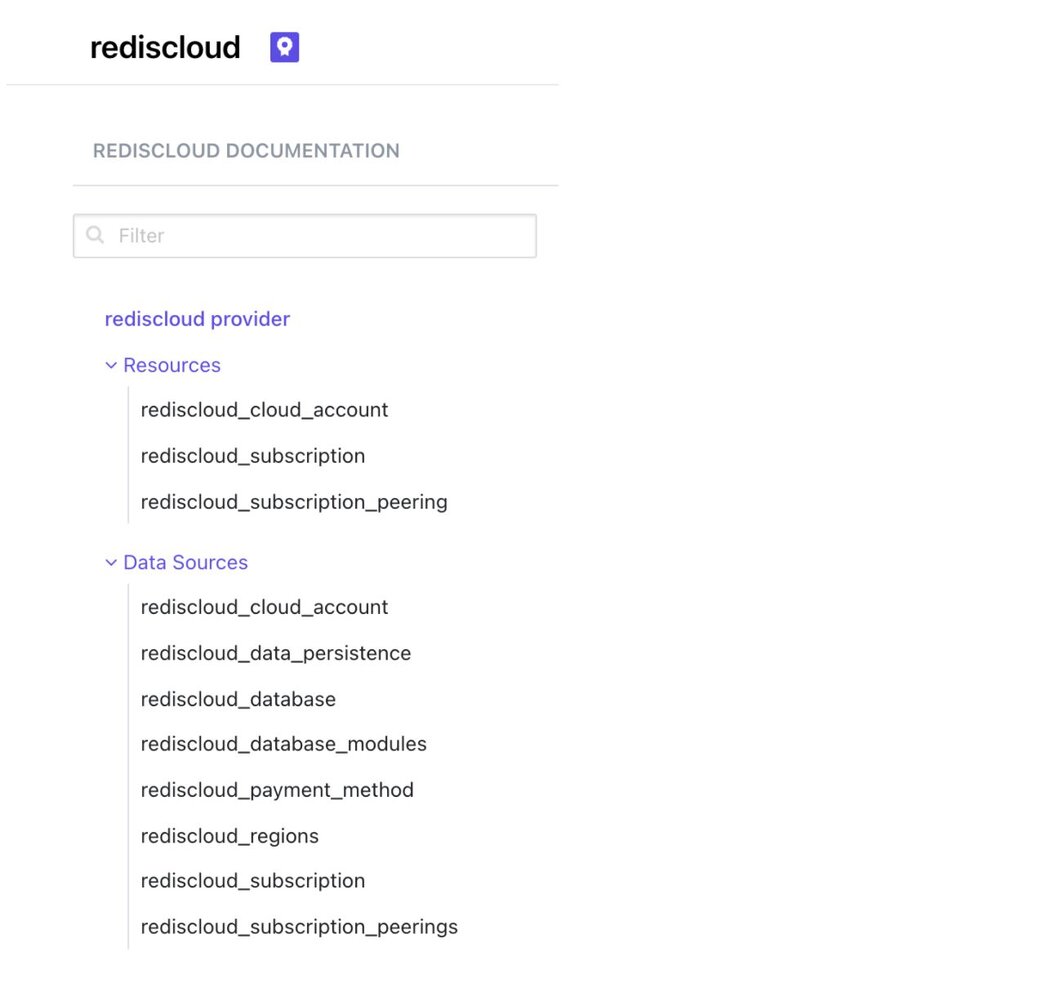
A Terraform configuration is a complete document in the Terraform language that tells Terraform how to manage a given collection of infrastructure. It consists of three main components:
- Providers — connect to cloud APIs
- Data sources — read existing infrastructure information
- Resources — define infrastructure to be created
#How do you configure a Terraform provider?
A provider is the first resource that must be defined in any Terraform configuration file. It gives you access to the cloud API you will interact with to create resources. Terraform supports more than 100 cloud providers.
A provider defines resources and data for a particular infrastructure, such as AWS. The
terraform {} block contains settings including the required providers Terraform will use to provision your infrastructure (for example, the rediscloud provider).The provider {} block configures the specific provider. In the following example, it is AWS.
#What are Terraform resources?
Resources are the most important element in the Terraform language. They describe the infrastructure to be created, from compute instances to specific permissions and more.
The
resource {} block defines components of your infrastructure. A resource can be a physical or virtual component (such as an EC2 instance) or a logical component (such as a random password).The resource {} block has two strings before the block: resource types and resource names. The prefix of the type maps to the name of the provider. For example, the resource type “random_password” and the resource name “passwords” form a unique identifier of the resource. Terraform uses this ID to identify the resource.
#What are Terraform data sources?
Data sources allow Terraform to use information defined outside of Terraform, defined by another separate Terraform configuration, or modified by functions. Each provider may offer data sources alongside its set of resource types. A data source is accessed via a
data block.A data block requests that Terraform read from a given data source ("rediscloud_payment_method") and export the result under the given local name ("card"). The name is used to refer to this resource from elsewhere in the same Terraform module, but has no significance outside of the scope of a module.
Within the block body (between { and }) are query constraints defined by the data source. Most arguments in this section depend on the data source, and indeed in this example card_type and last_four_numbers are all arguments defined specifically for the rediscloud_payment_method data source.
#How do you configure Redis Cloud programmatic access?
To authenticate with the Redis Cloud provider, you need a programmatic API key. The Redis Cloud documentation contains up-to-date instructions for creating and managing your keys and IP access.
TIPFlexible and Annual Redis Cloud subscriptions can leverage a RESTful API that permits operations against a variety of resources, including servers, services, and related infrastructure. The REST API is not supported for Fixed or Free subscriptions.
#Step 1: How do you install Terraform?
Install Terraform using your platform's package manager. On macOS, use Homebrew:
For other platforms, see the official Terraform installation guide.
#Step 2: How do you sign up for Redis Cloud?
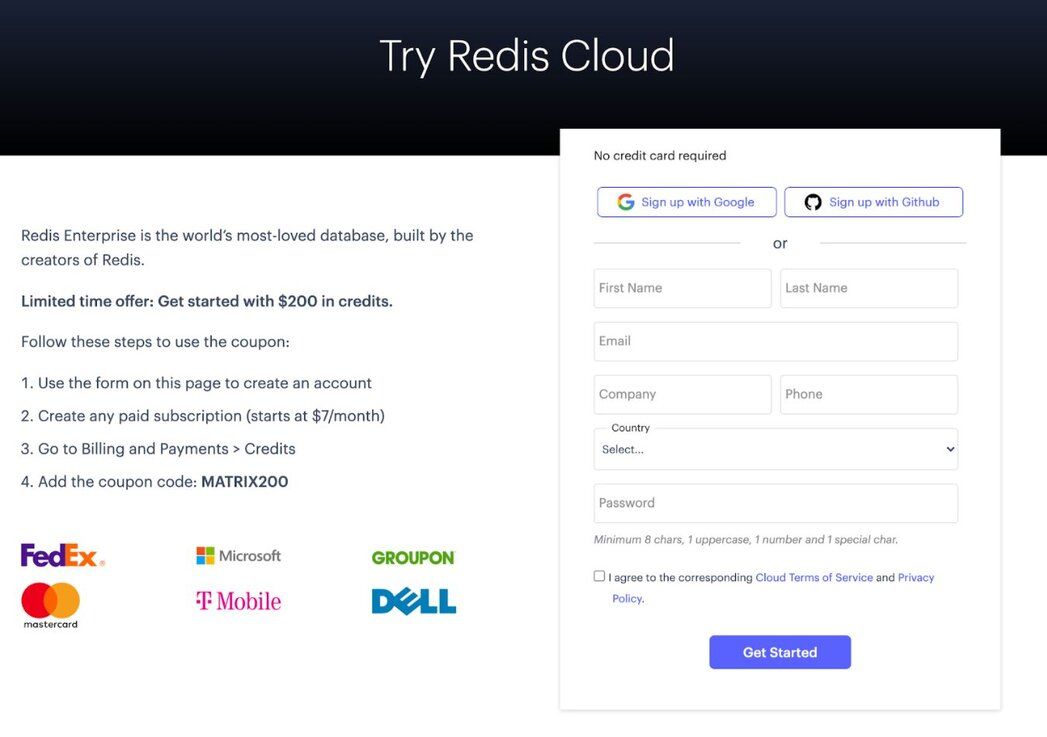
Sign up for a free Redis Cloud account if you don't already have one. You'll need a Flexible or Annual subscription to use the REST API with Terraform.
#Step 3: How do you enable the Redis Cloud API?
If you have a Flexible (or Annual) Redis Cloud subscription, you can use a REST API to manage your subscription programmatically. The Redis Cloud REST API is available only to Flexible or Annual subscriptions. It is not supported for Fixed or Free subscriptions.
For security reasons, the Redis Cloud API is disabled by default. To enable the API:
- Sign in to your Redis Cloud subscription as an account owner.
- From the menu, choose Access Management.
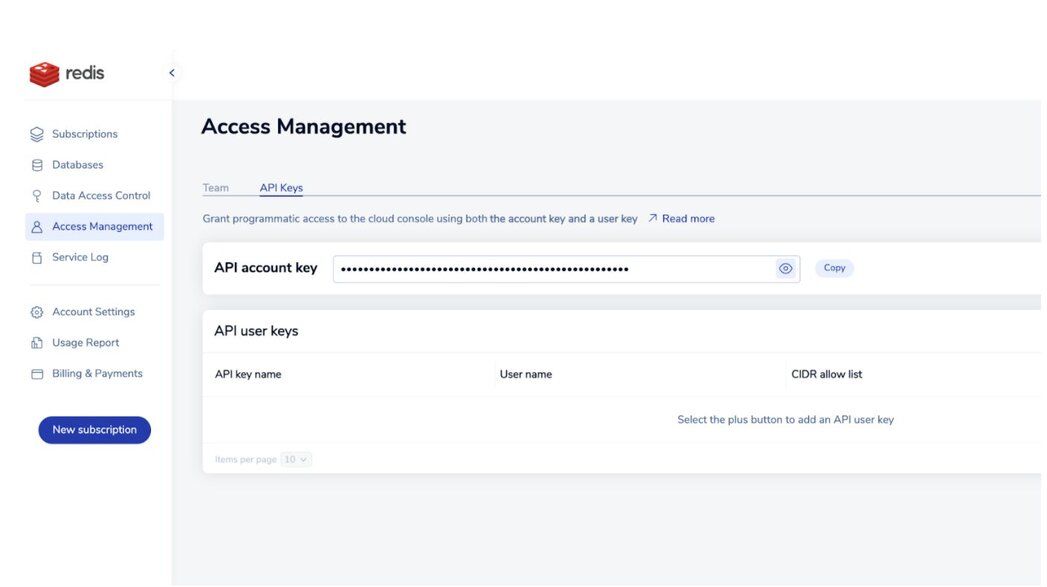
- When the Access Management screen appears, select the API Keys tab.
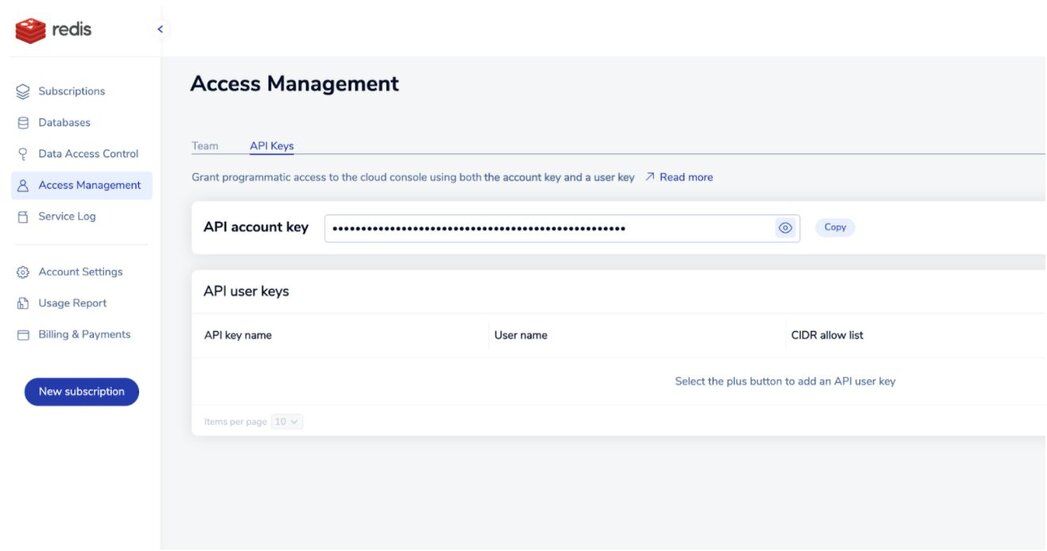
If a Copy button appears to the right of the API account key, the API is enabled. This button copies the account key to the clipboard.
If you see an Enable API button, select it to enable the API and generate your API account key.
To authenticate REST API calls, you need to combine the API account key with an API user key to make API calls.
#Step 4: How do you create the Terraform configuration file?
Create a file named
main.tf and add the provider, resource, and data source blocks. This configuration defines your Redis Cloud subscription and database:#Step 5: How do you preview changes with terraform plan?
The
terraform plan command creates an execution plan, letting you preview changes before applying them. Terraform reads the current state of existing remote objects, compares the configuration to prior state, and proposes a set of change actions.NOTEYou didn't use the -out option to save this plan, so Terraform can't guarantee to take exactly these actions if you run "terraform apply" now.
#Step 6: How do you apply the Terraform configuration?
The
terraform apply command executes the actions proposed in a Terraform plan. It will prompt for confirmation before making any changes.#Step 7: How do you verify the deployed database?
You can verify the new database was created successfully under your subscription. The database named "db-json" should appear in your Redis Cloud console.
Here is the complete configuration to deploy a Redis database with JSON support on AWS using Terraform:
#Step 8: How do you clean up Terraform-managed resources?
The
terraform destroy command removes all remote objects managed by a particular Terraform configuration. This is useful for cleaning up ephemeral infrastructure used for development or testing.#Next steps
Now that you've deployed Redis Cloud on AWS with Terraform, consider exploring:
- Network peering — Set up VPC peering between your Redis Cloud subscription and your AWS VPC for private connectivity.
- Multiple databases — Add more
databaseblocks to your Terraform configuration to provision additional Redis databases within the same subscription. - Terraform state management — Use remote state backends (such as S3) to share Terraform state across your team.
- CI/CD integration — Incorporate
terraform planandterraform applyinto your CI/CD pipeline for automated Redis infrastructure deployment.