
Tutorial
How to use Redis for API Gateway Caching
February 26, 20269 minute read


TL;DR:To cache API gateway data with Redis, decode the authorization token at the gateway layer, store the session in Redis usingSET, and retrieve it on each request withGET. Pass the cached session to downstream microservices via a custom header (e.g.x-session), eliminating redundant auth lookups and reducing response times.
GITHUB CODEBelow is a command to the clone the source code for the application used in this tutorialgit clone --branch v4.2.0 https://github.com/redis-developer/redis-microservices-ecommerce-solutions
#What you'll learn
- What API gateway caching is and why it matters for microservices
- Why Redis is a strong choice for session and auth token caching
- How to store and retrieve session data in Redis at the gateway layer
- How to pass cached session information to downstream microservices
- How to structure an e-commerce microservices architecture with Redis caching
#What is API gateway caching?
So you're building a microservices application. But you find yourself struggling with ways to handle authentication that let you reuse code and maximize performance. Typically for authentication you might use sessions, OAuth, authorization tokens, etc. For the purposes of this tutorial, let's assume we're using an authorization token. In a monolithic application, authentication is pretty straightforward:
When a request comes in:
- Decode the
Authorizationheader. - Validate the credentials.
- Store the session information on the request object or cache for further use down the line by the application.
However, you might be puzzled by how to do this with microservices. Ordinarily, in a microservices application an API gateway serves as the single entry point for clients, which routes traffic to the appropriate services. Depending on the nature of the request, those services may or may not require a user to be authenticated. You might think it's a good idea to handle authentication in each respective service.
While this works, you end up with a fair amount of duplicated code. Plus, it's difficult to understand when and where slowdowns happen and to scale services appropriately, because you repeat some of the same work in each service. A more effective way to handle authentication is to deal with it at the API gateway layer, and then pass the session information down to each service.
Once you decide to handle authentication at the API gateway layer, you must decide where to store sessions.
Imagine you're building an e-commerce application that uses MongoDB/ any relational database as the primary data store. You could store sessions in primary database, but think about how many times the application needs to hit primary database to retrieve session information. If you have millions of customers, you don't want to go to database for every single request made to the API.
This is where Redis comes in. If you're also looking to speed up database reads, see the query caching tutorial for a complementary approach.
#Why should you use Redis for API gateway caching?
Redis is an in-memory datastore, which – among other things – makes it a perfect tool for caching session data. Redis allows you to reduce the load on a primary database while speeding up database reads. The rest of this tutorial covers how to accomplish this in the context of an e-commerce application.
#What does a microservices architecture with Redis caching look like?
The e-commerce microservices application discussed in the rest of this tutorial uses the following architecture:
products service: handles querying products from the database and returning them to the frontendorders service: handles validating and creating ordersorder history service: handles querying a customer's order historypayments service: handles processing orders for paymentdigital identity service: handles storing digital identity and calculating identity scoreapi gateway: unifies services under a single endpointmongodb/ postgresql: serves as the primary database, storing orders, order history, products, etc.redis: serves as the stream processor and caching database
INFOYou don't need to use MongoDB/ Postgresql as your primary database in the demo application; you can use other prisma supported databases as well. This is just an example.
The diagram illustrates how the API gateway uses Redis as a cache for session information. The API gateway gets the session from Redis and then passes it on to each microservice. This provides an easy way to handle sessions in a single place, and to permeate them throughout the rest of the microservices.
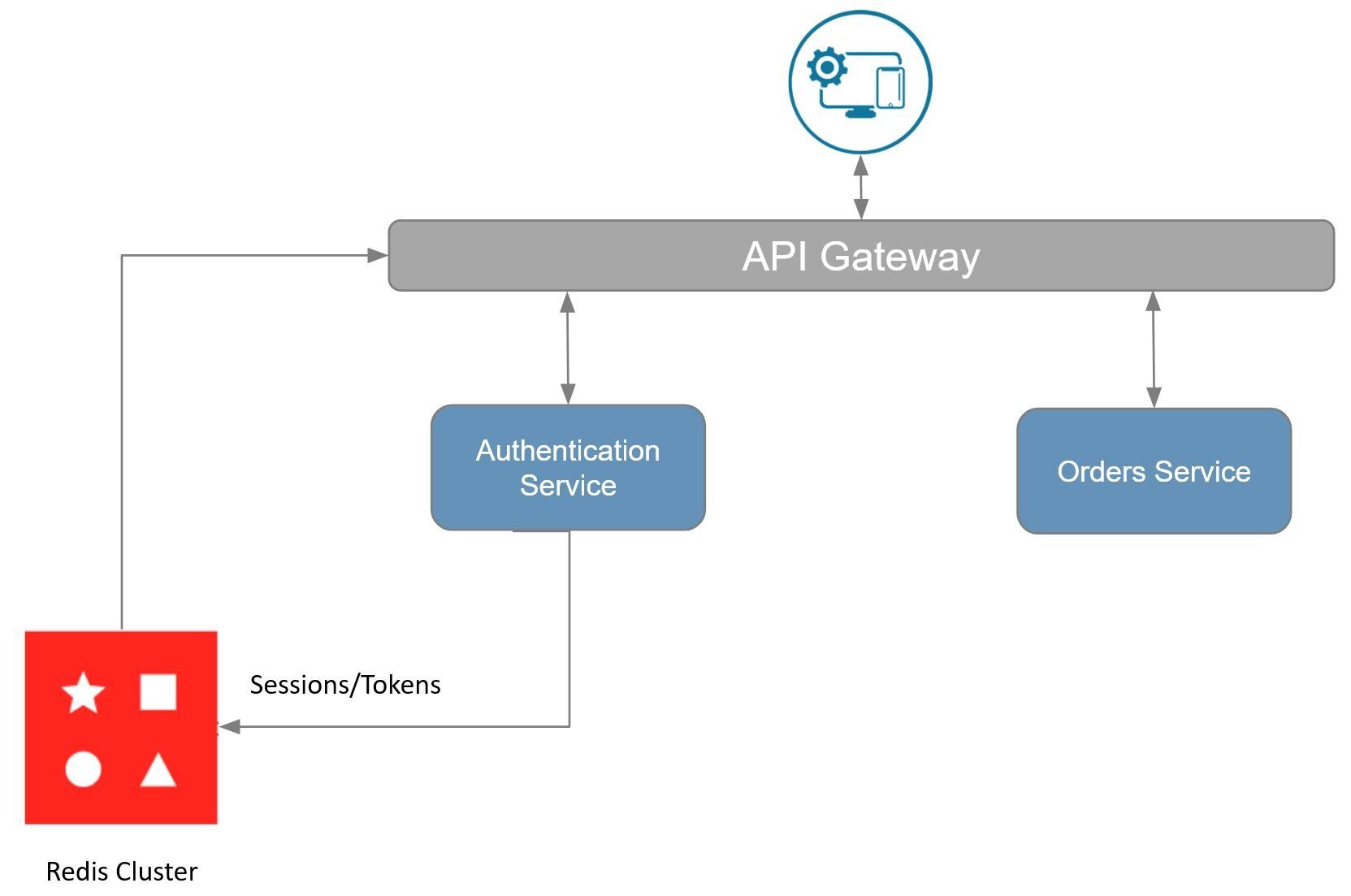
TIPUse a Redis Cloud Cluster to get the benefit of linear scaling to ensure API calls perform under peak loads. That also provides 99.999% uptime and Active-Active geo-distribution, which prevents loss of authentication and session data.
#What does the e-commerce application frontend look like?
The e-commerce microservices application consists of a frontend, built using Next.js with TailwindCSS. The application backend uses Node.js. The data is stored in Redis and MongoDB/ Postgressql using Prisma. Below you will find screenshots of the frontend of the e-commerce app:
Dashboard: Shows the list of products with search functionality

Shopping Cart: Add products to the cart, then check out using the "Buy Now" button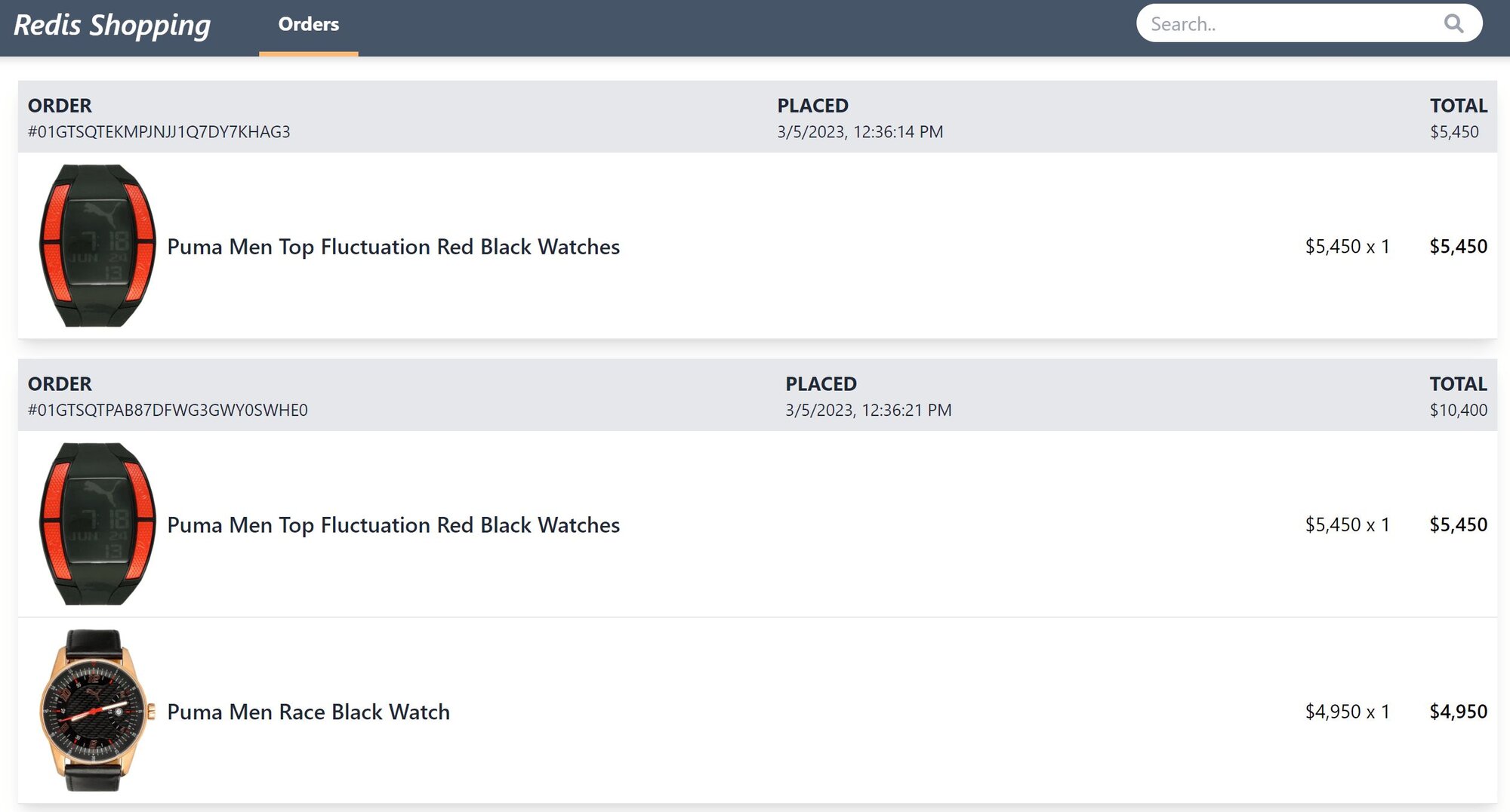
GITHUB CODEBelow is a command to the clone the source code for the application used in this tutorialgit clone --branch v4.2.0 https://github.com/redis-developer/redis-microservices-ecommerce-solutions
#How do you implement API gateway caching with Redis?
What's nice about a microservice architecture is that each service is set up so it can scale independently. For more on how services communicate with each other, see the interservice communication tutorial. Now, seeing as how each service might require authentication, you likely want to obtain session information for most requests. Therefore, it makes sense to use the API gateway to cache and retrieve session information and to subsequently pass the information on to each service. Let's see how you might accomplish this.
In our sample application, all requests are routed through the API gateway. We use Express to set up the API gateway, and the
Authorization header to pass the authorization token from the frontend to the API. For every request, the API gateway gets the authorization token and looks it up in Redis. Then it passes it along to the correct microservice.This code validates the session:
INFOThis example is not meant to represent the best way to handle authentication. Instead, it illustrates what you might do with respect to Redis. You will likely have a different setup for authentication, but the concept of storing a session in Redis is similar.
In the code above, we check for the
Authorization header, otherwise we create a new one and store it in Redis. Then we retrieve the session from Redis. Further down the line we attach the session to the x-session header prior to calling the orders service.Now let's see how the orders service receives the session.
The highlighted line above shows how to pull the session out of the x-session header and get the userId.
#What are the next steps for Redis API gateway caching?
You now know how to use Redis for API gateway caching. By caching session data at the gateway layer, you avoid duplicating authentication logic across services and reduce response times for every request that flows through your microservices architecture.
To take your microservices architecture further, consider these next steps:
- Add query caching: Use Redis to cache database query results and reduce load on your primary database.
- Improve interservice communication: Learn how to use Redis Streams for reliable messaging between microservices.
- Apply the CQRS pattern: Separate read and write workloads with the CQRS pattern using Redis.
- Scale with Redis Cloud: Use a Redis Cloud Cluster for linear scaling, 99.999% uptime, and Active-Active geo-distribution.
#Additional resources
- Redis YouTube channel
- Clients like Node Redis and Redis om Node help you to use Redis in Node.js apps.
- Redis Insight : To view your Redis data or to play with raw Redis commands in the workbench
- Try Redis Cloud for free