

TL;DR:Redis vector sets are a native data type that stores elements with associated vectors for fast similarity search. UseVADDto insert items with embeddings, andVSIMto find the nearest neighbors by comparing vectors. Vector sets power use cases like semantic search, recommendation systems, and AI-powered retrieval directly inside Redis.
#What you'll learn
- What Redis vector sets are and when to use them
- How to add elements with vectors using the
VADDcommand - How to perform similarity search against existing elements or custom vectors using
VSIM - How to bulk import vector data via Redis Insight
- How to inspect vector sets with utility commands like
VCARD,VDIM, andVINFO
#Prerequisites
- Redis 8 or later with vector sets support enabled
- Redis Insight (recommended for bulk import and exploring data)
- Familiarity with generating vector embeddings (e.g., via OpenAI, Sentence Transformers, or similar models)
#What are Redis vector sets?
Vector sets are a Redis data type similar to sorted sets. However, instead of associating each element with a numerical score, elements in a vector set are associated with a vector—a list of floating-point numbers representing the item in a multi-dimensional space.
This makes vector sets ideal for similarity search tasks such as:
- Retrieving the most similar items to the vector of an existing element already in the set.
- Retrieving the most similar items to a specified vector (e.g., a new embedding not yet in the set).
With these capabilities, vector sets are useful in semantic search, recommendation systems, face recognition, and other apps where vector similarity is important.
A vector set is a collection of elements, each associated with a vector and optional custom attributes.
In the above representation:
- Vector set key is
"pg:sts" - Element IDs are sentences identified by
"s1","s2", etc., each storing a vector and custom attributes required for future filtering or inspection.
#How do you add items to a Redis vector set?
You can add items to a vector set using the
VADD command.#VADD syntax
Parameters:
- {vectorSetKey} – The name of your vector set.
- {embeddingDimension} – The length of the vector (number of dimensions).
- {embeddingValues...} – The vector values (space-separated floats).
- {elementId} – A unique identifier for this element in the set.
- {elementAttributesAsJSON} – A JSON object containing any metadata about the element, making it easy to filter or inspect later.
#How do you bulk import vector data?
The full Semantic Textual Similarity (STS) Development Set used in this tutorial is available here.
Upload that file into Redis Insight:
- Click
**Bulk Actions**-> choose**Upload Data**tab -> upload the file and click**Upload**
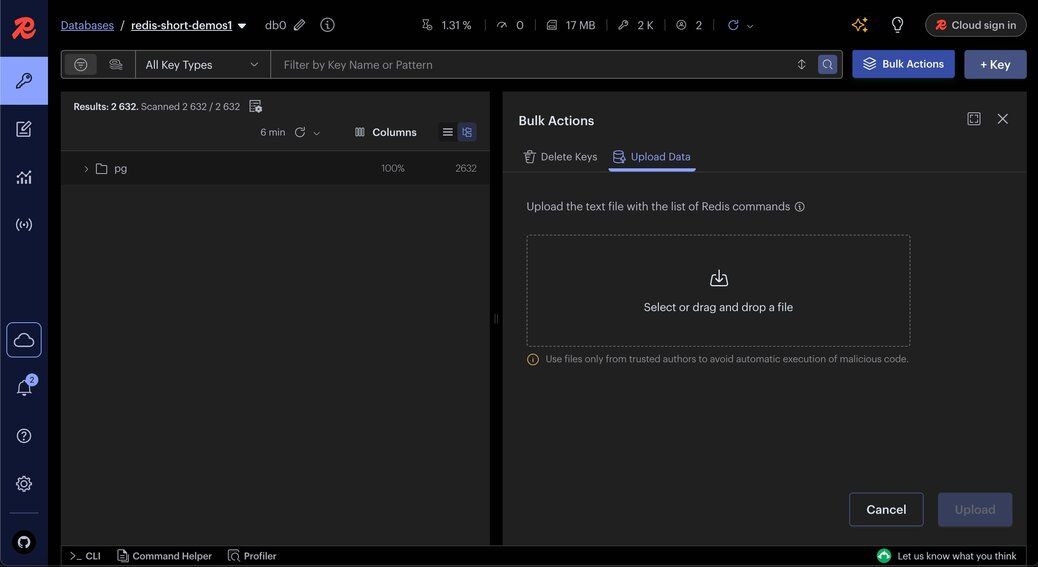
- Post upload, you can see the status of the upload data
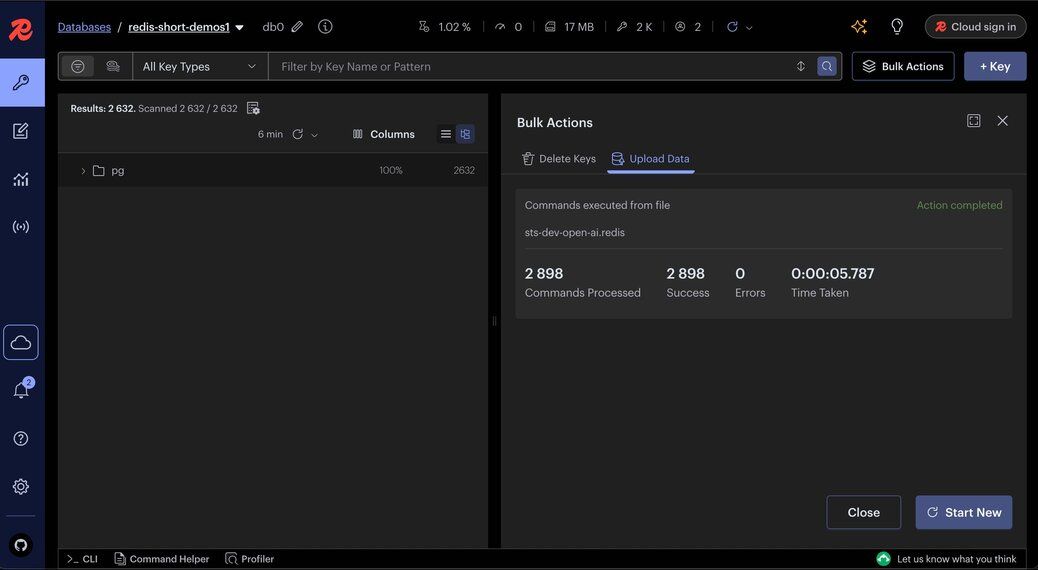
#How do you search by similarity with existing elements?
The
VSIM command allows you to find elements in a vector set that are most similar to the vector of an existing element in the same set.This is useful when you already have an element in your dataset and want to find others that are semantically or visually close to it—a common pattern in recommendation systems and "more like this" features.
#VSIM with existing elements
Parameters:
- {vectorSetKey} – The name of your vector set.
- ELE {elementId} – The ID of the element whose vector you want to use for similarity search.
- WITHSCORES – Returns the similarity score for each result.
- WITHATTRIBS – Returns the stored attributes (metadata) for each result.
#Try element similarity in the Redis sandbox
You can experiment with Element similarity queries in the Redis Sandbox:
- Element similarity with scores and count example
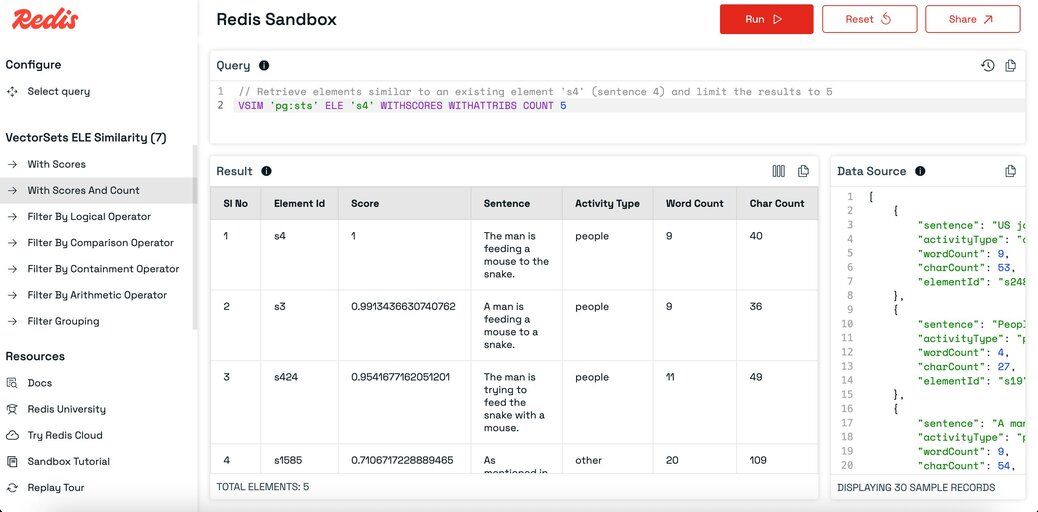
- Element similarity with logical filter
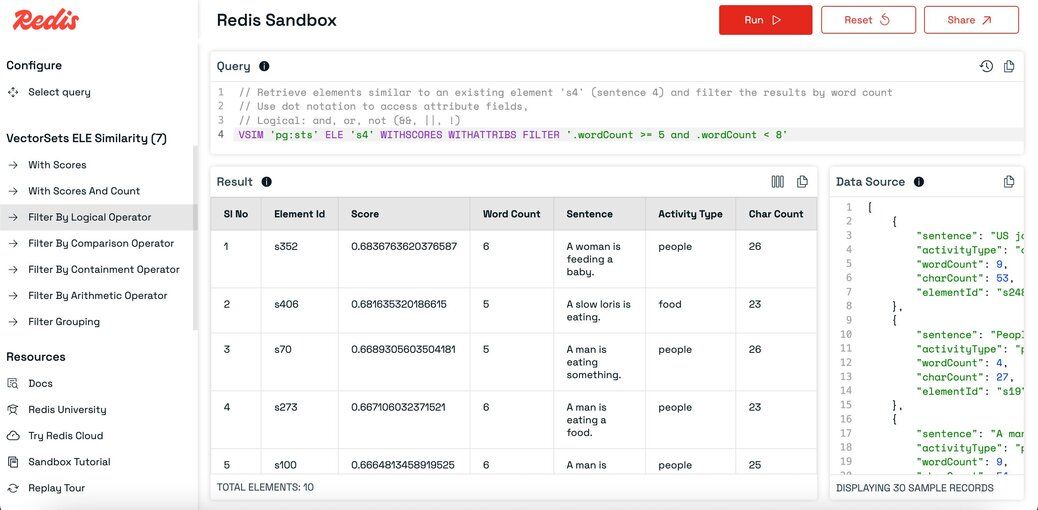
TIPIn the Redis sandbox, explore additional filter options in the left sidebar, including arithmetic filters, comparison filters, and containment filters.
#How do you search with a new vector (KNN query)?
The
VSIM command can also search for elements similar to a vector you provide directly, instead of using an existing element's vector. This is a K-nearest neighbor (KNN) query.This is useful when:
- You have a new piece of text, image, or audio not in your dataset.
- You have already generated its vector embeddings using the same model and dimensions used when seeding the vector set.
#VSIM with specified vectors
Where:
- {vectorSetKey} – The name of your vector set.
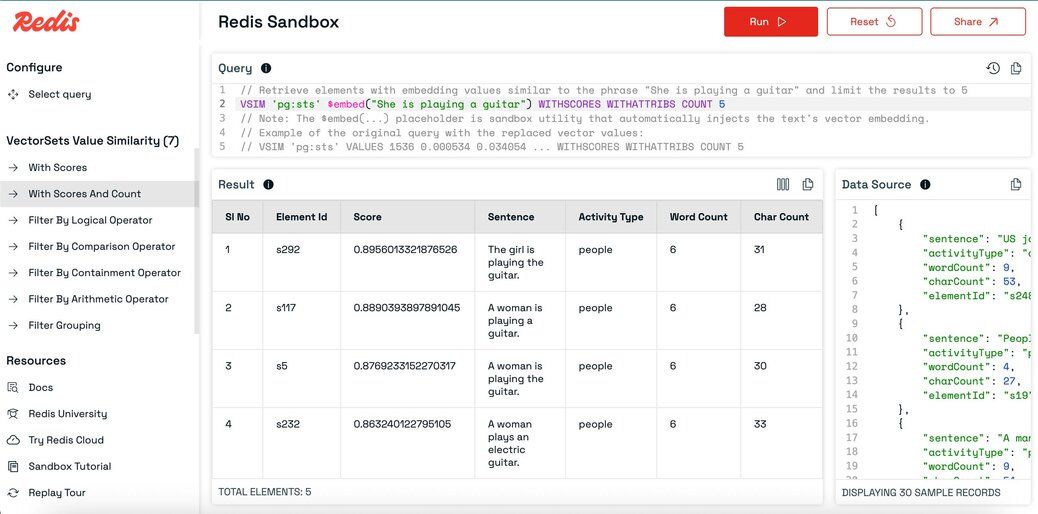
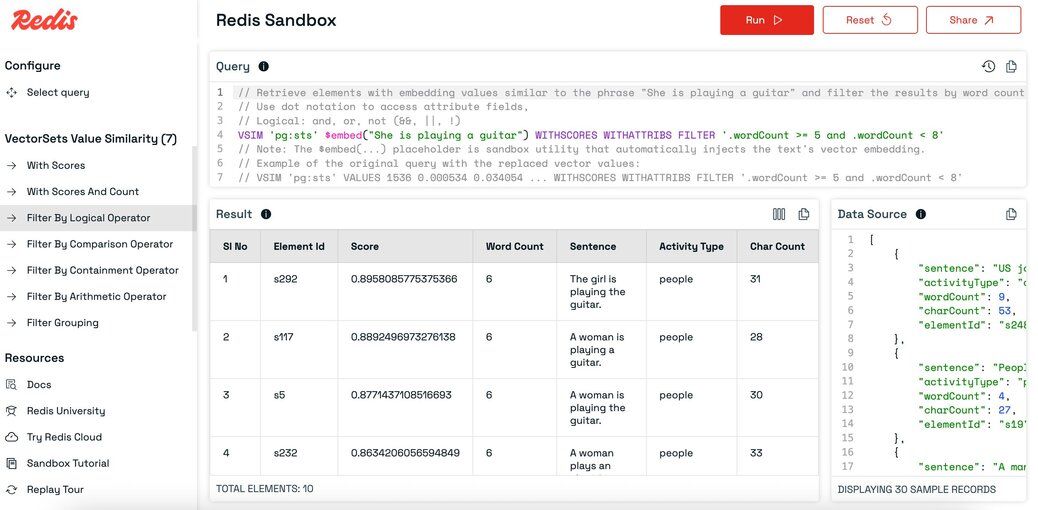
- VALUES {embeddingDimension} {embeddingValues...} – The embedding vector to compare against.
- WITHSCORES – Returns the similarity score for each result.
- WITHATTRIBS – Returns the stored attributes (metadata) for each result.
- COUNT N (optional) – Limits the number of results returned.
NOTEBefore running this query, convert your search text into vector embeddings using the same model (and dimensionality) as the one used to seed the dataset. For example, if the dataset was built using OpenAI's text-embedding-ada-002 model (1536 dimensions), use the same for the query.
#Try value similarity in the Redis sandbox
Experiment with Value similarity queries in the Redis Sandbox:
Value similarity with scores and count example
Value similarity with logical filter
TIPIn the Redis sandbox, explore additional filter options in the left sidebar, including arithmetic filters, comparison filters, and containment filters.
#What other vector set commands are available?
Vector sets in Redis support several utility commands that let you inspect, debug, and retrieve metadata, attributes, or structure-related information.
VCARD– Count elements.VDIM– Get vector dimensions.VEMB– Get vector for an element.VGETATTR– Get attributes for an element.VINFO– Get metadata about the vector set.VISMEMBER– Check if an element exists.VLINKS– Get neighbors in the HNSW graph.VRANDMEMBER– Get random elements.
#Commands
#Try vector set commands in the Redis sandbox
Experiment with other vector set commands in the Redis sandbox:
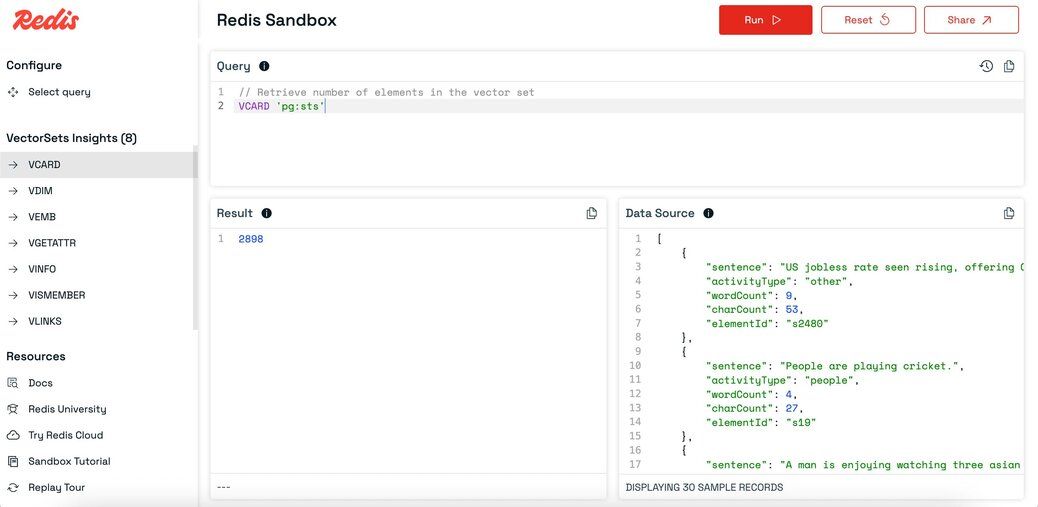
TIPIn the Redis sandbox, you can select a command from the left sidebar, click the Run button, and instantly see the output.
#How do vector sets compare to vector indexing with Redis Search?
Redis offers two ways to work with vectors:
| Feature | Vector sets | Redis Search vector indexing |
|---|---|---|
| Data type | Native VSET type (Redis 8+) | Vectors stored in hashes or JSON, indexed via FT.CREATE |
| Indexing | Built-in HNSW graph, automatic | Requires explicit index creation with FT.CREATE |
| Query command | VSIM | FT.SEARCH with KNN syntax |
| Filtering | Attribute-based filters in VSIM | Full-text, tag, numeric, and geo filters via query syntax |
| Best for | Lightweight similarity search, real-time recommendations, rapid prototyping | Complex queries combining vector search with structured filters |
| Schema | Schema-free; attributes are arbitrary JSON | Schema defined at index creation |
Use vector sets when you need a simple, fast path to nearest-neighbor search with minimal setup. Use Redis Search when you need to combine vector similarity with rich filtering, full-text search, or aggregation across structured data.
For a hands-on walkthrough using Redis Search for vector search, see the Vector similarity search tutorial.
#Ready to use Redis vector sets?
You've learned how to:
- Add elements to a vector set with
VADD. - Run similarity searches using existing elements or custom query vectors with
VSIM. - Perform KNN queries against new embeddings.
- Use utility commands to inspect and explore your data.
Vector sets provide fast, scalable nearest-neighbor search natively in Redis — perfect for semantic search, recommendations, and AI-powered retrieval.
#Next steps
- Try the Redis sandbox links throughout this guide.
- Import your own data and test queries.
- Explore the full vector sets data type documentation.
- Learn about vector similarity search with Redis Search.
- Build a semantic text search application using Redis vectors.
- Dive into the VADD and VSIM command references.